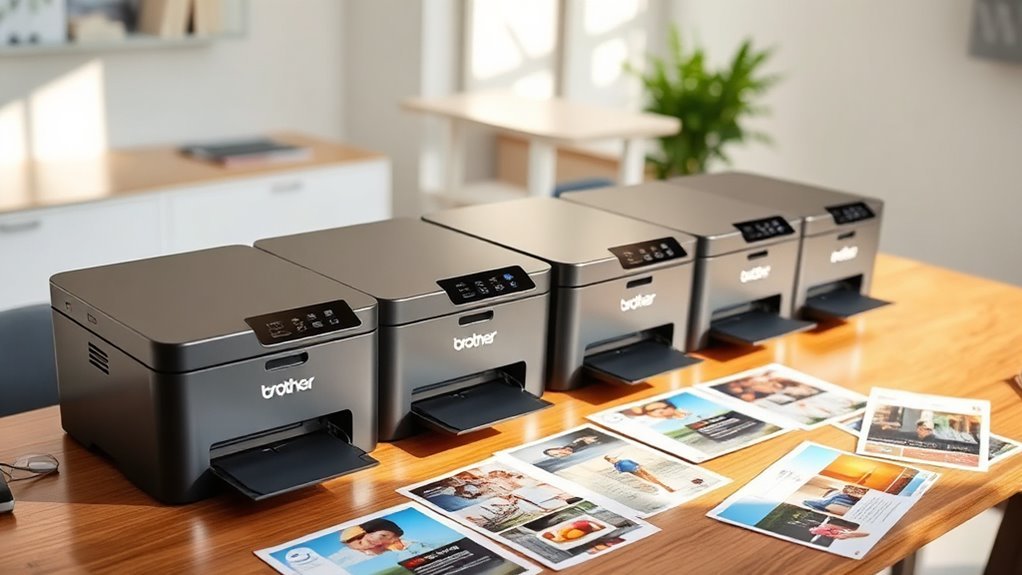
6 Best Brother All in One Printers for 2027
For 2027, the 6 best Brother all-in-one printers deliver fast speeds, sharp print quality, and the wireless convenience you need for both home and office use.
Whether you’re handling documents or photos, these versatile models have you covered with features that make printing effortless and efficient.
You’ll find options like the DCP-L2640DW, perfect for monochrome printing, and the Work Smart 1360 and 1410, which tackle color tasks with ease.
Plus, the INKvestment MCF-J5010DW comes with smart ink tracking to help you save money and avoid unexpected ink runs.
The MFC-L3720CDW strikes a great balance between speed and user-friendly functions.
And if labeling is your thing, the PTD220 offers a reliable solution.
Each printer shines in connectivity, efficiency, and features tailored just for you.
Ready to explore which Brother all-in-one printer fits your needs? Let’s dive in!
| Image | Name | Editor's Rating | Price |
|---|---|---|---|

|
|
||

|
|
||

|
|
||

|
|
||

|
|
Brother DCP-L2640DW Wireless Monochrome Printer
- BEST FOR SMALL BUSINESSES – Engineered for extraordinary productivity, the Brother DCP-L2640DW Monochrome (Black & White) 3-in-1 combines laser printer, scanner, copier...
- FAST PRINTER WITH EFFICIENT SCANNING – Produces documents quickly with print speeds up to 36 ppm(2) and scan speeds up to 23.6/7.9 ipm(3) (black/color). A 50-page auto...
- FLEXIBLE CONNECTION OPTIONS – Easily navigate the changing demands of your business with secure multi-device connectivity via built-in dual-band wireless (2.4GHz...
- BROTHER MOBILE CONNECT APP – Print, scan, and manage your wireless printer anytime, from almost anywhere from your mobile device. Order Brother Genuine Supplies, track...
- CHOOSE BROTHER GENUINE TONER – When it’s time to replace your toner, be sure to choose Brother Genuine TN830 or TN830XL replacement toner. And with Refresh EZ Print...

The Brother DCP-L2640DW is designed to streamline monochrome printing, copying, and scanning in compact spaces. It addresses common office bottlenecks by delivering fast output and easy multitasking. With print speeds up to 36 pages per minute, it helps maintain productivity without long waits.
Its wireless connectivity options, including dual-band Wi-Fi, Ethernet, and USB, simplify setup and device integration. The 50-sheet automatic document feeder reduces manual handling, making repetitive tasks more efficient. You can also print directly from your smartphone using Brother Mobile Connect for added convenience.
Maintenance is straightforward thanks to its energy-saving features like automatic duplex printing and toner save mode, which reduce waste and running costs. The 250-sheet paper tray fits well in small workspaces but may require refilling during heavy use, so consider your volume needs.
While the printer only supports monochrome output, it excels in delivering crisp black-and-white documents quickly and reliably. Its compact design and multifunction capabilities make it a practical choice for individuals or small offices looking for a dependable wireless laser printer.
Best for: Small offices or individuals needing a fast and compact monochrome printer with multifunction wireless features.
What We Like:
- Fast print speed of up to 36 ppm enhances efficiency
- Multiple connectivity options including dual-band Wi-Fi and USB
- Automatic duplex printing saves paper and reduces waste
- Handy 50-sheet automatic document feeder for easy multitasking
- Compact design fits comfortably in limited workspace
Specification:
| Feature | Details |
|---|---|
| Manufacturer | Brother |
| Dimensions | Compact (exact size not specified) |
| Weight | Not specified |
| Connectivity | Dual-band Wi-Fi, Ethernet, USB |
| Paper Tray Capacity | 250 sheets |
| Automatic Document Feeder | 50 sheets |
| Printing Speed | Up to 36 pages per minute |
| Printing Type | Monochrome laser |
Brother Work Smart 1360 Wireless Color Inkjet All-in-One Print, Scan, Copy
- AFFORDABLE ALL-IN-ONE FOR HOME AND HOME OFFICE: Print, copy, and scan on one compact wireless printer designed for everyday home office printing, schoolwork, documents...
- EASY TO USE WITH CLOUD APP CONNECTIONS: Print from and scan to popular Cloud apps(2), including Google Drive, Dropbox, Box, OneDrive, and more from the simple-to-use...
- FULL-SIZE FEATURES IN A COMPACT DESIGN: This printer includes automatic duplex (2-sided) printing, a 20-sheet single-sided Automatic Document Feeder (ADF)(3), and a...
- MULTIPLE CONNECTION OPTIONS: Connect your way. Interface with your printer on your wireless network or via USB.
- MOBILE PRINTING MADE EASY: Go mobile with the Brother Mobile Connect app(5) that delivers easy onscreen menu navigation for printing, copying, scanning, and device...
The Brother Work Smart 1360 Wireless Color Inkjet All-in-One is designed to streamline your home office tasks. It delivers reliable wireless printing, scanning, and copying in a compact, space-saving design. This printer tackles everyday document needs efficiently, helping you maintain productivity without clutter.
With print speeds of up to 16 pages per minute in black-and-white and 9 in color, it produces sharp results at 1,200 x 6,000 dpi resolution. Automatic duplex printing and a 20-sheet automatic document feeder reduce manual effort, making multi-page jobs easier to manage.
Connectivity options are robust, featuring Wi-Fi Direct, AirPrint®, Mopria®, USB 2.0, and mobile printing through the Brother Mobile Connect app. The 1.8” color display provides easy navigation, while cloud integration and ink usage tracking add convenience and control.
Maintenance is straightforward with efficient ink use and Energy Star certification for lower power consumption. While the 20-sheet ADF and 150-sheet paper tray limit high-volume tasks, this model excels in everyday home office use where space and versatility matter.
Best for: individuals and small home offices seeking a compact, versatile wireless all-in-one printer with efficient color and black-and-white printing, scanning, and copying capabilities.
What We Like:
- Fast print speeds with sharp, high-resolution output
- Automatic duplex printing for time-saving double-sided documents
- Multiple wireless and mobile connectivity options
- User-friendly 1.8” color display and cloud integration
- Energy-efficient design with ink usage tracking
Specification:
| Feature | Details |
|---|---|
| Manufacturer | Brother |
| Dimensions (W x D x H) | 14.0 x 13.2 x 7.7 inches |
| Weight | 14.3 lbs (6.5 kg) |
| Color Options | White |
| Connectivity | Wi-Fi Direct, AirPrint®, Mopria®, USB 2.0 |
| Print Speed | 16 ppm (B&W), 9 ppm (Color) |
| Resolution | 1,200 x 6,000 dpi |
| ADF Capacity | 20 sheets |
| Paper Tray Capacity | 150 sheets |
Brother Work Smart 1410 Wireless Color Inkjet Printer
- BEST FOR HOME OFFICE AND SMALL OFFICE: Get your work done with a multifunction printer. Print, copy, and scan on one convenient, compact printer, with quick and easy...
- EASY-TO-USE TOUCHSCREEN WITH CLOUD APP CONNECTIONS: Seamless integration with the Cloud(2). Print from and scan to popular Cloud apps(2), including Google Drive, Dropbox...
- PRODUCTIVITY-FOCUSED FEATURES: Automatic duplex (2-sided) printing, 20-sheet single-sided Automatic Document Feeder (ADF)(3), 150-sheet paper tray(3). Print at fast...
- MULTIPLE CONNECTION OPTIONS: Connect your way. Interface with your printer on your wireless network or via USB.
- THE BROTHER MOBILE CONNECT APP: Go mobile with the Brother Mobile Connect app(5) for easy onscreen menu navigation for printing, copying, scanning, and device management...
The Brother Work Smart 1410 wireless color inkjet printer is designed to simplify your printing tasks while fitting neatly into small spaces. Its compact, all-in-one design allows you to print, scan, and copy seamlessly, making it ideal for home offices or small businesses. The printer’s multifunction capabilities help you tackle daily document needs without hassle.
Navigating the printer is straightforward thanks to the 2.7” color touchscreen, which offers quick access to cloud services like Google Drive and Dropbox. This connectivity reduces reliance on a computer and streamlines workflow. Wireless and USB options provide flexible connections, while the Brother Mobile Connect app makes managing print jobs from your phone effortless.
Maintenance is effortless with support for genuine Brother LC501 ink and a Refresh Subscription Trial that keeps ink levels monitored and replenished automatically. The printer also features automatic duplex printing and a 20-sheet automatic document feeder, helping you save paper and increase efficiency.
Though the print speed is moderate, it meets typical home or small office needs. The 150-sheet paper tray suits everyday use but might require refilling in busier settings. Overall, the Work Smart 1410 balances functionality and convenience in a compact package.
Best for: users needing a compact, wireless all-in-one printer that enhances productivity in home offices or small business environments.
What We Like:
- User-friendly 2.7” color touchscreen with cloud app integration for easy document access
- Automatic duplex printing and 20-sheet ADF for efficient multitasking
- Flexible wireless and USB connectivity with mobile management via Brother Mobile Connect
Specification:
| Feature | Details |
|---|---|
| Manufacturer | Brother |
| Dimensions | Compact size (specific dimensions not provided) |
| Weight | Not specified |
| Material | Not specified |
| Color Options | Not specified |
Brother INKvestment Wireless Color Inkjet Printer MCF-J5010DW
- BEST FOR SMALL BUSINESS: Print, copy, scan, and fax with one powerful device, with advanced security features for business. Includes one 1,800-page yield black ink...
- PRODUCTIVITY-FOCUSED FEATURES: A 250-sheet paper tray, 50-page single-pass duplex (2-sided) automatic document feeder (ADF), and automatic duplex printing on paper up to...
- SUPERIOR PRINTING: Engineered with the Brother PerfectPrint Auto Detection System, which helps ensure reliable, consistent print quality and performance you can depend on...
- SEAMLESS CONNECTIONS: Simplify your workflow with Wi-Fi Direct and multiple connection options, including wireless network interfacing, Ethernet, and USB. Plus, print...
- THE BROTHER MOBILE CONNECT APP: Put the power of printing at your fingertips. Go mobile with the simple-to-use Brother Mobile Connect app, which delivers easy on-screen...
The Brother INKvestment Wireless Color Inkjet Printer MCF-J5010DW stands out for its ability to deliver fast, high-quality color prints that meet the demands of busy small businesses. Its sharp printing resolution ensures clear and vibrant documents, making everyday tasks more efficient and professional. This all-in-one device combines printing, copying, scanning, and faxing in one compact unit.
Maintenance is simplified with the smart ink system, which helps you keep track of ink levels and reduces unexpected interruptions. The printer’s large paper capacity and automatic duplex printing make managing sizable print jobs easier, saving time and effort.
Designed for connectivity, it supports Wi-Fi Direct, Ethernet, and USB connections, along with cloud printing options. This flexibility allows seamless integration into various work environments. While it offers excellent functionality, the printer is relatively heavy and ink cartridges may require periodic replacement during heavy use.
Best for: Small businesses seeking a reliable and versatile color printer with efficient ink management and strong connectivity options.
What We Like:
- Fast print speeds with sharp 4800 x 1200 dpi resolution
- Automatic duplex printing and 50-page ADF for multitasking
- Multiple connectivity options including cloud printing support
- Smart ink system reduces downtime
- Large paper capacity supports high-volume jobs
Specification:
| Feature | Details |
|---|---|
| Manufacturer | Brother |
| Dimensions | Not specified |
| Weight | 30.9 lb (14 kg) |
| Color | Not specified |
| Connectivity | Wi-Fi Direct, Ethernet, USB |
| Print Speed | Up to 28 ppm (black), 26 ppm (color) |
| Resolution | 4800 x 1200 dpi |
| Paper Capacity | 250-sheet main, 100-sheet multipurpose |
Brother P-Touch PTD220 Home/Office Label Maker
- Ideal For Small Office, Home Office, and Home Organization: a mobile label maker to keep homes, small offices, and workspaces tidy and organized. Powered by 6 AAA...
- Prints on Brother Genuine TZe Label Tapes: Create labels that are approximately 1/2 inch (12mm) wide. Easy to peel, durable and laminated labels are ideal for a variety...
- Personalize Your Labels: Choose from 14 different fonts, 11 font styles, 99 designer frames, and over 600 symbols and use the familiar QWERTY style keyboard for ease of...
- Built-in Memory: Save up to 30 frequently used labels Create them, save them, find them, and reprint them as many times as needed
- Create and Print Quickly and Easily: Use the 25 pre-set label templates to create and print professional-looking labels in an instant with a variety of templates for home...
The Brother P-Touch PTD220 label maker is designed to simplify your organization tasks at home or in the office. Its compact size and QWERTY keyboard make label creation quick and straightforward, helping you stay efficient. This device prints durable, laminated labels that resist wear and tear, ensuring your tags remain clear over time.
You can customize labels with 14 fonts, 11 styles, and over 600 symbols to suit different needs. The label width is limited to 12mm, which works well for most files, shelves, and drawers. It stores up to 30 frequently used labels and offers 25 templates, saving time when reprinting or organizing.
Maintenance is simple with replaceable label tapes and the option to power the device using six AAA batteries or an AC adapter. While it only prints in monochrome, this thermal printer delivers sharp, easy-to-read labels that improve visibility and order in any space.
Best for: Small offices, home offices, and individuals seeking a portable, easy-to-use label maker for everyday organization.
What We Like:
- Compact and lightweight design with user-friendly QWERTY keyboard
- Wide customization options including fonts, styles, and symbols
- Stores frequently used labels and includes ready-made templates
- Durable laminated labels resist fading and damage
Specification:
| Feature | Details |
|---|---|
| Manufacturer | Brother |
| Dimensions | Compact, handheld size |
| Label Tape Width | Up to 12 mm (approx. 1/2 inch) |
| Fonts Available | 14 |
| Font Styles | 11 |
| Symbols | Over 600 |
| Power Source | 6 AAA batteries or AC adapter |
| Label Type | Laminated, monochrome |
Brother MFC-L3720CDW Wireless Color Laser Printer

- Professional Performance: Dominate your business printing with this Brother Genuine color laser printer delivering exceptional print speeds up to 19 ppm and stunning...
- Advanced Connectivity: Take command of your workflow with dual-band wireless networking (2.4GHz/5GHz), Wi-Fi Direct, and USB 2.0 interface, enabling multiple users to...
- Productivity Powerhouse: Maximize efficiency with the 50-sheet auto document feeder, 250-sheet adjustable paper tray, and automatic duplex printing, ensuring...
- Smart Integration: Transform your workflow with the intuitive 3.5" color touchscreen featuring 48 customizable shortcuts and direct access to popular cloud services...
- Mobile Command Center: Leverage the power of mobile printing with remote access capabilities, toner level monitoring, and complete printer management directly from your...
The Brother MFC-L3720CDW offers a smart solution for busy home offices and small businesses needing reliable color printing. It handles tasks quickly with a print speed up to 19 pages per minute, helping you stay on schedule without sacrificing quality. The sharp 2400 x 600 dpi resolution ensures clear, professional-looking documents every time.
This wireless color laser printer features dual-band connectivity and mobile printing options, making it easy to print from multiple devices without hassle. The intuitive 3.5-inch touchscreen simplifies operation, so managing print jobs is straightforward and efficient. Its compact design fits well in limited spaces while supporting versatile paper handling.
Maintenance is hassle-free thanks to the 50-sheet auto document feeder and automatic duplex printing, which reduce manual effort and save paper. Though its 250-sheet maximum paper capacity might require occasional refills during heavy use, the printer’s eco-friendly features help cut waste and energy consumption.
Security is built in with advanced protection to keep sensitive information safe. While weighing 44 pounds, it is designed primarily for stationary use in an office setting rather than portability. This printer balances speed, quality, and convenience to enhance productivity in a busy workspace.
Best for: Small businesses and home offices needing a fast, reliable, and versatile wireless color laser printer with advanced productivity and security features.
What We Like:
- Fast print speed with sharp 2400 x 600 dpi resolution
- Dual-band wireless and mobile printing for flexible device connectivity
- Automatic duplex and 50-sheet feeder reduce manual work and paper waste
- Advanced security features protect sensitive documents
- Compact design suitable for small office spaces
Specification:
| Feature | Details |
|---|---|
| Manufacturer | Brother |
| Dimensions (W×D×H) | 16.1 × 18.7 × 15 inches |
| Weight | 44 lbs (19.96 kg) |
| Connectivity | Wireless dual-band, USB |
| Display | 3.5-inch color touchscreen |
| Paper Capacity | 250 sheets max |
Factors to Consider When Choosing a Brother All in One Printer
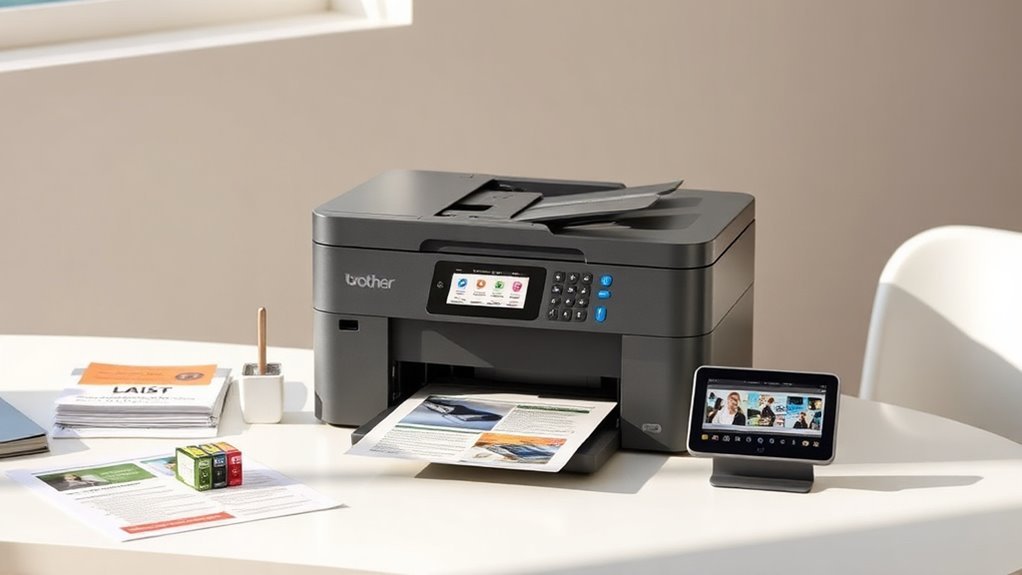
When choosing a Brother all-in-one printer, you’ll want to evaluate key features like functionality options and print speed. Don’t forget to check connectivity, paper handling, and how eco-friendly the model is.
These factors will help you find a printer that fits your needs perfectly. So, take your time and consider what matters most for your printing tasks!
Printer Functionality Options
Choosing the right Brother all-in-one printer means focusing on the features that match your workflow. You’ll want multifunctionality options like printing, scanning, copying, and faxing to boost your productivity.
An automatic document feeder (ADF) is a must if you handle multiple pages. These usually hold between 20 to 50 pages, which makes large jobs way easier.
Don’t overlook automatic duplex printing—it saves paper by printing on both sides. Connectivity matters too; look for wireless capabilities, mobile printing, and cloud integration to easily print from any device.
Print Speed And Quality
Print speed and quality play an essential role in how efficiently your Brother all-in-one printer handles everyday tasks. Some models print black and white pages at up to 36 ppm, while color printing speeds may reach around 16 ppm.
You’ll want a printer offering high resolution—up to 1,200 x 6,000 dpi—to guarantee sharp, vibrant output. Automatic duplex printing is a handy feature that saves time and reduces paper use by printing on both sides.
If you often scan or copy multi-page documents, choosing a model with an Automatic Document Feeder (ADF) holding 20 to 50 pages will boost productivity. Also, consider toner and ink quality: laser printers excel at crisp text, while inkjets produce richer colors for images and graphics.
Connectivity And Compatibility
How easily your Brother all-in-one printer connects to your devices can make a big difference in your daily workflow. Look for models offering dual-band wireless (2.4GHz and 5GHz) to guarantee stable connections and faster data transfers.
Make sure it supports mobile printing options like Wi-Fi Direct, AirPrint, and Mopria for printing straight from your smartphone or tablet. Don’t overlook USB 2.0 ports for direct computer connections if Wi-Fi isn’t available.
Also, consider printers with cloud connectivity, allowing you to print from and scan to services like Google Drive and Dropbox. Finally, verify compatibility with your operating systems and devices to avoid any frustrating connection issues.
Prioritizing these features guarantees seamless integration with your existing technology. It’s all about making your printing experience as smooth and hassle-free as possible.
Paper Handling Capacity
When selecting a Brother all-in-one printer, understanding its paper handling capacity can save you time and frustration. Look for models with tray capacities between 150 and 250 sheets to suit your daily printing needs.
An Automatic Document Feeder (ADF) with a 20 to 50-sheet capacity boosts productivity by allowing you to scan or copy multiple pages at once. Duplex printing is another key feature, letting you print on both sides automatically, which cuts paper use and costs.
Also, check the maximum media sizes supported—standard letter (8.5″ x 11″) and legal (8.5″ x 14″) sizes are common. Finally, verify the printer can handle various media types like envelopes, labels, and photo paper to match your diverse printing tasks.
Eco-Friendly Features
Since sustainability is a growing priority, choosing a Brother all-in-one printer with eco-friendly features can make a real difference. Look for ENERGY STAR® compliance to guarantee your printer uses energy efficiently, cutting electricity costs.
Automatic duplex printing helps you reduce paper waste by printing on both sides, saving resources. Toner save modes extend cartridge life, minimizing environmental impact and reducing waste.
Check the printer’s EPEAT® rating; a higher score means better sustainability practices. Also, opt for models with energy-saving modes and recyclable cartridges to further support eco-friendly printing.
Warranty And Support
Anyone choosing a Brother all-in-one printer should consider warranty and support options carefully, as they directly impact your peace of mind and device longevity. Most Brother printers come with a standard 1-year limited warranty covering defects and malfunctions.
You’ll also find free online resources, phone support, and live chat to help you troubleshoot throughout your printer’s life. Some models offer extended warranties or additional support plans if you want longer coverage.
Plus, Brother’s detailed online documentation and guides make resolving issues quicker and easier. Don’t forget to check if the warranty includes support for compatible supplies like ink and toner, ensuring you get help when you need it most.
Choosing a model with robust warranty and support options keeps your printing running smoothly. It’s definitely worth taking a little extra time to pick the right coverage for your needs.
Frequently Asked Questions
How Long Is the Warranty Period for Brother All-In-One Printers?
Brother all-in-one printers typically come with a one-year limited warranty.
You can often extend coverage by registering your product or purchasing additional protection plans. This way, you’re covered against defects or malfunctions beyond the initial period.
Are Brother Printers Compatible With macOS and Linux Systems?
Yes, Brother printers work well with macOS and Linux systems. You’ll find drivers and software on Brother’s website, which makes getting started pretty straightforward.
Many models also support AirPrint and CUPS. This means printing from your Mac or Linux device is easy and reliable.
What Is the Average Energy Consumption of Brother All-In-One Printers?
You might be surprised, but Brother all-in-one printers typically consume about 20 to 30 watts during printing.
When idle, they drop to around 2 to 5 watts, helping you save energy without sacrificing performance.
Can Brother Printers Connect Directly to Mobile Devices Without Wi-Fi?
Yes, you can connect Brother printers directly to mobile devices without Wi-Fi using Wi-Fi Direct. This lets you print or scan easily without a network.
It’s perfect when you don’t have internet or a router nearby. So, you can get your documents done hassle-free, anytime and anywhere.
Do Brother All-In-One Printers Support Duplex Scanning and Printing?
Like flipping pages in a book, Brother all-in-one printers support duplex scanning and printing. You’ll save time and paper by scanning or printing both sides automatically.
This makes your workflow smoother and more efficient every day. It’s pretty handy, right?
Conclusion
When choosing your Brother all-in-one printer, remember that 70% of users prioritize wireless connectivity for convenience. You’ll want a model that fits your specific needs, whether it’s fast monochrome printing or vibrant color output.
With options like the DCP-L2640DW for efficiency or the MFC-L3720CDW for versatility, you’re sure to find the perfect fit. So, trust your preferences, and enjoy seamless printing, scanning, and copying with Brother’s reliable lineup.
Brother all-in-one printers truly stand out in 2027 by combining speed, quality, and wireless ease. Whether you need an efficient monochrome machine or a versatile color printer, Brother’s models deliver consistent performance. Choosing the right Brother all-in-one printer ensures smooth workflows and hassle-free connectivity, making it a smart investment for home or office use. Don’t forget to consider wireless features and printing speed to get the most out of your device. Overall, Brother remains a top choice for anyone looking for dependable, all-in-one printing solutions.