7 best brother all in one printer 2026
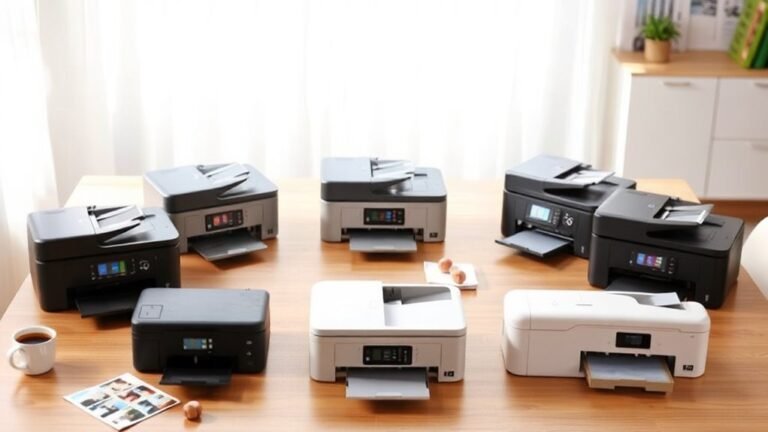
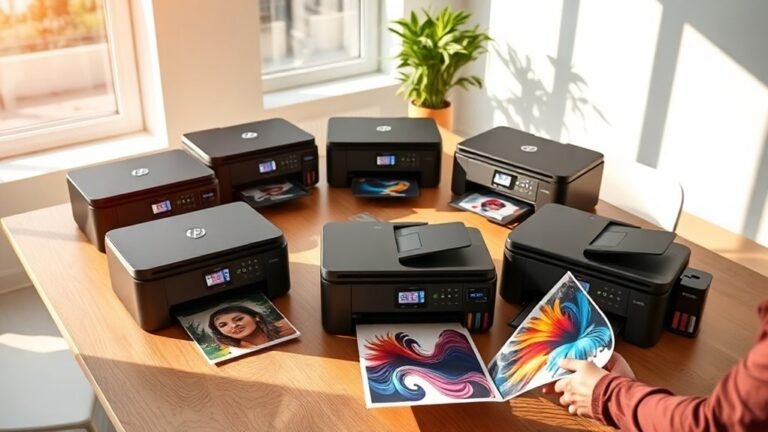
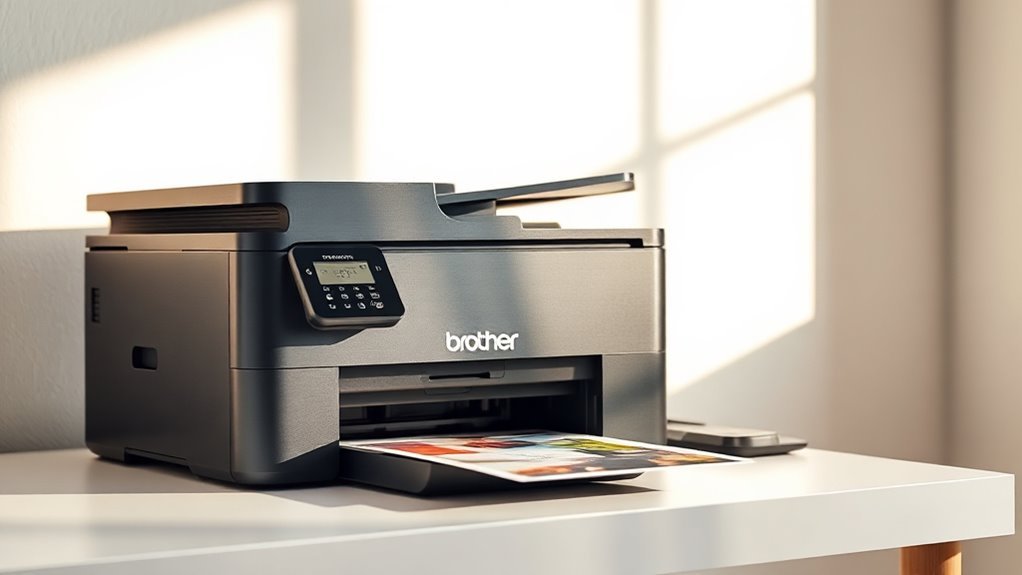
You’ll find the 7 best Brother all-in-one printers in 2026 offer fast, reliable printing with versatile features to fit your workspace or home office.
Whether you need sharp monochrome prints or vibrant color output, these Brother printers have got you covered. They’re designed to handle everything from everyday documents to more complex projects with ease.
Models like the DCP-L2640DW deliver up to 36 ppm monochrome printing, while the INKvestment 6960 handles color with multiple paper trays.
Many include wireless connectivity, mobile apps, duplex printing, and advanced security.
Explore these models further to see which fits your needs perfectly and discover what sets each one apart.
| Image | Name | Editor's Rating | Price |
|---|---|---|---|

|
|
||

|
|
||
|
|
||

|
|
||

|
|
Brother DCP-L2640DW Wireless Monochrome Printer
- BEST FOR SMALL BUSINESSES – Engineered for extraordinary productivity, the Brother DCP-L2640DW Monochrome (Black & White) 3-in-1 combines laser printer, scanner, copier...
- FAST PRINTER WITH EFFICIENT SCANNING – Produces documents quickly with print speeds up to 36 ppm(2) and scan speeds up to 23.6/7.9 ipm(3) (black/color). A 50-page auto...
- FLEXIBLE CONNECTION OPTIONS – Easily navigate the changing demands of your business with secure multi-device connectivity via built-in dual-band wireless (2.4GHz...
- BROTHER MOBILE CONNECT APP – Print, scan, and manage your wireless printer anytime, from almost anywhere from your mobile device. Order Brother Genuine Supplies, track...
- CHOOSE BROTHER GENUINE TONER – When it’s time to replace your toner, be sure to choose Brother Genuine TN830 or TN830XL replacement toner. And with Refresh EZ Print...

The Brother DCP-L2640DW is an ideal solution if you need a compact and efficient monochrome printer for your workspace. It simplifies your daily tasks by combining printing, copying, and scanning into one device, helping you stay productive without clutter. The printer’s fast output of up to 36 pages per minute lets you complete jobs quickly and move on.
Designed with convenience in mind, this model supports wireless connectivity, Ethernet, and USB, so you can connect easily from multiple devices. Its small footprint fits neatly into tight spaces, making it perfect for home offices or small businesses with limited room.
Maintenance is straightforward thanks to its automatic duplex printing, which reduces paper use and cuts costs. The 50-page automatic document feeder helps you handle multi-page documents efficiently, minimizing manual effort. However, it only prints in monochrome and has a modest 250-sheet paper tray, which may require frequent refills during heavy use.
Best for: professionals and small business users needing a fast, reliable, and space-saving monochrome multi-function printer with versatile connectivity.
What We Like:
- Rapid print and copy speeds up to 36 ppm for time-saving performance
- Dual-band wireless, Ethernet, and USB options for flexible connectivity
- Automatic duplex printing for reduced paper waste and cost savings
- Compact design ideal for limited workspace environments
Specification:
| Feature | Specification |
|---|---|
| Manufacturer | Brother |
| Dimensions (W x D x H) | 16.1 x 15.7 x 11.7 inches |
| Weight | 15.7 lbs (7.1 kg) |
| Color | White |
| Connectivity | Dual-band Wireless, Ethernet, USB |
Brother INKvestment 6960 Wireless Color Printer (MFC-J6960DW)
- BEST FOR SMALL BUSINESS: This multifunction printer makes it easy to print, copy, scan, and fax on up to 11”x17” paper. Includes one 1,800-page yield black ink...
- PRODUCTIVITY-FOCUSED FEATURES: 500-sheet capacity with two trays(3), 100-sheet multipurpose tray(3), up to 50-page single-pass duplex copy & scan via ADF(3), and...
- SPEED & QUALITY: Engineered with MAXIDRIVE Technology with print speeds of up to 31 pages per minute (ppm) in black and up to 30 ppm in color(5). The PerfectPrint Auto...
- INNOVATIVE TECHNOLOGY: With Wi-Fi Direct, print wirelessly without an external network connection. Print from and scan to Cloud apps(6), including Google Drive, Dropbox...
- THE BROTHER MOBILE CONNECT APP: The power of printing at your fingertips. Go mobile with the simple-to-use Brother Mobile Connect app(7) that delivers onscreen menu...
The Brother INKvestment 6960 Wireless Color Printer offers a smart solution for fast, high-quality printing up to 11”x17” size. It handles multiple tasks—printing, copying, scanning, and faxing—helping you manage documents efficiently. This all-in-one device saves time with speeds up to 31 pages per minute in black and 30 in color.
Its design includes a large paper capacity with two 250-sheet trays and a 100-sheet multipurpose tray, reducing the need for frequent refills. The 50-page duplex automatic document feeder (ADF) makes scanning and copying two-sided documents effortless. Wireless options like dual-band Wi-Fi and Wi-Fi Direct keep you connected without cables.
Maintenance is simplified with high-yield ink cartridges and a free two-month ink subscription trial, ensuring you won’t run out during critical jobs. The 3.5” touchscreen provides easy access to settings and cloud printing, although it may feel small for some users.
This printer is built for home or office use where versatility and speed are essential. Its weight and size may limit portability but contribute to its robust functionality.
Best for: professionals and home users who need a reliable, versatile all-in-one printer for large-format documents and efficient workflow.
What We Like:
- Fast print speeds with automatic duplex printing and scanning
- Large paper capacity with multiple trays and duplex ADF
- Convenient wireless connectivity including dual-band Wi-Fi and cloud integration
- High-yield ink cartridges with included subscription trial
Specification:
| Feature | Details |
|---|---|
| Manufacturer | Brother |
| Dimensions | Not specified |
| Weight | Over 50 lb (approx. 22.7 kg) |
| Color Options | Not specified |
| Paper Size | Up to 11” x 17” |
Brother INKvestment 4555 Wireless Color Inkjet Printer
- BEST FOR SMALL OFFICE AND SMALL BUSINESS: This multifunction printer makes it easy to print, copy, scan, and fax —all in one compact printer. Includes one 1,800-page...
- INNOVATIVE CONNECTIVITY TECHNOLOGY: Connect your way via ethernet, wireless network, or USB connection. Wi-Fi Direct enables convenient wireless printing, even without an...
- CLOUD APP CONNECTIONS: Print from and scan to popular Cloud apps(4), including Google Drive, Dropbox, Box, OneDrive, and more with an impressive 2.7” color touchscreen...
- PRODUCTIVITY-FOCUSED FEATURES: Automatic duplex (2-sided) printing, 400-sheet paper capacity between 2 trays, 20-page single-sided auto document feeder (ADF), 1-sheet...
- THE BROTHER MOBILE CONNECT APP: Put the power of printing at your fingertips. Go mobile with the Brother Mobile Connect app(7) that delivers easy onscreen menu navigation...
The Brother INKvestment 4555 offers a practical solution for busy home offices and small businesses that need fast, reliable color printing. It simplifies multitasking by combining printing, copying, scanning, and faxing into one compact device. The clear 2.7” color touchscreen makes navigation straightforward, saving time on everyday tasks.
This printer supports various connection options, including Ethernet, wireless, USB, and Wi-Fi Direct. These features allow seamless printing from laptops, tablets, or smartphones without complicated setups. Its automatic duplexing and 400-sheet capacity reduce interruptions, helping maintain smooth workflows.
Maintenance is designed to be hassle-free with Brother’s ink subscription service, ensuring you won’t run out of ink unexpectedly. The 20-page automatic document feeder speeds up scanning and copying jobs, adding efficiency to your workspace.
While the color cartridges have a lower yield than black, this model balances print quality and cost-effectiveness. The printer’s size requires enough desk space, and the fax function may be less relevant for some users but remains useful for specific needs.
Best for: home offices and small businesses seeking an all-in-one wireless color inkjet printer with efficient multitasking and ink management.
What We Like:
- Multifunction device with easy-to-use 2.7” color touchscreen
- Flexible connectivity options including Wi-Fi Direct and Ethernet
- Large 400-sheet capacity with automatic duplex printing
- 20-page automatic document feeder for faster copying and scanning
Specification:
| Feature | Details |
|---|---|
| Manufacturer | Brother |
| Dimensions | Not specified |
| Weight | 22.9 lb (10.4 kg) |
| Color Options | Not specified |
| Connectivity | Ethernet, Wireless, USB, Wi-Fi Direct |
Brother Workhorse MFC-L8395CDW Color All-in-One Printer
- Multifunction Devices: Copier/Fax/Printer/Scanner
- Recommended Use: Plain Paper Print
- Print Color Capability: Color
- Maximum Mono Print Speed (ppm): 31
- Maximum Color Print Speed (ppm): 31
Experience efficient and versatile color printing with the Brother Workhorse MFC-L8395CDW. Designed for busy small businesses, this all-in-one laser printer delivers sharp 2400 x 600 dpi prints at a swift 31 pages per minute. It streamlines tasks like copying, scanning, and faxing, helping you stay productive without interruptions.
Its compact design fits neatly into office spaces while supporting a 250-sheet capacity and automatic duplex printing. This reduces paper handling and speeds up workflows. The 3.5-inch touchscreen offers easy access to customizable shortcuts, simplifying daily operations.
Connectivity is flexible with Wi-Fi Direct, Gigabit Ethernet, and mobile printing through AirPrint and Brother Mobile Connect. These options make it easy to print from various devices without hassle. Security is enhanced with triple-layer protection, safeguarding your network and sensitive data.
Maintenance is straightforward, ensuring minimal downtime. While the USB 2.0 interface may feel slower compared to newer standards, the overall functionality supports demanding office environments effectively.
Best for: Small business owners and busy offices needing reliable, fast, and secure color printing and multifunction capabilities.
What We Like:
- Consistent 31 ppm printing in color and mono
- Robust connectivity including Wi-Fi Direct and Ethernet
- Automatic duplex printing to save time and paper
- Easy-to-use 3.5-inch touchscreen with customizable shortcuts
Specification:
| Feature | Details |
|---|---|
| Manufacturer | Brother |
| Dimensions (W x D x H) | 16.1 x 18.0 x 16.7 in (41 x 45.7 x 42.4 cm) |
| Weight | 38.6 lb (17.5 kg) |
| Printing Technology | Laser |
| Print Speed | Up to 31 ppm color/mono |
| Resolution | 2400 x 600 dpi |
| Connectivity | Wi-Fi Direct, Gigabit Ethernet, USB 2.0, Mobile printing (AirPrint, Brother Mobile Connect) |
Brother Work Smart 1410 Wireless Color Inkjet Printer
- BEST FOR HOME OFFICE AND SMALL OFFICE: Get your work done with a multifunction printer. Print, copy, and scan on one convenient, compact printer, with quick and easy...
- EASY-TO-USE TOUCHSCREEN WITH CLOUD APP CONNECTIONS: Seamless integration with the Cloud(2). Print from and scan to popular Cloud apps(2), including Google Drive, Dropbox...
- PRODUCTIVITY-FOCUSED FEATURES: Automatic duplex (2-sided) printing, 20-sheet single-sided Automatic Document Feeder (ADF)(3), 150-sheet paper tray(3). Print at fast...
- MULTIPLE CONNECTION OPTIONS: Connect your way. Interface with your printer on your wireless network or via USB.
- THE BROTHER MOBILE CONNECT APP: Go mobile with the Brother Mobile Connect app(5) for easy onscreen menu navigation for printing, copying, scanning, and device management...
The Brother Work Smart 1410 is designed to fit seamlessly into home offices or small workspaces where space and efficiency matter. Its wireless color inkjet technology allows you to print, scan, and copy without cluttering your desk with cables. This helps reduce hassle and keeps your workflow smooth.
Navigating tasks is simple with the 2.7” touchscreen, which lets you control functions quickly and intuitively. Cloud services like Google Drive and Dropbox integration ensure your important documents are always within reach, no matter where you are. This connectivity streamlines your work and saves time.
Maintenance is straightforward thanks to the Brother Mobile Connect app. You can monitor ink levels and manage print jobs remotely, reducing interruptions. The automatic duplex printing and 20-sheet ADF support multitasking by handling double-sided documents and multiple pages efficiently.
While the 150-sheet paper tray suits daily printing needs, it may require refills during larger projects. Print speeds are moderate, making the printer ideal for typical office tasks rather than high-volume bursts. Its compact design and reliable color output make it a practical choice for busy small offices.
Best for: individuals and small office users needing a compact, wireless all-in-one printer with dependable color printing, scanning, and copying.
What We Like:
- Clear 2.7” color touchscreen for easy operation
- Wireless printing with cloud service integration
- Automatic duplex and 20-sheet ADF boost productivity
- Mobile Connect app simplifies maintenance and ink management
Specification:
| Feature | Details |
|---|---|
| Manufacturer | Brother |
| Dimensions | Compact size (exact size not specified) |
| Weight | Not specified |
| Printing Technology | Wireless color inkjet |
| Paper Tray Capacity | 150 sheets |
| Automatic Document Feeder | 20 sheets |
| Touchscreen Size | 2.7 inches |
Brother MFC-L3780CDW Wireless Digital Color All-in-One Printer

- Best for Small Businesses: The Brother MFC L3780CDW small business printer is a wireless multi-function digital color printer with copy, scan, and fax functionalities...
- AMPLIFY YOUR PROFESSIONAL DOCUMENTS. This Brother laser printer provides the consistent performance of laser-quality digital color printing
- MAXIMIZE EFFICIENCY WITH ALL-IN-ONE FUNCTIONALITY. This Brother all in one printer has print speeds up to 31 ppm(1) and scan speeds up to 29/22 ipm(2) (black/color) with...
- RELIABLE RESULTS WITH BROTHER GENUINE TONER. Choose Brother Genuine TN229 Standard Yield, TN229XL High Yield, or TN229XXL Super High Yield for your Brother printer...
- Flexible Connection Options: Brother laser color printer has built-in dual band wireless (2.4GHz / 5GHz)(5), Gigabit Ethernet, and Wi-Fi Direct connections, plus a USB...
The Brother MFC-L3780CDW is designed to streamline your office workflow with its fast printing and versatile connectivity. It delivers sharp, professional-quality prints at speeds up to 31 pages per minute, helping you complete tasks quickly and efficiently.
This all-in-one printer supports wireless connections through dual-band Wi-Fi, Wi-Fi Direct, and Gigabit Ethernet, plus USB and NFC badge authentication. These options make it simple to connect from various devices without hassle.
Maintenance is straightforward with easy toner replenishment options and energy-saving features like Eco Mode and automatic duplex printing. This helps reduce operating costs while supporting eco-friendly practices in your workspace.
With a paper capacity of 250 sheets and support for media sizes up to 8.5 x 14 inches, it suits the needs of small businesses and home offices. The scanner and copier functions are designed for everyday use, though color scan speeds are slightly slower than black and white.
Best for: Small businesses and home office users who require a fast, energy-efficient color all-in-one printer with multiple connectivity options.
What We Like:
- Fast print speed and efficient scanning.
- Multiple connectivity options including NFC badge authentication.
- Energy-saving features reduce operational costs.
- Supports up to 250 sheets and various media sizes.
Specification:
| Feature | Details |
|---|---|
| Manufacturer | Brother |
| Dimensions | 16.1 x 18.7 x 15.7 in |
| Weight | 36.3 lb (16.5 kg) |
| Connectivity | Dual-band Wi-Fi, Ethernet, USB, NFC |
| Print Speed | Up to 31 ppm |
| Scan Resolution | Up to 600 x 600 dpi |
| Paper Capacity | 250 sheets |
| Supported Media | Up to 8.5 x 14 inches |
Brother MFC-L3720CDW Wireless Color Laser Printer

- Professional Performance: Dominate your business printing with this Brother Genuine color laser printer delivering exceptional print speeds up to 19 ppm and stunning...
- Advanced Connectivity: Take command of your workflow with dual-band wireless networking (2.4GHz/5GHz), Wi-Fi Direct, and USB 2.0 interface, enabling multiple users to...
- Productivity Powerhouse: Maximize efficiency with the 50-sheet auto document feeder, 250-sheet adjustable paper tray, and automatic duplex printing, ensuring...
- Smart Integration: Transform your workflow with the intuitive 3.5" color touchscreen featuring 48 customizable shortcuts and direct access to popular cloud services...
- Mobile Command Center: Leverage the power of mobile printing with remote access capabilities, toner level monitoring, and complete printer management directly from your...
The Brother MFC-L3720CDW is designed to streamline printing tasks in small offices and home workspaces. Its ability to deliver fast, versatile color printing helps reduce wait times and keeps projects moving efficiently. Wireless connectivity options allow users to print from multiple devices without hassle.
This printer combines printing, scanning, copying, and faxing into one compact unit. The 3.5-inch color touchscreen simplifies navigation with customizable shortcuts and easy access to cloud services, improving daily workflow. Automatic duplex printing helps save paper, supporting eco-friendly office practices.
Maintenance is straightforward thanks to features like a 50-sheet auto document feeder and toner-saving modes. While its 250-sheet paper capacity supports moderate workloads, it may require refills during heavy use. The device’s weight of 44 pounds means it is best suited for stationary setups rather than frequent relocation.
Security features protect sensitive data, an important benefit for busy environments. Dual-band Wi-Fi and Wi-Fi Direct ensure stable connections, while mobile printing capabilities keep users productive on the go. This printer balances functionality, convenience, and security in a compact design.
Best for: Small offices and home workspaces needing reliable, wireless color printing with integrated multifunction features.
What We Like:
- Fast print speed of up to 19 ppm with automatic two-sided printing
- Intuitive 3.5-inch color touchscreen with direct cloud access
- Dual-band Wi-Fi and mobile printing for flexible connectivity
- Toner save mode and Energy Star compliance promote eco-friendly use
Specification:
| Feature | Details |
|---|---|
| Manufacturer | Brother |
| Dimensions (W×D×H) | 16.1 × 18.7 × 15.7 in |
| Weight | 44 lb (20 kg) |
| Connectivity | Dual-band Wi-Fi, Wi-Fi Direct, USB 2.0 |
| Paper Capacity | 250 sheets |
| Display | 3.5-inch color touchscreen |
Factors to Consider When Choosing the Brother All in One Printer 2026
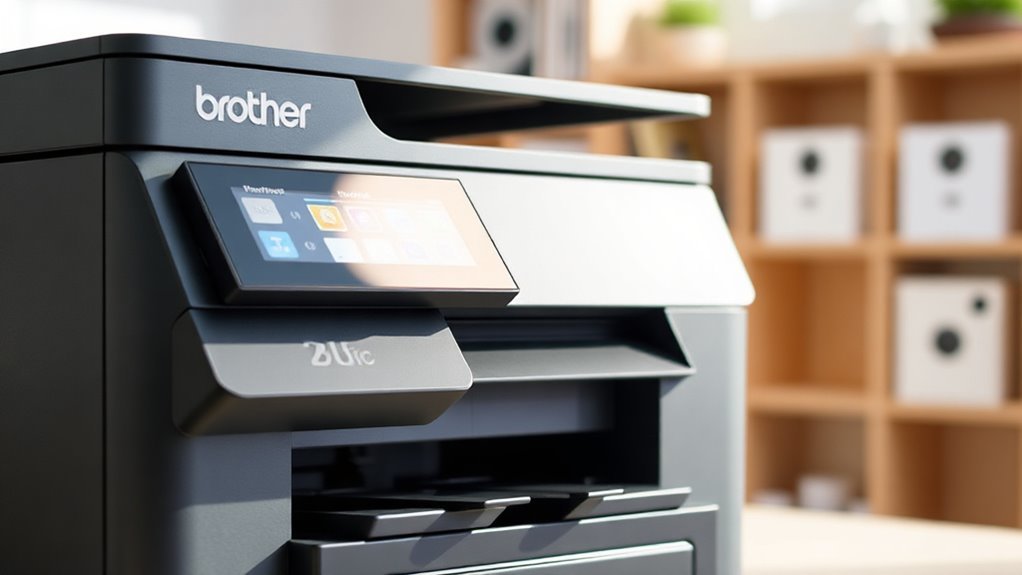
When choosing your Brother All-in-One Printer for 2026, you’ll want to focus on print speed and connectivity options to match your workflow.
Think about how efficient the ink or toner is, too. Also, check if the paper handling meets your volume needs.
Don’t forget to look at print quality features. This way, you can be sure your documents look sharp every time.
Print Speed Importance
How quickly your Brother All-in-One printer outputs pages can make a big difference in your daily workflow. If you often print large documents or multiple copies, choosing a model with a higher print speed, like 36 pages per minute (ppm), will boost your productivity and cut down waiting times.
On the other hand, if your printing needs are lighter, such as in a home office, a slower speed around 16 ppm might be enough without causing frustration. It really depends on how often and how much you print.
Remember to check both black and color print speeds since color printing usually runs slower and can affect your efficiency if you print many color documents. Also, consider features like automatic duplex printing, which, combined with good speed, can help optimize your overall performance and save resources.
Connectivity Options Variety
Choosing the right connectivity options can make your Brother All-in-One printer much easier to use and more versatile. You’ll want a model with dual-band wireless support (2.4GHz and 5GHz) to enjoy stable, fast printing without interruptions.
Wi-Fi Direct is another handy feature, letting you print straight from your device without relying on a network. For added flexibility, look for printers offering Ethernet and USB connections to fit various setups.
Mobile printing apps simplify printing from smartphones and tablets, perfect when you’re on the move. Plus, cloud integration with services like Google Drive and Dropbox lets you print and scan documents seamlessly, keeping your workflow smooth.
Prioritizing these options guarantees your printer fits your connectivity needs perfectly. It just makes everything easier and more convenient to handle.
Ink And Toner Efficiency
Although ink and toner efficiency might not be the first thing on your mind, it plays an essential role in reducing long-term printing costs and downtime. When choosing the Brother All-in-One Printer 2026, consider cartridges with high page yields—some offer up to 1,800 pages for black and 750 for color—so you replace less often.
Look for features like Toner Save Mode, which uses less toner per print without compromising quality. Also, automatic duplex printing cuts paper use in half, lowering expenses further.
Check if the printer supports high-capacity cartridges to handle heavy workloads more economically. Finally, consider subscription services for automatic ink delivery; they keep your cartridges stocked consistently, preventing interruptions and maintaining efficiency throughout your printing tasks.
Paper Handling Capacity
Managing ink and toner efficiently is just one part of maintaining smooth printing operations, but paper handling capacity plays a big role in keeping your workflow uninterrupted.
When choosing the Brother All-in-One Printer 2026, consider how many sheets the input trays can hold. A larger capacity means fewer refills, which is great if you often print in high volumes.
Look for models with multiple trays so you can load different paper types or sizes simultaneously, increasing your flexibility. An automatic document feeder (ADF) is another valuable feature, letting you scan or copy multiple pages without manually feeding each one.
Also, check if the printer supports various paper sizes, from standard letter to larger formats like 11″ x 17″, to suit all your projects. It really makes a difference when you need to switch between tasks quickly.
Print Quality Features
Print quality plays an essential role in how your documents and images come to life, especially when using the Brother All-in-One Printer 2026. You’ll benefit from a high resolution of up to 1,200 x 4,800 dpi, which delivers sharp, detailed prints, especially for color images.
Whether you’re printing crisp text with laser precision or vibrant photos using inkjet technology, this printer adjusts to your needs. Features like automatic duplex printing not only save paper but guarantee consistent ink application on both sides, improving overall quality.
Plus, the PerfectPrint Auto Detection technology fine-tunes settings based on your media type, so you don’t have to. High-yield ink cartridges also help maintain print consistency over time, letting you produce more pages before needing replacements.
Security And Privacy
When selecting the Brother All-in-One Printer 2026, you’ll want to prioritize security and privacy features that protect your sensitive information from unauthorized access. Look for advanced protections like triple layer security to limit who can use the device and shield it from network intrusions.
Make certain the printer supports encrypted Wi-Fi and NFC connections to keep your data safe during transmission. Features such as IP filtering and secure print release help prevent unauthorized access to printed documents.
Also, check if the model complies with industry data protection standards to reduce breach risks. Finally, choose a printer that offers regular firmware updates so it stays protected against emerging security vulnerabilities over time.
These steps guarantee your information remains confidential. It’s all about keeping your data safe and sound every step of the way.
Warranty And Support
Ensuring your Brother All-in-One Printer 2026 stays reliable goes beyond security features; warranty and support play a big role in keeping your device running smoothly. Most Brother printers come with a 1 to 2-year warranty covering manufacturing defects and malfunctions, but coverage can vary by model.
It’s essential to review your specific printer’s warranty details to know what’s included. During the warranty period, you’ll have access to free online resources, phone assistance, and live chat to help solve any issues quickly.
Some models even offer extended warranties or subscription services for enhanced support and maintenance. Having prompt technical support minimizes downtime, so you can keep your printer performing at its best without unnecessary interruptions.
Frequently Asked Questions
What Is the Warranty Period for Brother All in One Printer 2026?
You get a one-year limited warranty for the Brother all-in-one printer 2026. This covers parts and labor.
If anything goes wrong, you can contact Brother’s support to get it repaired or replaced within that period. It’s pretty straightforward and gives you some peace of mind.
Can the Brother All in One Printer 2026 Connect to Mobile Devices?
Yes, you can connect the Brother All in One Printer 2026 to your mobile devices easily. It supports Wi-Fi and Bluetooth, letting you print directly from your smartphone or tablet without any hassle or extra cables.
Pretty convenient, right? This means you don’t have to worry about wires or complicated setups. Just connect and start printing whenever you need!
What Types of Paper Sizes Does the Brother All in One Printer 2026 Support?
You’ll be surprised how many paper sizes it supports—it handles everything from standard letter and legal sizes to envelopes, labels, and even cardstock.
Is the Brother All in One Printer 2026 Compatible With Mac and Windows?
Yes, you’ll find the Brother All in One Printer 2026 fully compatible with both Mac and Windows. It supports seamless installation and printing, so you won’t have to worry about system conflicts or drivers when switching between platforms.
It’s pretty straightforward to set up, whether you’re on a Mac or a Windows PC. Just follow the prompts, and you’ll be up and running in no time.
How Energy Efficient Is the Brother All in One Printer 2026?
You’ll barely notice this printer’s energy use—it’s practically a power-saving ninja. It’s designed to sip electricity gently, so you won’t need to sell your soul or your electric bill to keep it running efficiently.
It’s super efficient, meaning it gets the job done without wasting energy. Perfect if you want to save some cash and help the planet at the same time!
Conclusion
When choosing your Brother all-in-one printer in 2026, remember that 70% of users prioritize wireless connectivity for seamless printing from any device. Whether you need crisp monochrome prints or vibrant color output, Brother offers reliable options tailored to your needs.
By focusing on features like print speed, ink efficiency, and multifunction capabilities, you’ll find a printer that fits your workflow perfectly. Take advantage of these smart choices to boost your productivity effortlessly.
In the end, picking the best Brother all-in-one printer means balancing your specific needs with top-notch features. From wireless convenience to fast printing and efficient ink use, Brother’s 2026 models are designed to keep up with your busy life. So, whether it’s for home or office use, investing in one of these printers will help streamline your tasks and deliver excellent results every time.