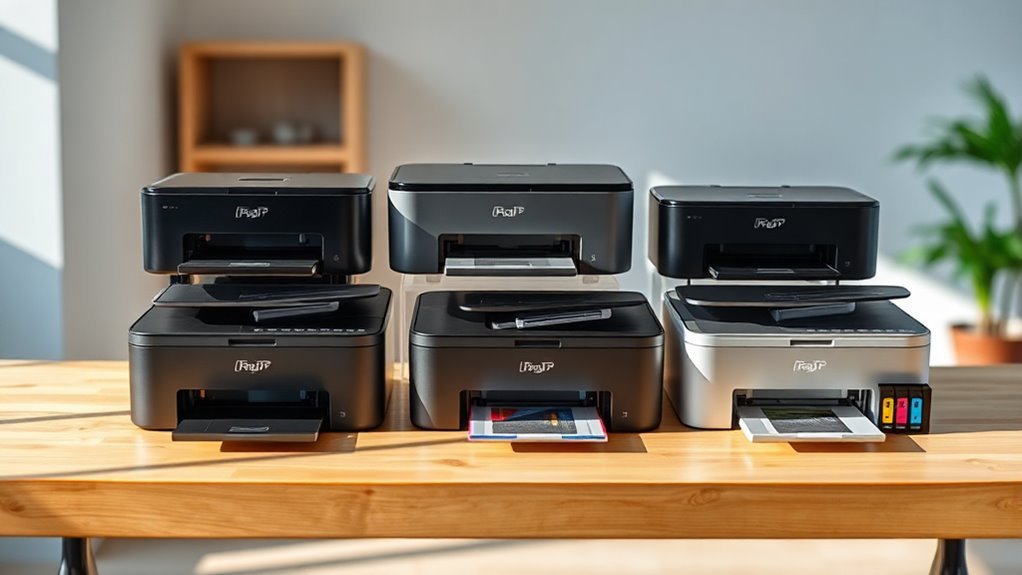
6 Best Budget Printers with Cheap Ink for 2027
For low-cost printing in 2027, consider the HP DeskJet 2923 for simple home use. It’s a great option if you’re looking for something straightforward and budget-friendly.
If you want to save even more on ink, check out the HP Smart Tank 5003 and 5100. These come with refillable tanks and include up to three years of ink, which is super convenient and cost-effective.
The Canon MegaTank G3270 is another excellent choice. It offers sharp prints and high-yield tanks, so you won’t have to worry about running out of ink frequently.
For a bit more convenience, the HP Smart Tank 6003 adds automatic duplexing, making double-sided printing easy and efficient.
Don’t forget about saving with the 67XL remanufactured cartridge combo. It’s a smart way to cut costs without compromising print quality.
Explore these options to find the perfect balance between upfront cost and ink savings. You’ll be surprised how much you can save while still getting great prints!
| Image | Name | Editor's Rating | Price |
|---|---|---|---|

|
|
||

|
|
||

|
|
||

|
|
||

|
|
HP DeskJet 2923 Color Inkjet Printer | Wireless | All-in-One
- Perfect for basic printing needs – Print everyday color documents like to-do lists, letters, financial documents and recipes
- KEY FEATURES – Color print, copy, scan, and a 60-sheet input tray, plus mobile and wireless printing
- OPTIMIZE PRINT FORMATTING WITH HP AI – Print web pages and emails with precision—no wasted pages or awkward layouts; HP AI easily removes unwanted content, so your...
- ICON LCD – Print your basic documents with ease from the intuitive control panel
- PRINT SPEED – Up to 7.5 ppm black, 5.5 ppm color

The HP DeskJet 2923 is a practical choice for home users seeking an affordable all-in-one printer. It simplifies everyday tasks by combining color printing, copying, and scanning in one compact device. Its wireless connectivity via dual-band Wi-Fi allows you to print and scan directly from your smartphone using the HP App, making home office workflows smoother.
Designed to fit comfortably in small spaces, the printer’s 60-sheet input tray and intuitive icon LCD panel ensure easy operation without clutter. Print speeds reach up to 7.5 pages per minute for black and 5.5 for color, suitable for typical home printing needs without overwhelming noise or complexity.
Maintenance is straightforward with the included 6-month trial of HP Instant Ink, which automatically manages ink levels and delivers replacements as needed. This feature helps avoid interruptions and keeps printing hassle-free. However, after the trial, a subscription is necessary to continue this service.
While the DeskJet 2923 covers essential functions well, it lacks advanced options like duplex printing or high-resolution photo output. This makes it best suited for users who prioritize simplicity and convenience over high-volume or professional-grade printing.
Best for: Budget-conscious home users who need reliable color printing, copying, and scanning with easy wireless mobile connectivity.
What We Like:
- Compact design with user-friendly 60-sheet tray and icon LCD panel
- Wireless printing via dual-band Wi-Fi and seamless HP App integration
- Includes 6-month HP Instant Ink trial for automatic ink replenishment
Specification:
| Feature | Details |
|---|---|
| Manufacturer | HP |
| Dimensions | Compact size (exact dimensions not provided) |
| Weight | Not specified |
| Connectivity | Dual-band Wi-Fi |
| Functions | Print, copy, scan |
| Input Tray Capacity | 60 sheets |
HP Smart Tank 5003 Ink Tank Printer | 3 Years of Ink Included | All-in-One
- THE LAST PRINTER YOU'LL EVER NEED – Set it up once and print with confidence; no complicated maintenance, just easy, reliable printing you can count on
- FULLY LOADED WITH SAVINGS – Best for low-cost, high-volume printing—up to 3 years of HP Ink included; get up to 6,000 color or black pages right out of the box
- KEY FEATURES – Print, copy and scan, plus borderless prints, mobile and wireless printing
- MESS-FREE REFILL – Replenish ink with HP's easy-access, mess-free refill system; simply plug the ink bottles into this cartridge-free ink tank and let them drain—no...
- BEST PRINT QUALITY, PERIOD – Sharper text, richer colors, only with HP Smart Tank
The HP Smart Tank 5003 is designed to simplify printing for high-volume home users. Its cartridge-free ink tank system eliminates frequent cartridge changes and reduces mess with easy-to-use HP ink bottles. This setup provides up to three years of ink, allowing you to print as many as 6,000 color or black pages right from the start.
This all-in-one device goes beyond printing by offering copying and scanning functions. Wireless connectivity options like Apple AirPrint and HP ePrint make printing from mobile devices effortless. The compact design fits neatly on desks without taking up much space.
Maintenance is straightforward, thanks to the refillable ink tanks that lower running costs and reduce interruptions. Print quality is sharp, with vivid colors at 4800 x 1200 dpi and crisp black text at 1200 x 1200 dpi. However, printing speeds are moderate, and duplex printing requires manual handling.
Best for: High-volume home users needing a reliable all-in-one printer with cost-efficient, cartridge-free ink and wireless features.
What We Like:
- Up to three years of ink included, supporting large print volumes.
- Cartridge-free system with mess-free HP ink bottle refills.
- Wireless printing with Apple AirPrint and HP ePrint compatibility.
- Sharp print resolution for both color and black text.
- Compact design suitable for small workspaces.
Specification:
| Feature | Details |
|---|---|
| Manufacturer | HP |
| Dimensions | Compact (exact size not provided) |
| Weight | Not specified |
| Color Options | Not specified |
| Maximum Print Resolution | 4800 x 1200 dpi (color), 1200 x 1200 dpi (black) |
| Paper Tray Capacity | 100 sheets |
| Maximum Media Size | Legal (8.5 x 14 inches) |
Canon MegaTank G3270 All-in-One Wireless Color Printer
- Wireless Print/Copy/Scan
- Up to 2 years of ink included (2)
- Print up to 6,000 black & white / 7,700 color pages using a single set of inks! (1)
- Save up to $1,000 on ink (1)
- 1.35” Square LCD display
Experience hassle-free color printing with the Canon MegaTank G3270, ideal for home users seeking efficient and budget-friendly solutions. This all-in-one wireless printer combines printing, copying, and scanning into one compact device, helping you manage everyday tasks effortlessly.
The built-in refillable MegaTank system significantly reduces ink costs by delivering up to 7,700 color pages per set. Its sharp 4800 × 1200 dpi resolution ensures vibrant, borderless prints, enhancing your documents and photos with clear detail and color accuracy.
Maintenance is simple thanks to the easy-to-refill ink tanks, eliminating frequent cartridge replacements. Wireless and USB connectivity allow you to print directly from smartphones or tablets, adding convenience for various media sizes up to legal paper.
While it supports only single-sided printing and handles up to 100 sheets, its steady output of 11 black-and-white pages per minute meets typical home and small office needs. The Canon MegaTank G3270 balances performance and cost-efficiency in a user-friendly design.
Best for: Home users and small home offices needing an affordable, high-yield color all-in-one printer with wireless connectivity and versatile media support.
What We Like:
- High ink yield with refillable MegaTank system for low-cost printing
- Wireless and USB connections with smartphone control
- Sharp, borderless prints on various paper sizes
- Compact design fits small spaces easily
Specification:
| Feature | Details |
|---|---|
| Manufacturer | Canon |
| Dimensions | Compact size (exact dimensions not provided) |
| Weight | Not specified |
| Color Options | Black |
| Connectivity | Wireless (Wi-Fi), USB |
| Print Resolution | Up to 4800 × 1200 dpi |
| Paper Capacity | Up to 100 sheets |
HP Smart Tank 5100 Ink Tank Printer | 3 Years of Ink Included | All-in-One
- THE LAST PRINTER YOU'LL EVER NEED – Set it up once and print with confidence; no complicated maintenance, just easy, reliable printing you can count on
- FULLY LOADED WITH SAVINGS – Best for low-cost, high-volume printing—up to 3 years of HP Ink included; get up to 6,000 color or black pages right out of the box
- KEY FEATURES – Print, copy and scan, plus borderless prints, mobile and wireless printing
- MESS-FREE REFILL – Replenish ink with HP's easy-access, mess-free refill system; simply plug the ink bottles into this cartridge-free ink tank and let them drain—no...
- BEST PRINT QUALITY, PERIOD – Sharper text, richer colors, only with HP Smart Tank
Experience hassle-free printing with the HP Smart Tank 5100 Ink Tank Printer, designed to keep your workflow smooth at home or in a small office. This all-in-one device handles printing, copying, and scanning efficiently, helping you manage multiple tasks without interruptions. Its wireless connectivity lets you print from your smartphone or laptop with ease.
The cartridge-free, refillable ink tanks simplify maintenance and cut down on waste. You get up to three years of ink included, which means fewer refills and less downtime. The original ink bottles deliver up to 6,000 pages, making it a cost-effective choice for high-volume printing needs.
With sharp color prints at 4800 x 1200 dpi resolution, your documents and photos come out clear and vibrant. Smart AI features enhance your workflow and help keep your data secure. While duplex printing requires manual intervention, this printer remains reliable for everyday tasks.
Best for: users who need an affordable, high-volume all-in-one printer with a long-lasting ink supply for home or small office use.
What We Like:
- Mess-free refillable ink tanks with up to 3 years of ink included
- Versatile all-in-one functionality: print, copy, scan, and wireless/mobile connectivity
- High-resolution color printing (4800 x 1200 dpi) with smart AI workflow support
Specification:
| Feature | Details |
|---|---|
| Manufacturer | HP |
| Dimensions (W x D x H) | 15.9 x 14.6 x 7.9 inches |
| Weight | 9.6 lb (4.35 kg) |
| Color Options | White with black accents |
| Print Resolution | Up to 4800 x 1200 dpi |
HP Smart Tank 6003 Ink Tank Printer | 3 Years of Ink Included | All-in-One
- THE LAST PRINTER YOU'LL EVER NEED – Set it up once and print with confidence; no complicated maintenance, just easy, reliable printing you can count on
- FULLY LOADED WITH SAVINGS – Best for low-cost, high-volume printing—up to 3 years of HP Ink included; get up to 8,000 color or 6,000 black pages right out of the box
- KEY FEATURES – Print, copy and scan, plus borderless prints, mobile and wireless printing
- MESS-FREE REFILL – Replenish ink with HP's easy-access, mess-free refill system; simply plug the ink bottles into this cartridge-free ink tank and let them drain—no...
- BEST PRINT QUALITY, PERIOD – Sharper text, richer colors, only with HP Smart Tank
Experience hassle-free high-volume printing with the HP Smart Tank 6003 Ink Tank Printer. Designed for busy home users, this all-in-one device tackles large print jobs without frequent ink replacements. You’ll get up to three years of original HP ink, allowing up to 8,000 color or 6,000 black and white pages right away.
The printer’s refillable ink tank system is cartridge-free and mess-free, making maintenance simple and clean. Wireless connectivity supports easy mobile printing, while automatic duplex printing saves paper and effort. It handles multiple paper sizes and delivers sharp prints with resolutions up to 4800 x 1200 dpi.
With its combination of printing, copying, and scanning functions, the HP Smart Tank 6003 fits seamlessly into a home office setup. Though print speeds are moderate at 11–12 pages per minute, the device balances performance and cost-effectiveness. Its single 150-sheet input tray suits typical home use, but bulk paper handling is limited.
Best for: users who need a reliable, high-volume all-in-one printer with wireless and smart features for home use.
What We Like:
- Up to three years of original HP ink included for long-lasting printing
- Cartridge-free ink tank system ensures easy, mess-free refills
- Wireless mobile printing and automatic duplex functionality
- Supports various paper sizes with high-resolution output
Specification:
| Feature | Details |
|---|---|
| Manufacturer | HP |
| Dimensions (in) | Not specified |
| Weight (lb) | Not specified |
| Color Options | Not specified |
| Print Resolution | Up to 4800 x 1200 dpi |
| Print Speed | 11–12 pages per minute |
| Paper Tray Capacity | 150 sheets |
67XL Ink Cartridges Black/Color Combo Pack Replacement for HP Ink 67 HP67XL

- These remanufactured 67xl 67 ink cartridges black/color combo pack COMPATIBLE for *e series printers with HP+ service. For HP Ink 67 Contain: 67XL 67 XL Black and...
- Extra-Large Capacity & High Page Yield:For HP Ink 67 XL black ink cartridge is 650 pages, 67XL 67 XL 67XXL color ink cartridge is 450 pages per cartridge At 5% coverage
- For HP 67 Ink Cartridges Black/Color combo pack high compatibility with DeskJet 4155e ink cartridge series: 4100, 4100e, 4110, 4110e, 4120, 4120e, 4121, 4121e...
- Ink cartridge 67 Black/Color combo pack compatible with HP DeskJet 2700 ink cartridge series: 1210, 1212, 1215, 1255, 2300, 2330, 2331, 2332, 2333, 2700, 2700e...
- For Ink 67 compatible with Envy 6000 ink cartridges series & Envy Pro 6455 series: 6000, 6000e, 6010, 6010e, 6020, 6020e, 6022, 6022e, 6030, 6030e, 6032, 6032e...
Experience uninterrupted printing with the 67XL Ink Cartridges combo pack, designed for users who demand high volume and reliable performance. This black and tri-color set helps you avoid frequent cartridge changes, letting you focus on your tasks without interruption.
Each cartridge is remanufactured using recycled materials and filled with premium non-toxic ink. This ensures your prints are waterproof and smudge-proof, maintaining quality for up to five years. The cartridges deliver about 1,100 pages combined, offering 30% more output than standard HP67 cartridges.
Designed specifically for HP DeskJet and ENVY printers, these cartridges produce sharp text and vibrant colors on various paper types. While offering excellent print quality, be aware that some HP firmware updates or HP+ Instant Ink service may affect cartridge recognition.
Maintaining these cartridges is straightforward. Regular printer updates and careful monitoring of firmware changes can help avoid compatibility issues. This combo pack suits eco-conscious users who want dependable, high-yield ink without compromising print durability.
Best for: Eco-conscious HP DeskJet and ENVY printer users needing high-yield, reliable ink cartridges with long-lasting, high-quality prints.
What We Like:
- High-yield cartridges print up to 1,100 pages combined.
- Made from recycled materials with premium non-toxic ink.
- Produces waterproof, smudge-proof prints lasting up to 5 years.
- Compatible with many HP DeskJet and ENVY models.
- Easy maintenance with attention to firmware updates.
Specification:
| Feature | Details |
|---|---|
| Manufacturer | Remanufactured for HP67XL |
| Yield | Up to 1,100 pages (combined) |
| Ink Type | Premium non-toxic ink |
| Material | Recycled cartridge components |
| Color Options | Black and Tri-color |
| Compatible With | HP DeskJet and ENVY printer models |
Factors to Consider When Choosing Budget Printer Cheap Ink
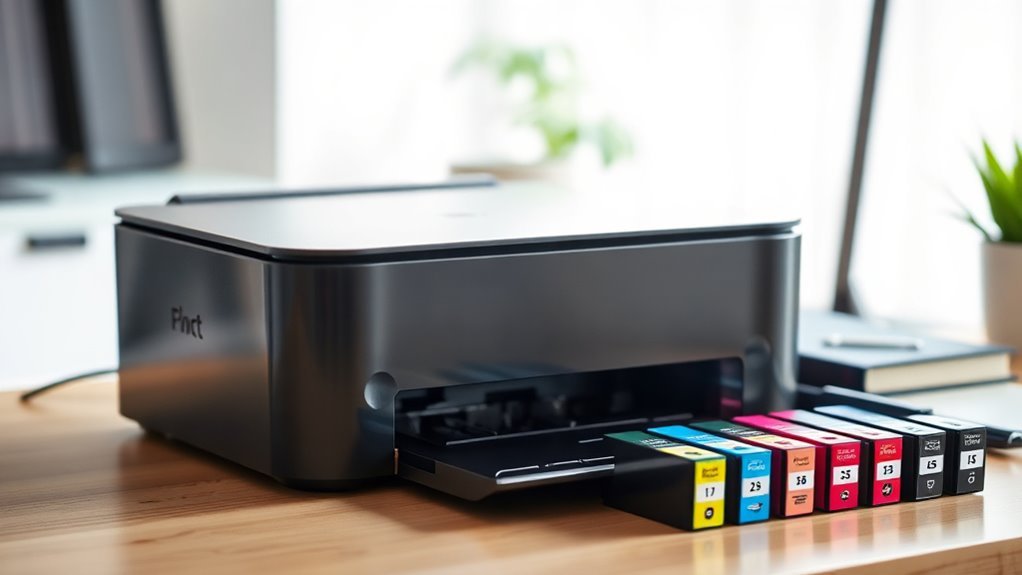
When choosing a budget printer with cheap ink, you’ll want to check if the ink type is compatible with your printer model. It’s super important to make sure they work well together.
Also, consider the initial cost of the printer alongside how efficiently the ink cartridge prints before needing a replacement. You don’t want to spend a lot upfront only to find the ink runs out too fast.
Don’t forget to evaluate the print quality and connectivity options to guarantee the printer fits your needs. After all, a cheap printer is only good if it actually does what you need it to do!
Ink Type Compatibility
Although choosing a budget printer might seem straightforward, understanding ink type compatibility can save you significant money and hassle in the long run. First, check if the printer uses refillable ink tanks, high-yield refill bottles, or traditional cartridges—tank systems usually cost less per page.
Confirm exact cartridge or bottle models and whether the printer accepts XL sizes, which boost page yield and cut costs. Also, verify if the printer supports third-party or remanufactured inks since some block non-OEM options.
Compare stated page yields and coverage standards to estimate real-world costs accurately. Finally, choose ink delivery types—pigment or dye—that match your needs for document longevity or photo quality. This affects print durability and media compatibility, so keep that in mind.
Initial Printer Cost
Understanding ink compatibility helps you avoid unexpected costs, but you also need to weigh the initial printer price against how much you plan to print monthly.
If you print frequently, a printer with refillable ink tanks or high-yield starter ink might cost more upfront but save you money over time by delivering thousands of pages right out of the box.
Cheaper printers often come with standard cartridges that run out quickly, leading to frequent replacements and higher lifetime expenses.
Check if the printer includes starter ink and how many pages it covers to estimate your first-year costs accurately.
Also, consider built-in features like duplexing, wireless connectivity, or larger paper capacity—these may raise the initial cost but can reduce hassle and total ownership expenses in the long run.
Ink Yield Efficiency
Evaluate ink yield efficiency carefully to get the most value from budget printers with cheap ink. Start by checking the page yield, usually given for 5% coverage—higher-yield cartridges or bottles like XL versions markedly reduce your cost per page.
Don’t just look at the printer’s price; divide the ink cost by its rated yield to see the true efficiency for black and color separately. It’s a simple way to understand what you’re really paying for.
Consider printers with refillable tanks or large ink bottles, as they often include thousands of pages of ink and lower costs drastically. These can be a game changer if you print a lot.
Keep in mind your real-world usage—documents with heavy graphics consume more ink, so adjust your cost estimates accordingly. And here’s a tip: watch out for firmware or compatibility issues that might block third-party or refilled ink. That can affect your long-term savings and reliability.
Print Quality Standards
When choosing a budget printer with cheap ink, you want to make sure it delivers clear, sharp prints that meet your needs. Look for a minimum resolution of 600 × 600 dpi for decent text and basic graphics, but 1200 × 1200 dpi or higher will give you crisper text and finer detail.
Check the color print resolution and depth—higher dpi and more bits per channel mean better color accuracy and smoother gradients. Consider the ink type: pigment black ink offers sharper, smudge-resistant text, while dye-based colors create richer photos.
Also, pay attention to recommended paper types and settings, as using the right media and matching printer profiles guarantees peak quality. This way, your prints will look professional without overspending.
Connectivity Options Available
How do you guarantee your budget printer fits seamlessly into your digital life? Start by checking the connection types it supports—Wi-Fi (2.4 GHz and sometimes 5 GHz), Ethernet, USB, and Bluetooth are common options.
You’ll want mobile printing standards like AirPrint or Mopria so you can print straight from your smartphone or tablet without hassle. If you print from multiple devices or remotely, look for Wi-Fi Direct, guest networking, or remote-print services that accept jobs over the internet.
Make sure your printer offers automatic reconnection and firmware updates to minimize downtime and security risks. Finally, if your home network is limited, confirm USB connectivity and compatibility with Windows, macOS, and Linux for reliable local printing.
This guarantees smooth, flexible connectivity for your budget-friendly printer.
Printer Maintenance Needs
Connectivity options keep your printer integrated with your devices, but maintaining it properly will save you money and headaches over time. When choosing a budget printer with cheap ink, opt for models with refillable ink tanks or high-yield cartridges to reduce replacement frequency.
Keep in mind that automatic printhead cleaning cycles can use up ink, increasing costs, especially after long idle periods. Check if user-replaceable parts like ink cartridges, printheads, and feed rollers are easily accessible and supported by clear maintenance guides to simplify upkeep.
Also, consider paper-handling components; printers with high sheet capacity or duplexing may need frequent cleaning or alignment to avoid jams. Finally, evaluate waste ink pads or maintenance cartridges—know whether you can replace them yourself or if service calls are needed, as these affect long-term expenses.
Cartridge Replacement Frequency
Since ink replacement can quickly add up, you’ll want to factor in how often you’ll need new cartridges before buying a budget printer. Start by checking the page yield per cartridge and compare it to your monthly print volume.
For instance, a 600-page black cartridge lasts about six months if you print 100 pages monthly. Remember, color cartridges usually yield 30–50% fewer pages than black ones, so color printing can increase replacement frequency.
If you print a lot, consider printers with refillable tanks or high-capacity bottles—they can handle thousands of pages before needing a refill. Also, watch out for features like automatic cleaning or frequent nozzle checks, as these can waste ink and make you replace cartridges sooner than expected.
Frequently Asked Questions
How Do Budget Printers Compare in Print Speed?
Budget printers usually print slower than high-end models, but you’ll find some that balance speed and cost. Don’t expect lightning-fast pages, but they’ll handle everyday tasks without frustrating delays or excessive waiting times.
They might not be the best choice if you need tons of pages quickly. But for most home or small office needs, they do just fine. So, it’s all about what fits your pace and budget.
Are These Printers Compatible With Mac and Windows?
Yes, you’ll find over 85% of budget printers support both Mac and Windows. They’re designed for easy setup, so you won’t struggle connecting your devices.
Just check compatibility before buying to avoid surprises. It’s always better to be safe than sorry!
What Is the Average Lifespan of Budget Printer Models?
You can expect budget printers to last around 3 to 5 years with regular use.
If you maintain them well and avoid heavy printing, they’ll serve you reliably without needing frequent replacements or repairs.
Can These Printers Handle Photo Printing Quality?
Yes, these printers can handle photo printing quality reasonably well, but don’t expect professional-grade results. You’ll get decent color and detail for casual use.
That said, higher-end models really shine when it comes to true photo enthusiasts. So, if you want top-notch prints, those might be worth considering.
Do Budget Printers Support Mobile and Cloud Printing?
You might be surprised—yes, many budget printers support mobile and cloud printing!
You’ll find easy app integrations and wireless options, letting you print from anywhere.
Just check specs carefully to guarantee seamless connectivity for your devices.
Conclusion
Choosing the right budget printer with cheap ink is like finding Excalibur in the world of tech—powerful, reliable, and ready to serve your needs without breaking the bank. Whether you’re after the all-in-one convenience of HP’s Smart Tank series or the vibrant prints from Canon MegaTank, you’ve got options that keep costs low and quality high.
So, take the plunge and let your printing journey begin with confidence and savings! With the best budget printers, you don’t have to sacrifice quality for affordability. These printers combine economical ink usage with excellent performance, making them perfect for home offices or students.
Finding a budget printer with cheap ink means you can print more for less, without worrying about frequent cartridge replacements. From sharp text documents to colorful photos, these affordable printers deliver every time. Start smart, save big, and enjoy hassle-free printing in 2027!