8 Best Canon Printer Scanners for Home Use in 2027
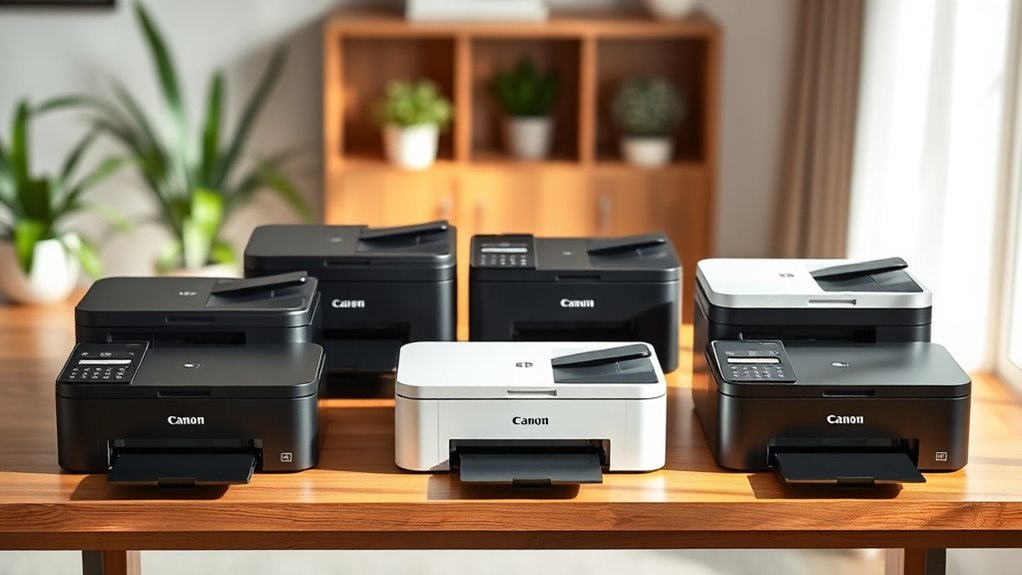
You’ll find Canon’s best home printer scanners in models like the PIXMA TS4320 for compact, vibrant color prints and the Megatank G3290 for high-volume, low-cost refilling. These printers are perfect if you want quality without breaking the bank.
The PIXMA TR8620a and TR7820 balance speed and multitasking well, making them great for busy households.
Meanwhile, the PIXMA TR4720 and TS3720 fit smaller spaces with wireless convenience, ideal if space is tight.
Need faster laser output? Consider the imageCLASS MF753Cdw II or MF465dw II for efficient document handling.
Explore these options to pick what fits your home workflow perfectly. With so many choices, you’ll find a Canon printer scanner that suits your needs and budget effortlessly.
| Image | Name | Editor's Rating | Price |
|---|---|---|---|

|
|
||

|
|
||

|
|
||

|
|
||

|
|
Canon PIXMA TS4320 – Wireless Color Inkjet Printer with Print, Copy, Scan
- Affordable Versatility - A budget-friendly all-in-one printer perfect for both home users and hybrid workers, offering exceptional value
- Crisp, Vibrant Prints - Experience impressive print quality for both documents and photos, thanks to its 2-cartridge hybrid ink system that delivers sharp text and vivid...
- Effortless Setup & Use - Get started quickly with easy setup for your smartphone or computer, so you can print, scan, and copy without delay
- Reliable Wireless Connectivity - Enjoy stable and consistent connections with dual-band Wi-Fi (2.4GHz or 5GHz), ensuring smooth printing from anywhere in your home or...
- Scan & Copy Handling - Utilize the device’s integrated scanner for efficient scanning and copying operations

The Canon PIXMA TS4320 is a compact all-in-one printer designed to simplify printing, copying, and scanning in your home or hybrid workspace. It delivers vibrant color and sharp black-and-white prints, helping you create professional-looking documents with ease. The built-in auto duplexing feature reduces paper use, making your printing tasks more efficient and eco-friendly.
Maintaining the PIXMA TS4320 is straightforward with its included starter inks, allowing you to set up quickly and start printing right away. Its flatbed scanner produces clear 600 x 600 dpi copies and scans, ideal for preserving important documents or creating digital backups.
Connectivity is seamless thanks to dual-band Wi-Fi and USB options. You can print directly from your smartphone or tablet using the Canon PRINT app, Apple AirPrint, or Mopria, making mobile printing convenient and hassle-free. The printer’s small footprint fits easily on desks with limited space, supporting a clutter-free environment.
While its 100-sheet paper capacity suits light to moderate use, frequent refills may be necessary for larger print jobs. The single tray and letter-size media limitation mean it’s best for users with standard paper needs rather than complex printing setups.
Best for: Home users and hybrid workers needing a compact, stylish all-in-one printer for light to occasional printing, copying, and scanning.
What We Like:
- Vibrant color and sharp black-and-white prints with auto duplexing to save paper
- Dual-band Wi-Fi and USB connectivity for easy mobile printing
- Compact design with included starter inks for quick setup
- Flatbed scanner with 600 x 600 dpi resolution for clear copies and scans
Specification:
| Feature | Details |
|---|---|
| Manufacturer | Canon |
| Dimensions (W x D x H) | 12.0 x 12.1 x 5.0 inches (30.5 x 30.7 x 12.7 cm) |
| Weight | 8.0 lbs (3.6 kg) |
| Printing Technology | Color Inkjet |
| Connectivity | Dual-band Wi-Fi, USB |
| Max Print Speed | Up to 14 ppm (black and white) |
| Scan Resolution | 600 x 600 dpi |
| Paper Capacity | 100 sheets |
| Media Size | Letter only |
Canon Megatank G3290 All-in-One Wireless Printer
- Wireless Print/Copy/Scan (2)
- Up to 2 years of ink included
- Print up to 6,000 black & white / 7,700 color pages using a single set of inks! (1)
- Save up to $1,000 on ink (1)
- 2.7” LCD Color Touchscreen
The Canon Megatank G3290 wireless printer is designed to reduce your printing costs while delivering sharp, vibrant prints. Its high-yield ink system handles large volumes, making it ideal for both home and small office use. You can print clear text documents and vivid photos effortlessly, thanks to its 4-color hybrid ink technology.
This all-in-one printer supports borderless printing up to 8.5″ x 11″, enhancing your creative projects and professional documents. The 2.7″ LCD touchscreen makes navigation simple, while wireless connectivity and the Canon PRINT app let you print directly from your mobile devices. Auto-duplex printing helps you save paper without extra effort.
Maintenance is straightforward with the Megatank’s refillable ink tanks, designed for easy monitoring and replacement. Although the color print speed is slower than black, and the single paper tray limits multi-paper handling, its efficiency and low running costs stand out.
Best for: Users seeking an affordable, high-yield all-in-one wireless printer for home or small office environments with mobile printing features.
What We Like:
- High page yield reduces ink replacement frequency and costs
- Borderless and auto-duplex printing enhance print quality and paper savings
- User-friendly touchscreen with wireless and mobile app support
- Easy-to-maintain refillable ink tanks for long-term efficiency
Specification:
| Feature | Details |
|---|---|
| Manufacturer | Canon |
| Dimensions | 17.7 x 12.7 x 5.9 in |
| Weight | 7.1 lb |
| Color Options | Black |
| Printing Speed | 11 ppm (Black), 6 ppm (Color) |
| Ink System | 4-color hybrid ink, refillable tanks |
Canon Color imageCLASS MF753Cdw II – All-in-One Color Duplex Laser Printer
- Color, Wireless, Duplex 4-in-1: Print, scan, copy, fax.
The Canon Color imageCLASS MF753Cdw II is designed to meet the demands of busy small offices and hybrid workspaces. It delivers fast, sharp prints at up to 35 pages per minute, making large print jobs more manageable. The high 1200 x 1200 dpi resolution ensures every document looks professional and clear.
This all-in-one color laser printer simplifies multitasking with one-pass duplex scanning, copying, and built-in fax. You can handle double-sided documents quickly without extra effort. Its 250-sheet cassette and expandable capacity reduce interruptions for frequent printing tasks.
Connectivity options include Ethernet, USB, Wi-Fi, and mobile app support, allowing easy access from multiple devices. The intuitive 5-inch touchscreen enhances control and navigation. While the printer is relatively heavy at 50 lb, its robust build supports reliable daily use.
Maintenance is straightforward, with standard paper capacity that can be expanded if needed. The single USB port limits peripheral connections but keeps the device streamlined. Energy Star certification reflects its efficiency in power consumption.
Best for: Small offices and hybrid work environments needing efficient, all-in-one color printing with duplex functionality.
What We Like:
- Fast print speed of up to 35 ppm with crisp color and black-and-white output
- One-pass duplex scanning and copying that save time
- Multiple connectivity options including Wi-Fi and mobile app support
- Easy-to-use 5-inch touchscreen interface
- Energy Star certified for power efficiency
Specification:
| Feature | Details |
|---|---|
| Manufacturer | Canon |
| Dimensions | Not specified |
| Weight | 50 lb (approx. 22.7 kg) |
| Technology | Color Duplex Laser Printer |
| Paper Capacity | 250-sheet cassette, expandable |
| Connectivity | Ethernet, USB, Wi-Fi, Mobile App |
| Display | 5-inch touchscreen |
Canon imageCLASS MF465dw II Wireless Laser Printer
- Monochrome Wireless, Duplex 4-in-1: Print, Scan, Copy, Fax
- Print up to 42 ppm
- Easy Wireless Setup
- 5-inch Touchscreen
- Mobile Device Printing
The Canon imageCLASS MF465dw II is designed to meet the demands of small offices and hybrid work environments. It delivers fast and reliable monochrome printing, helping you stay productive without delays. With print speeds up to 42 ppm and sharp 1200 x 1200 dpi resolution, it ensures crisp, professional documents every time.
Its compact design includes a 5-inch touchscreen that makes operation simple and intuitive. Flexible connectivity options such as Wi-Fi, Ethernet, and USB allow seamless integration into various office setups. Mobile printing is supported through the Canon PRINT app, making it easy to print from smartphones and tablets.
This multifunction printer combines printing, copying, scanning, and faxing, supported by a 50-sheet duplex automatic document feeder. The paper capacity starts at 350 sheets and can be expanded to 900 sheets, reducing the need for frequent refills.
Maintenance is straightforward with high-yield toner options that minimize interruptions. While limited to monochrome printing and consuming up to 1250 W of power, this model balances functionality with the needs of a small office or home workspace.
Best for: Small offices and hybrid teams requiring efficient, multifunction monochrome printing with flexible connectivity.
What We Like:
- Fast print speed of up to 42 ppm with sharp resolution.
- Versatile connectivity including Wi-Fi, Ethernet, and USB.
- Multifunction capabilities with duplex scanning.
- Expandable paper capacity up to 900 sheets.
- User-friendly 5-inch touchscreen interface.
Specification:
| Feature | Details |
|---|---|
| Manufacturer | Canon |
| Dimensions (W x D x H) | Not specified |
| Weight | Not specified |
| Print Resolution | 1200 x 1200 dpi |
| Print Speed | Up to 42 pages per minute |
| Connectivity | Wi-Fi, Ethernet, USB |
| Paper Capacity | 350 sheets (expandable to 900) |
| Duplex ADF Capacity | 50 sheets |
| Color | Monochrome |
Canon PIXMA TR8620a All-in-One Printer Black
- Never run out of ink. Connect your printer to Alexa and receive notifications when you’re running low. Alexa can even place a smart reorder from Amazon on your behalf...
- Enrolling in Smart Reorders with Alexa ensures that you never have too much or too little ink supplies. No subscription needed.
- Wireless 4-in-1 (Print | Copy | Scan | Fax)
- 15 / 10 ipm Print Speed
- 200 Sheet Capacity (100 Cassette, 100 Rear Feed)
Experience efficient multitasking at home or in small offices with the Canon PIXMA TR8620a All-in-One Printer. Designed to handle printing, scanning, copying, and faxing, it simplifies your workflow and saves valuable time. Its auto document feeder and two-sided printing help you manage multiple documents quickly and reduce paper use.
The printer delivers decent speed with 15 ipm for black and 10 ipm for color prints, suitable for everyday tasks. Wireless connectivity options like AirPrint, Android, and Alexa voice control let you print and manage supplies effortlessly without needing a subscription. This integration supports seamless operation and smart alerts for low ink supplies.
Maintenance is straightforward with a 200-sheet paper capacity that balances convenience and size. While this suits most home office needs, it may require refilling during large print jobs. The device carries an ENERGY STAR certification and an EPEAT Silver rating, reflecting its eco-conscious design.
Its sleek black finish fits modern workspaces, supporting both photo and document printing with ease. However, the limited duty cycle of 1,000 pages means it is best suited for light to moderate printing demands rather than heavy office use.
Best for: Home office users needing a versatile all-in-one printer with wireless features and eco-friendly operation for everyday multitasking.
What We Like:
- Four-in-one functionality with auto document feeder and duplex printing
- Wireless and voice control via AirPrint, Android, and Alexa without subscription
- Eco-friendly design with ENERGY STAR and EPEAT Silver certifications
- Compact design that fits well in home office setups
- Easy maintenance with smart low-ink alerts
Specification:
| Feature | Details |
|---|---|
| Manufacturer | Canon |
| Dimensions | 14.5 x 12.8 x 7.5 inches |
| Weight | 16.8 lbs |
| Color Options | Black |
| Paper Capacity | 200 sheets |
| Print Speed | 15 ipm (black), 10 ipm (color) |
Canon PIXMA TR4720 Wireless All-in-One Printer

- Wireless 4-in-1 (print | copy | scan | fax)..Power Consumption: 7W (0.8W Standby / 0.3W Off)
- Print speed up to: 4" x 6" Borderless Photo (PP-201): Approx. 65.0 Seconds / Black Document (Letter/Simplex): Approx. 8.8 ipm / Color Document (Letter/Simplex): Approx...
- Designed for easy ink cartridge installation and replacement.
- Auto 2-sided printing and auto document feeder.
- Produce quality documents, photos and boarderless prints up to 8.5" x 11".
The Canon PIXMA TR4720 is designed to simplify your home printing tasks with its reliable wireless all-in-one functionality. It combines printing, scanning, copying, and faxing into one compact device, saving space and reducing clutter. This printer helps you handle everyday documents and photos efficiently without complicated setups.
Wireless connectivity and mobile printing make it easy to print from smartphones or tablets, while Alexa integration keeps you informed about ink levels. The auto document feeder and automatic duplex printing reduce manual effort, especially for multi-page jobs. These features help you stay productive and organized.
Maintenance is straightforward with its 100-sheet front paper tray designed for easy loading. Though the print speed is moderate, the PIXMA TR4720 produces sharp text and vibrant, borderless photos up to 8.5 x 11 inches. Its ENERGY STAR certification ensures energy efficiency during operation.
This printer fits well in small home offices or personal spaces where versatility and convenience are priorities. It offers practical functionality without overwhelming complexity.
Best for: individuals and small home offices seeking an affordable, compact, and versatile wireless all-in-one printer for everyday printing, scanning, copying, and faxing needs.
What We Like:
- Convenient wireless printing with mobile device support and Alexa integration
- Auto document feeder and duplex printing boost productivity
- Borderless photo printing with sharp text and vibrant colors
Specification:
| Feature | Details |
|---|---|
| Manufacturer | Canon |
| Dimensions (W x D x H) | 17.7 x 12.0 x 7.5 inches |
| Weight | 11.3 lb (5.1 kg) |
| Color | Black |
| Connectivity | Wireless, USB |
| Paper Tray Capacity | 100 sheets |
Canon PIXMA TS3720 Wireless All-in-One Printer
No products found.
The Canon PIXMA TS3720 offers a simple way to handle everyday printing, scanning, and copying tasks wirelessly. Its compact design fits neatly into small spaces, making it ideal for home use where space is limited. You can print sharp documents and vibrant photos without hassle.
This printer uses a hybrid ink system, combining pigment black ink for clear text and dye-based colors for rich images. The dual-band Wi-Fi ensures a stable connection, allowing you to print easily from mobile devices using the Canon PRINT app, Apple AirPrint, or Mopria. Setup is straightforward, so you can get started quickly.
Maintenance is hassle-free with easy cartridge replacements and a 60-sheet rear tray that supports various paper sizes. While it does not offer automatic duplex printing, its flatbed scanner provides high-resolution copying for your documents.
Best for: Home users looking for a compact, wireless all-in-one printer that handles basic printing, scanning, and copying with ease.
What We Like:
- Stable dual-band Wi-Fi and versatile mobile printing options
- Hybrid ink system for sharp text and vibrant photos
- Compact design with simple setup and easy cartridge changes
Specification:
| Feature | Details |
|---|---|
| Manufacturer | Canon |
| Dimensions | Compact size (exact dimensions not provided) |
| Weight | Not specified |
| Color Options | White |
| Printing Speed | Up to 7.7 ppm (black) |
| Paper Capacity | 60-sheet rear tray |
| Connectivity | Dual-band Wi-Fi, mobile apps (Canon PRINT, AirPrint, Mopria) |
Canon PIXMA TR7820 – Wireless Home All-in-One Printer

- ALL-IN-ONE: Print, Copy, Scan features for full control at your fingertips.
- FAST PRINT SPEEDS: Print approximately 15 (black) / 10 (color) images per minute.
- EASY SETUP: Get running in just a few minutes thanks to a streamlined and easy setup process out of the box.
- EASY TO INSTALL INK: Print full color with only 2 (no mess) easy-to-replace ink cartridges.
- 2.7” LCD SCREEN: Get the job done with an intuitive and easy to use 2.7” LCD touchscreen.
If you need a reliable all-in-one printer that simplifies your daily tasks, the Canon PIXMA TR7820 offers a practical solution. It enables you to print, scan, and copy with ease, using a clear 2.7″ LCD touchscreen that puts full control at your fingertips. This printer helps speed up your workflow with print speeds of about 15 pages per minute in black and 10 pages per minute in color.
Designed for home use, the PIXMA TR7820 makes setup quick and straightforward. Its two easy-to-replace ink cartridges reduce maintenance efforts and avoid mess, delivering sharp and vibrant prints without hassle. This design supports users who want to keep their printer running smoothly with minimal downtime.
The PIXMA Print Plan adds a unique benefit by helping you save up to 70% on ink, which is ideal if you print regularly or moderately. While the two-cartridge system keeps things simple, it may limit color print quality for users needing more detailed color work.
Best for: Home users seeking a versatile, easy-to-maintain wireless printer that balances speed and cost efficiency.
What We Like:
- Fast print speeds for efficient home use
- User-friendly 2.7″ LCD touchscreen interface
- Simple ink cartridge replacement with minimal mess
- Cost savings through the PIXMA Print Plan
Specification:
| Feature | Details |
|---|---|
| Manufacturer | Canon |
| Dimensions | Not specified |
| Weight | Not specified |
| Ink Cartridges | Two easy-to-replace cartridges |
| Display | 2.7″ LCD touchscreen |
| Print Speed | ~15 ppm black, ~10 ppm color |
| Connectivity | Wireless |
Factors to Consider When Choosing a Canon Printer Scanner for Home
When choosing a Canon printer scanner for your home, you’ll want to focus on print quality and resolution to guarantee sharp results.
Also, consider connectivity options and scanning speed to match your workflow. It really helps to find one that fits how you work daily.
Don’t forget to keep an eye on ink costs, size, and footprint to fit your budget and space. These little details make a big difference in the long run.
Print Quality And Resolution
Choosing a Canon printer scanner for your home means paying close attention to print quality and resolution. These factors directly impact the sharpness and detail of your documents and photos.
Look for scanners with at least 600 x 600 dpi optical resolution for clear document scans. If you want crisp, high-quality photo or archival scans, aim for 1200 x 1200 dpi or higher.
On the printing side, aim for 1200 x 1200 dpi or greater to achieve sharper text and smoother color gradients. Also, consider color depth and ink type—pigment inks with higher bit depth usually offer more accurate, fade-resistant colors than dye inks.
Just keep in mind, advertised dpi isn’t everything. Sensor quality, optical glass, and image processing all play indispensable roles in real-world print and scan performance.
Connectivity Options Available
For seamless home scanning, you’ll want a Canon printer scanner that supports both Wi‑Fi and USB connections. This lets you scan directly from smartphones, tablets, and PCs with or without cables.
Look for dual-band Wi‑Fi (2.4 GHz and 5 GHz) to guarantee stable wireless performance. Compatibility with AirPrint, Mopria, or Canon’s mobile apps makes quick, one-tap scanning from iOS and Android devices super easy.
If you share the device among multiple users, consider models with Ethernet support for reliable wired networking. Cloud integration is another key feature, allowing scanned files to be sent directly to email, cloud storage, or FTP services.
Also, check for remote control options like app-based management, touchscreen panels, or voice assistant compatibility. This way, you can start scans and monitor status effortlessly from anywhere in your home.
Scanning Features And Speed
Although connectivity plays an essential role, scanning features and speed ultimately determine how efficiently you handle your home documents and photos. Focus on scanner resolution—300 x 300 dpi suits basic documents, but 600 x 600 dpi or higher delivers sharper text and clearer photos.
Consider the scanning speed, measured in pages or images per minute. Flatbed scanners take 5–30 seconds per page, while automatic document feeder (ADF) models can scan 20–40 ppm, especially with duplex capability.
Choose flatbed for fragile or thick items and ADF for multi-page documents. Also, check file format options like searchable PDFs via OCR, JPEG, or TIFF, plus bundled software that converts scans into editable text.
These features streamline your workflow and boost productivity for all home scanning needs.
Ink Type And Cost
When you pick a Canon printer scanner for home use, understanding ink type and cost can save you a lot over time. Inkjet models usually use either replaceable cartridges or refillable high-yield tanks. Tanks often offer a much lower cost per page, printing thousands of pages per refill compared to standard cartridges.
Consider pigment black inks for sharper, longer-lasting text and better water resistance. Dye-based color inks deliver vibrant photos but may fade faster. Check manufacturer-stated page yields and calculate cost per page by dividing cartridge or bottle price by yield to compare running costs.
Some Canon printers combine pigment and dye inks, balancing quality and expense. Also, explore subscription or ink-replacement plans and availability of high-capacity consumables to reduce long-term ink expenses effectively.
Size And Footprint
Choosing the right Canon printer scanner isn’t just about ink costs and print quality—you’ll also want to take into account the device’s size and footprint. First, measure your available desk or shelf space, comparing it to the printer’s dimensions.
Compact models can be as small as 6–8 inches tall and under 15 inches deep, while full-featured units may need 15–18 inches depth and 14–17 inches width. Remember to factor in extra space for trays and covers, which can add 4–8 inches.
Also, allow 2–4 inches of vertical clearance for flatbed scanners and ADF lids. If placing the device on a shelf, make certain it can support the printer’s weight and offers ventilation.
For multi-user homes, balance footprint size with paper capacity and accessibility. It’s all about finding the right fit for your space and needs.
Frequently Asked Questions
How Often Should I Replace the Ink Cartridges?
You should replace ink cartridges when print quality fades or the printer warns you.
If you print frequently, check every few weeks. For occasional use, cartridges might last several months before needing replacement.
It’s a good idea to keep an eye on your prints so you don’t get caught off guard. Changing cartridges as soon as you notice any issues helps keep your prints looking sharp.
Can These Printers Scan to Cloud Storage Services?
You’ll feel like a wizard sending documents straight to the clouds! Yes, these printers scan directly to cloud storage services, making your life easier.
You can instantly save and access files without ever touching your computer. How cool is that?
What Is the Average Lifespan of These Canon Printers?
You can expect these Canon printers to last around 3 to 5 years with regular use. Proper maintenance and timely cartridge replacements will help you get the most out of your device during that time.
Taking care of your printer really makes a difference. Just a little effort now means it won’t let you down when you need it most!
Are There Eco-Friendly Ink Refill Options Available?
Think of eco-friendly ink refills as fresh rain nourishing your garden.
Yes, you’ll find recycled and plant-based ink options that reduce waste and pollution.
They let you print responsibly while keeping your Canon running smoothly and green.
Do These Printers Support Mobile Printing Apps?
Yes, these Canon printers support mobile printing apps, so you can easily print and scan directly from your smartphone or tablet.
You’ll find they’re compatible with Canon’s PRINT app and popular services like Apple AirPrint and Google Cloud Print.
It’s super convenient for when you’re on the go or just want to skip the hassle of connecting cables. Just tap, print, and you’re good to go!
Conclusion
Choosing the perfect Canon printer scanner for your home is like picking the right brush for your masterpiece. Whether you need crisp laser precision or vibrant inkjet colors, there’s a model ready to bring your ideas to life.
Picture seamless wireless printing, speedy scans, and easy copying right at your fingertips. With these top Canon picks, your home office will buzz with efficiency and creativity.
Finding the best Canon printer scanner for home use means balancing quality, speed, and convenience. These devices offer everything from sharp text and rich photos to user-friendly features that make printing and scanning simple.
So, if you want a reliable Canon printer scanner that supports your everyday tasks, boosts productivity, and fits perfectly in your space, these models are your go-to. With wireless connectivity, fast scanning, and crisp printing, your home office will never miss a beat. Choosing the right Canon printer scanner is the key to turning your home workspace into a hub of creativity and efficiency.