7 Best Bang for Your Buck Printers for 2027 Worth Every Penny
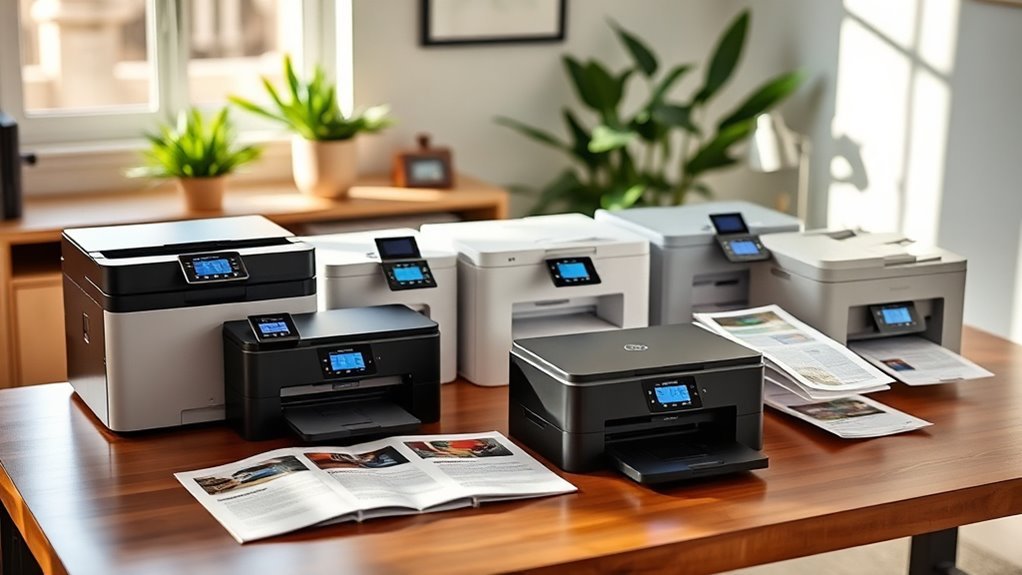
If you’re on the hunt for the best bang for your buck printers in 2027, you’re in the right place. Finding a printer that offers great value without breaking the bank can be tricky. But don’t worry, we’ve rounded up some top picks that combine performance, affordability, and features you’ll actually use.
First up, the Canon PIXMA TS6520 stands out with vibrant color output and a sleek, compact design that fits just about anywhere. Then there’s the HP OfficeJet Pro 8125, which is not only speedy but also packed with eco-friendly features to save you money in the long run.
The Canon TR4720 is a space-saving champ, perfect if you’re short on desk room. Epson’s XP-5250 guarantees reliable prints and requires minimal upkeep, so you can focus on your work instead of maintenance.
Looking for quiet and fast monochrome printing? The Brother HL-L2865DW is a true workhorse. For high-speed, professional-quality output, the Lexmark MS321dn won’t disappoint. And finally, the Canon TS4320 fits perfectly for home color printing needs.
Stick around, and you’ll find exactly which model suits your tasks best.
| Image | Name | Editor's Rating | Price |
|---|---|---|---|

|
|
||

|
|
||

|
|
||

|
|
||

|
|
Canon PIXMA TS6520 Wireless Color Inkjet Printer, 1.42″ OLED Display, White
- Affordable Versatility - A budget-friendly all-in-one printer perfect for both home users and hybrid workers, offering exceptional value
- Crisp, Vibrant Prints - Experience impressive print quality for both documents and photos, thanks to its 2-cartridge hybrid ink system that delivers sharp text and vivid...
- Effortless Setup & Use - Get started quickly with easy setup for your smartphone or computer, so you can print, scan, and copy without delay
- Reliable Wireless Connectivity - Enjoy stable and consistent connections with dual-band Wi-Fi (2.4GHz or 5GHz), ensuring smooth printing from anywhere in your home or...
- Scan & Copy Handling - Utilize the device’s integrated scanner for efficient scanning and copying operations

Experience seamless printing with the Canon PIXMA TS6520, a compact all-in-one printer designed to simplify your home workspace. Its sleek white design fits easily on desks without cluttering your area. The 1.42″ OLED display offers intuitive control, so you can manage printing, scanning, and copying tasks effortlessly.
This printer’s dual-band Wi-Fi and mobile printing options help you stay connected, allowing you to print directly from your smartphone or tablet. Voice compatibility with Alexa adds hands-free convenience, making it easier to manage print jobs in busy environments.
Maintenance is straightforward with the hybrid ink system, which produces sharp, vibrant images up to 1200 dpi. While the two-cartridge ink setup is efficient for moderate use, heavy users may need to replace cartridges more often. Auto duplex and borderless printing enhance functionality, saving time and paper.
Though it supports only one paper tray and limits media size to Letter (8.5″ x 11″), the TS6520 excels in delivering quality prints for everyday home needs. Its versatility benefits families, students, and hybrid workers who require reliable performance in a small footprint.
Best for: home users, students, and hybrid workers needing a compact all-in-one printer for moderate printing tasks.
What We Like:
- Compact design fits neatly in small home offices.
- Dual-band Wi-Fi with mobile and cloud printing support.
- Easy-to-use 1.42″ OLED display for quick operation.
- Auto duplex and borderless printing improve efficiency.
- Alexa voice compatibility enables hands-free control.
Specification:
| Feature | Details |
|---|---|
| Manufacturer | Canon |
| Dimensions (W×D×H) | Approx. 14.7 × 12.6 × 5.9 in |
| Weight | Approx. 12.6 lb |
| Technology | Wireless Color Inkjet |
| Display | 1.42″ OLED |
| Color Options | White |
HP OfficeJet Pro 8125 Wireless All-in-One Printer
- FROM AMERICA'S MOST TRUSTED PRINTER BRAND – The OfficeJet Pro 8125 is perfect for home offices printing professional-quality color documents like business documents...
- 3 MONTH TRIAL OF INSTANT INK INCLUDED – Subscribe to the Instant Ink delivery service to get ink delivered directly to your door before you run out, and you save up to...
- KEY FEATURES – Fast color printing, scan, copy, auto 2-sided printing, auto document feeder, and a 225-sheet input tray
- 2.7-INCH TOUCHSCREEN – Quickly navigate your printer with a large color touchscreen and a phone-like user interface
- WIRELESS PRINTING – Stay connected with our most reliable dual-band Wi-Fi, which automatically detects and resolves connection issues
The HP OfficeJet Pro 8125 Wireless All-in-One Printer is designed to simplify your home or small office tasks. It combines printing, scanning, copying, and faxing in one compact device. With a sharp 2.7-inch touchscreen, it makes navigation easy and fast.
This model supports wireless dual-band Wi-Fi, allowing you to print directly from your smartphone or computer without messy cables. It prints up to 20 pages per minute in black and 10 in color, which helps you complete jobs quickly. Duplex printing saves paper by automatically printing on both sides.
Maintenance is straightforward with original HP cartridges that ensure crisp, water-resistant prints. However, it only accepts cartridges with HP chips, which may limit refill options. The printer is eco-friendly, made with over 45% recycled plastic, reducing environmental impact.
Its design suits busy home offices needing reliable, multi-function capability with wireless convenience. The limited one-sided automatic document feeder means scanning double-sided documents requires manual effort.
Best for: home users or small offices needing a versatile, wireless all-in-one printer with eco-conscious features.
What We Like:
- Fast print speeds with automatic duplex printing
- Easy-to-use 2.7-inch touchscreen for quick control
- Wireless dual-band Wi-Fi for flexible connectivity
- Eco-friendly construction with recycled materials
- High-quality, water-resistant prints using original HP cartridges
Specification:
| Feature | Details |
|---|---|
| Manufacturer | HP |
| Dimensions (W×D×H) | Approx. 17.1 x 14.1 x 9.7 inches (43.4 x 35.8 x 24.6 cm) |
| Weight | Approx. 17.4 lbs (7.9 kg) |
| Material | Plastic with recycled content |
| Color Options | White and black accents |
Canon PIXMA TR4720 Wireless All-in-One Printer Black
- Wireless 4-in-1 (print | copy | scan | fax)..Power Consumption: 7W (0.8W Standby / 0.3W Off)
- Print speed up to: 4" x 6" Borderless Photo (PP-201): Approx. 65.0 Seconds / Black Document (Letter/Simplex): Approx. 8.8 ipm / Color Document (Letter/Simplex): Approx...
- Designed for easy ink cartridge installation and replacement.
- Auto 2-sided printing and auto document feeder.
- Produce quality documents, photos and boarderless prints up to 8.5" x 11".
The Canon PIXMA TR4720 Wireless All-in-One Printer Black offers a compact and practical solution for everyday document needs. It combines printing, scanning, copying, and faxing in one easy-to-use device. This printer simplifies tasks with wireless connectivity and automatic two-sided printing, saving you time and effort.
Designed for home or small office use, the printer’s auto document feeder handles multi-page jobs efficiently. Its hybrid ink system delivers sharp black text and vibrant color prints, ensuring professional-quality results. Mobile printing features and Alexa integration keep you connected and in control from anywhere.
Maintenance is straightforward with a user-friendly interface and easy ink replacement. The printer supports various paper sizes and holds up to 100 sheets, making it versatile for different tasks. While print speeds are moderate, the overall design focuses on convenience and reliability.
Best for: users needing a versatile, space-saving all-in-one printer with wireless and mobile capabilities for light to moderate use.
What We Like:
- Wireless all-in-one functionality with automatic two-sided printing
- High-quality prints with hybrid ink technology
- Auto document feeder for efficient multitasking
- Supports mobile printing and Alexa voice commands
- Compact design fits small spaces easily
Specification:
| Feature | Details |
|---|---|
| Manufacturer | Canon |
| Dimensions (W×D×H) | Approx. 17.7 × 12.0 × 7.7 in (45 × 30.5 × 19.6 cm) |
| Weight | Approx. 11.4 lb (5.2 kg) |
| Color | Black |
| Paper Tray Capacity | 100 sheets |
Epson Expression Home XP-5250 Wireless All-in-One Printer
- Remarkable Prints and Photos — Home printer with Epson's leading-edge printing technology produces crystal clear prints and rich colors
- Our Fastest Expression Home Printer — Plus, a 150-sheet paper tray for convenient paper handling
- Convenient Operation — Large 2.4" color display for effortless navigation
- Epson Smart Panel App¹ — Transforms your mobile device into a high-performance command center and adds time-saving features like Smart Setup
- Engineered for Reliability — Consistently delivers high-quality prints with PrecisionCore Heat-Free technology and a permanent printhead designed to last the life of...
Experience hassle-free printing with the Epson Expression Home XP-5250, designed to bring convenience and high-quality output right to your home or small office. This wireless all-in-one printer tackles everyday tasks with ease, making printing, scanning, and copying straightforward.
Its PrecisionCore Heat-Free technology ensures durable performance without the long warm-up times, while the permanent printhead reduces maintenance needs. Automatic two-sided printing saves both paper and effort, helping you stay efficient without wasting resources.
Printing from multiple devices is seamless thanks to built-in Wi-Fi and Wi-Fi Direct, so you can send documents straight from your smartphone, tablet, or laptop without complicated setups. Compact and energy-efficient, this printer fits comfortably in smaller spaces without sacrificing quality.
Ink management is simplified with individual Claria cartridges, allowing you to replace only the colors that run out. Although the maximum paper capacity is 150 sheets, it’s well-suited for moderate daily use. The XP-5250 balances functionality with ease of maintenance, ideal for those who want reliable color and black printing without fuss.
Best for: Home users or small offices needing a compact, wireless all-in-one printer that delivers consistent, quality output with minimal upkeep.
What We Like:
- Durable PrecisionCore Heat-Free technology with a permanent printhead.
- Automatic duplex printing reduces paper use and manual effort.
- Easy wireless printing from laptops, smartphones, and tablets.
- Individual ink cartridges minimize waste and replacement costs.
Specification:
| Feature | Details |
|---|---|
| Manufacturer | Epson |
| Dimensions | 14.8 x 12.2 x 5.8 inches |
| Weight | Approx. 9.9 lbs (4.5 kg) |
| Connectivity | Wi-Fi, Wi-Fi Direct |
| Display | 2.4-inch color LCD |
| Paper Capacity | 150 sheets |
| Printing Technology | PrecisionCore Heat-Free Inkjet |
Brother International HLL2865DW Printer,wrlss,ntwk,wkhorse
- Print speed up to 34 pages per minute
- 2-sided printing, up to 16 sides per minute
- 250 Sheet Paper Inbox
- 1,500-page toner included, optional toner maximum of 5,000 pages
- 1 Line LCD Control Panel
Experience efficient, high-volume printing with the Brother HL-L2865DW, a dependable monochrome laser printer built to keep busy offices moving smoothly. Its fast printing speed of up to 34 pages per minute allows you to complete tasks quickly, while automatic duplex printing helps reduce paper waste effortlessly.
Designed for convenience, this model features a 250-sheet paper tray and a 1,500-page starter toner cartridge, minimizing interruptions and maintenance needs. Connectivity options are flexible, including Ethernet, dual-band Wi-Fi, and USB, enabling easy integration into various office setups.
The compact and quiet design fits well in tight spaces without disturbing the work environment. Though the resolution is capped at 600 x 600 dpi, it delivers clear, sharp text ideal for everyday document printing. The simple one-line LCD panel keeps operation straightforward but may limit advanced navigation.
Overall, the HL-L2865DW balances speed, efficiency, and ease of use, making it a practical solution for offices that require reliable monochrome printing with minimal fuss.
Best for: busy professionals and small to medium offices needing a compact, high-speed monochrome laser printer with automatic duplex and versatile connection options.
What We Like:
- Rapid printing up to 34 ppm with automatic duplex to save time and paper.
- Large input tray and high-yield starter toner reduce refills and downtime.
- Multiple connectivity choices for flexible networking and USB access.
- Quiet operation and compact footprint suit various office environments.
Specification:
| Feature | Details |
|---|---|
| Manufacturer | Brother International |
| Dimensions | 14.2 x 14.5 x 7.2 in (36.1 x 36.8 x 18.3 cm) |
| Weight | 15.7 lb (7.1 kg) |
| Print Technology | Monochrome Laser |
| Print Speed | Up to 34 ppm |
| Print Resolution | 600 x 600 dpi |
| Paper Capacity | 250 sheets |
| Connectivity | Ethernet, Dual-band Wi-Fi, USB |
Lexmark MS321dn Compact Monochrome Laser Printer

- Package Dimensions: 18.5 L x 14.8 H x 16.93 W (inches)
- Package Weight: 34.6 pounds
- Country of Origin : China
The Lexmark MS321dn is designed to meet the demands of busy small offices needing reliable, high-speed printing. It delivers crisp, clear monochrome prints at up to 38 pages per minute, helping teams stay productive without delays. The sharp 1200 x 1200 dpi resolution ensures professional-quality documents every time.
This compact printer fits comfortably on a desk, saving valuable workspace while handling up to 350 sheets of paper. Automatic duplex printing reduces paper use and cuts operating costs, making it an eco-friendly choice. Its built-in Ethernet and USB ports simplify network setup and sharing among coworkers.
Maintenance is straightforward, with a durable toner cartridge that yields up to 10,000 pages before replacement. This reduces downtime and keeps running costs predictable. The intuitive OLED touch display makes managing print jobs easy, even for users new to monochrome laser printers.
While it only supports black-and-white printing and plain paper, the MS321dn stands out for its speed, efficiency, and compact design. It is ideal for small offices seeking a dependable monochrome printer that balances performance with practical features.
Best for: Small offices or workgroups that require fast, reliable monochrome printing with network connectivity and automatic duplexing.
What We Like:
- High-speed printing at 38 ppm with sharp resolution
- Automatic duplexing to save paper and reduce costs
- Compact design fits easily on a desk
- Easy network setup with Ethernet and USB connectivity
- Long-lasting toner cartridge yields up to 10,000 pages
Specification:
| Feature | Details |
|---|---|
| Manufacturer | Lexmark |
| Dimensions (W×D×H) | Approx. 15.9 × 15.9 × 10.7 in (40.4 × 40.4 × 27.1 cm) |
| Weight | About 30.4 lb (13.8 kg) |
| Printing Technology | Monochrome Laser |
| Print Speed | Up to 38 pages per minute |
| Print Resolution | 1200 x 1200 dpi |
| Paper Capacity | 350 sheets |
| Connectivity | Ethernet, USB |
Canon PIXMA TS4320 – Wireless Color Inkjet Printer with Print, Copy, Scan

- Affordable Versatility - A budget-friendly all-in-one printer perfect for both home users and hybrid workers, offering exceptional value
- Crisp, Vibrant Prints - Experience impressive print quality for both documents and photos, thanks to its 2-cartridge hybrid ink system that delivers sharp text and vivid...
- Effortless Setup & Use - Get started quickly with easy setup for your smartphone or computer, so you can print, scan, and copy without delay
- Reliable Wireless Connectivity - Enjoy stable and consistent connections with dual-band Wi-Fi (2.4GHz or 5GHz), ensuring smooth printing from anywhere in your home or...
- Scan & Copy Handling - Utilize the device’s integrated scanner for efficient scanning and copying operations
The Canon PIXMA TS4320 is a compact all-in-one printer designed to simplify your home printing needs. It combines printing, copying, and scanning in one sleek device, making it perfect for everyday tasks. With wireless dual-band Wi-Fi, you can print directly from your smartphone, tablet, or laptop without hassle.
This printer delivers crisp, vibrant color prints at 1200 x 1200 dpi resolution, ensuring your photos and documents look professional. It also supports automatic duplex printing, helping you save paper by printing on both sides effortlessly. Although it lacks an automatic document feeder, the flatbed scanner is well-suited for scanning photos and single-page documents.
Maintaining the PIXMA TS4320 is straightforward, especially with the PIXMA Print Plan subscription that reduces ink costs over time. Its compact design fits easily in small spaces, making it a smart choice for home offices or students. Keep in mind, the single paper tray holds up to 100 sheets, which may require refilling during heavy use.
Best for: Budget-conscious home users needing a reliable, space-saving printer for school projects, photos, and daily documents.
What We Like:
- Wireless dual-band Wi-Fi for easy mobile printing
- Sharp 1200 x 1200 dpi color prints with duplex capability
- Cost-effective ink subscription service available
- Compact design ideal for small spaces
Specification:
| Feature | Details |
|---|---|
| Manufacturer | Canon |
| Dimensions (W×D×H) | 12.0 x 14.3 x 5.2 inches |
| Weight | 9.3 lbs (4.2 kg) |
| Color Options | Black |
| Connectivity | Wireless dual-band Wi-Fi |
| Print Resolution | 1200 x 1200 dpi |
| Paper Capacity | 100 sheets |
Factors to Consider When Choosing the Bang for Your Buck Printer
When choosing a printer that gives you the best value, you’ll want to focus on print quality and how fast it works.
Don’t forget to check the cost of ink or toner, plus the connectivity options it offers.
Also, consider the extra functions like scanning or copying to make sure it fits your needs.
Print Quality Matters
Although print speed often grabs attention, prioritizing print quality guarantees your documents and photos look sharp and professional. Start by choosing a printer with a high optical resolution—1200 x 1200 dpi or more secures crisp text and detailed images.
Pay attention to ink types: pigment black ink offers water-resistant, sharp text, while dye-based color inks produce vibrant photos but may be less durable. If color accuracy matters, look for wide color gamut support and 16-bit color depth or higher for true-to-life photo reproduction.
Also, consider scan and copy resolution; 600 x 600 dpi or above preserves detail when duplicating documents or images. Remember, slower print modes usually yield better quality, so don’t sacrifice clarity for speed when it comes to your important prints.
Speed and Efficiency
Sharp print quality sets the foundation, but speed and efficiency determine how well your printer keeps up with your workflow. Check the pages-per-minute (ppm) rate—home inkjets typically offer 8–15 ppm, while office models often exceed 20–30 ppm, boosting throughput for big jobs.
Don’t overlook first-page-out time (FPOT); printers with FPOT under 10 seconds reduce waiting, especially for short tasks. If you print multi-page documents regularly, choose models with duplex printing and automatic document feeders to save paper and time.
Also, consider input tray capacity—larger trays mean fewer refills and uninterrupted productivity. Finally, factor in warm-up and processor speeds plus network reliability, since fast controllers and stable connections minimize delays on complex or high-resolution prints.
Ink and Toner Costs
Since ink and toner costs can quickly add up, you’ll want to look beyond the printer’s upfront price to understand the true expense of printing. Start by comparing the cost per page—divide the cartridge or toner price by its page yield to see what you’ll really pay each time you print.
Opt for printers with individual color cartridges or high-yield options, so you only replace what’s empty and save money over time. Subscription refill programs might cut costs but weigh their recurring fees and internet requirements before committing.
Don’t forget to factor in hidden expenses like maintenance kits or printhead replacements, which can add up. Also, consider your monthly printing volume; higher-capacity cartridges usually offer better value for moderate to heavy use, while cheap starter cartridges might cost more in the long run.
Connectivity Options Available
When choosing the best printer for your needs, you’ll want to take into account the connectivity options it offers, as they directly impact convenience and performance. Dual-band Wi-Fi (2.4 GHz and 5 GHz) guarantees reliable wireless printing, especially in busy networks.
If you share a printer in a high-volume office, Ethernet provides the most stable, low-latency connection. USB direct connection suits you if you prefer a simple, secure link without network setup, though sharing is limited.
Wi-Fi Direct lets mobile devices print without joining a network, perfect for guests or quick jobs. Also, look for support of standards like Apple AirPrint, Mopria, or IPP/Cloud printing to easily print from mobile devices and cloud services without installing drivers.
Printer Functions Included
Although printers come with a range of features, focusing on functions like all-in-one capabilities, automatic duplexing, and document feeders can help you get the most value for your money.
If you need printing, scanning, and copying, an all-in-one printer saves space and avoids buying separate devices.
Automatic duplex printing cuts paper usage and lowers costs when printing double-sided documents.
An automatic document feeder speeds up handling multi-page scans or copies, perfect if you deal with lots of paperwork.
While color and photo printing add flexibility, they cost more per page, so stick with monochrome unless you occasionally need color output.
Also, network features like Wi-Fi and cloud printing boost convenience and shared use, making your investment even smarter.
Choose features that match your workflow for the best bang for your buck.
Paper Handling Capacity
Beyond features like automatic duplexing and document feeders, paper handling capacity plays a big role in how smoothly your printer keeps up with your workload. Start by checking the input tray capacity—whether it holds 100 or 250 sheets—so you’re not constantly refilling during heavy use.
Look for automatic duplex printing to cut paper use in half, saving you money over time. An automatic document feeder (ADF) with a good sheet capacity speeds up multi-page scanning, copying, or faxing.
Make sure the printer supports the media sizes and types you need, like letter, legal, or cardstock, without requiring manual feed. Finally, consider the output tray capacity and any stacking limits to avoid jams and interruptions during large print jobs.
Device Compatibility Factors
Since your printer needs to work seamlessly with the devices you use every day, checking device compatibility is essential. First, confirm it supports your operating systems—whether Windows, macOS, Android, or iOS—to make sure drivers and features function properly.
Next, verify connectivity options like dual-band Wi-Fi, Ethernet, Wi-Fi Direct, or USB so you can connect easily to your computers and mobile devices. Don’t forget to check mobile printing compatibility with standards like AirPrint, Mopria, or vendor apps for direct smartphone printing.
If you share the printer on a network, guarantee it supports user authentication, guest access, and secure protocols to fit your IT setup. Finally, confirm consumables and firmware policies align with your workflow to prevent interruptions or feature blocks.
Warranty and Support
Device compatibility guarantees your printer works smoothly with your setup, but you also need to take into account warranty and support to protect your investment. Check the manufacturer’s limited warranty length and scope—typically one year—and whether it covers parts, labor, and printheads for long-term protection.
Verify available customer support channels like phone, email, chat, or in-app options, plus response times and service hours to make certain timely help. It’s good to know how quickly you can get assistance when you really need it.
Understand if warranty service requires shipping the printer back, on-site repair, or local service centers, as these impact downtime and costs. These factors can make a big difference in how soon your printer is up and running again.
Watch out for exclusions such as using non-genuine consumables or unauthorized repairs that void coverage. It’s important to stick to the terms so you don’t accidentally lose your warranty.
Finally, consider extended warranties or service plans, weighing their cost against expected repair or replacement expenses across your printer’s lifespan. Sometimes, the extra coverage is worth the peace of mind.
Frequently Asked Questions
How Do Printer Ink Subscription Services Work?
Printer ink subscription services automatically send you ink before you run out, based on your usage.
You’ll save money and avoid trips to the store, making printing hassle-free.
Plus, it ensures you always have ink when needed.
Can These Printers Connect to Smart Home Devices?
Wondering if you can connect printers to smart home devices? Yes, many modern printers support Wi-Fi and Bluetooth, letting you print via voice commands through Alexa or Google Assistant.
Isn’t that super convenient for your workflow? It makes printing as easy as just talking to your devices!
What Are the Environmental Impacts of Inkjet Vs Laser Printers?
You’ll find inkjet printers use less energy but produce more waste with frequent cartridge changes.
On the other hand, laser printers consume more power but have longer-lasting toner.
How Do I Troubleshoot Common Printer Paper Jams?
You’ll want to turn off the printer first. Then, gently remove any stuck paper you see.
Make sure to check for torn scraps inside too. Those little bits can cause jams later on.
Also, double-check that the paper tray is properly aligned. If it’s off, that might be why the paper is getting stuck.
Cleaning the rollers can help as well, especially if they look dirty or worn out. After that, reload the paper correctly.
Doing all this should help prevent future jams. It’s a simple routine that saves you a lot of hassle!
Are There Any Printers With Built-In Security Features for Offices?
Over 70% of office printers now include built-in security features like user authentication and data encryption.
You’ll find models from HP and Brother that protect sensitive info, keeping your office network safe without extra hassle.
It’s pretty convenient because you don’t have to add extra security steps yourself. These printers handle it all in the background, making your workday smoother.
Conclusion
Choosing the perfect printer doesn’t have to feel like rocket science, and with these bang-for-your-buck picks, you’ll be printing like a pro without emptying your wallet. Whether you need blazing-fast laser speed or vibrant color magic, these printers have got your back—turning your daily tasks into a breeze.
So go ahead, grab one, and watch your productivity and savings skyrocket like they’re on a mission to Mars! These best bang for your buck printers combine affordability with performance, making them ideal for both home and office use.
Investing in a quality printer that balances cost and functionality ensures you get the most value for your money. From speedy printing to crisp, vibrant colors, these models deliver everything you need without breaking the bank.
In 2027, finding the right printer means smart choices that boost efficiency and save cash. So, pick one of these top printers and enjoy hassle-free printing that’s worth every penny!