5 Best Budget Brother Laser Printers for 2027
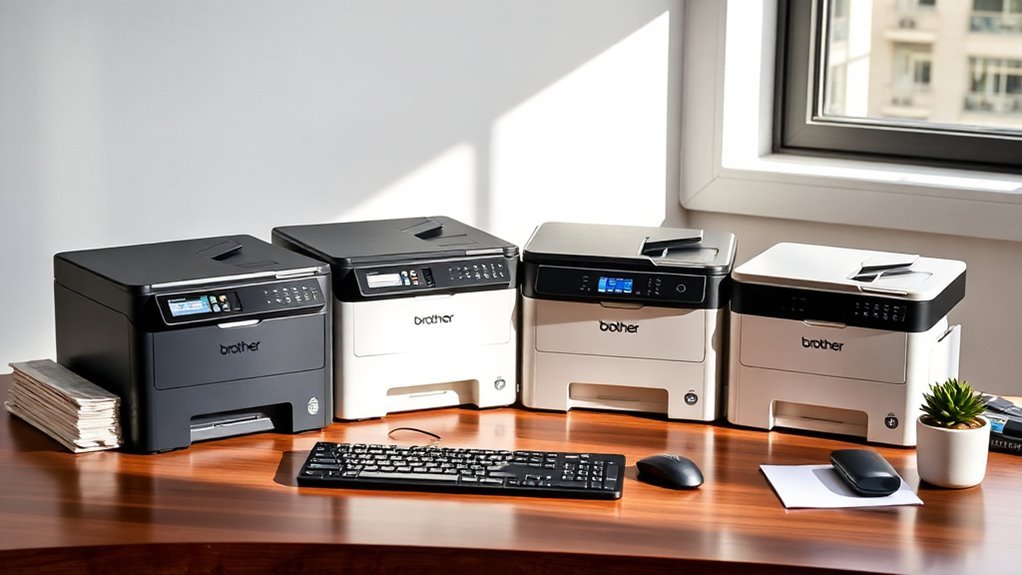
If you’re on the hunt for reliable, budget-friendly Brother laser printers in 2027, you’ve got some great options to consider. Whether you need compact monochrome printing or wireless color output, Brother has something for you.
The HL-L2405W is perfect if you want a small, efficient printer for basic black-and-white pages.
On the other hand, the HL-L3220CDW offers wireless color printing, making it a versatile choice for home or small office use.
Looking for multifunction features? The DCP-L2640DW combines printing, scanning, and copying in one device, which is super handy.
If you want print-only simplicity, the HLL2405W Bundle comes with a toner subscription trial, helping you save on running costs.
Don’t forget the HLL2460DW, which shines with fast, automatic duplex printing and uses toner efficiently.
Each of these models balances performance and cost well. You’ll find plenty of helpful insights here to pick the perfect fit for your needs.
| Image | Name | Editor's Rating | Price |
|---|---|---|---|

|
|
||

|
|
||
|
|
||

|
|
||

|
|
Brother HL-L2405W Wireless Compact Monochrome Laser Printer
- BEST FOR HOMES & HOME OFFICES – Engineered for consistent, premium print quality, the Brother HL-L2405W Monochrome (Black & White) Laser Printer delivers sharp, crisp...
- COMPACT, CONNECTED PRINTER – Flexible connection options make this an ideal printer for home use and at-home offices. Securely connect to multiple devices with built-in...
- BROTHER MOBILE CONNECT APP – Manage your printer remotely and print from your mobile device anytime, from almost anywhere. Order Brother Genuine Supplies, track toner...
- VERSATILE PAPER HANDLING – Enjoy seamless, reliable everyday printing with the 250-sheet paper tray(4) and a manual feed slot that enables printing on envelopes and...
- BROTHER IS AT YOUR SIDE – Backed by Brother with a 1-year limited warranty and free online, call, or live chat support for the life of your printer

The Brother HL-L2405W wireless compact monochrome laser printer offers a smart solution for small spaces that demand fast, sharp printing. It tackles everyday printing tasks with speed, producing up to 30 clear pages per minute at 1200 x 1200 dpi resolution. This printer helps you stay productive without sacrificing print quality.
Its dual-band wireless connection simplifies printing from both mobile devices and PCs, streamlining your workflow. The Brother Mobile Connect app enhances convenience, letting you manage print jobs remotely. With a 250-sheet paper capacity, this printer reduces refilling interruptions, while manual duplexing supports double-sided printing when needed.
Designed for straightforward maintenance, the HL-L2405W supports various media types, including envelopes and specialty papers, adding versatility to your printing options. Although it lacks scanning and copying functions, its focused monochrome output suits environments where print speed and reliability matter most.
The lightweight frame and compact design make it easy to fit into home offices or small workspaces. Its efficient performance and simple upkeep provide a cost-effective printing solution that meets basic office needs.
Best for: individuals and small home offices needing a fast, reliable monochrome laser printer with wireless capabilities and essential print functions.
What We Like:
- Fast printing speed of up to 30 pages per minute with high-resolution output
- Dual-band wireless support and user-friendly mobile app for easy printing
- Large 250-sheet paper capacity to minimize reloads
- Supports envelopes and specialty media for versatile printing
- Compact and lightweight design fits small spaces
Specification:
| Feature | Details |
|---|---|
| Manufacturer | Brother |
| Dimensions | Approx. 14 x 14 x 7.2 in (35.6 x 35.6 x 18.3 cm) |
| Weight | Approx. 15.4 lb (7 kg) |
| Printing Technology | Monochrome Laser |
| Print Speed | Up to 30 ppm |
| Resolution | 1200 x 1200 dpi |
| Connectivity | Dual-band Wireless (2.4/5 GHz) |
| Paper Capacity | 250 sheets |
| Duplex Printing | Manual |
Brother HL-L3220CDW Wireless Color Laser Printer
- Professional Quality: Brother Genuine color laser printer delivers stunning business documents with crisp text and vibrant graphics at impressive 19 PPM speed...
- Wireless Connectivity: Brother Genuine advanced wireless capabilities enable seamless printing from laptops, smartphones, and tablets, with built-in security protocols...
- High-Volume Capacity: Brother Genuine laser printer includes a generous 250-sheet paper tray minimizing refills, while the manual feed slot offers versatility for...
- Efficient Performance: Brother Genuine automatic duplex printing saves time and paper, while delivering professional-quality double-sided documents at speeds up to...
- Mobile Integration: Brother Genuine technology ensures seamless compatibility with major mobile printing platforms and cloud services, enabling effortless document...
The Brother HL-L3220CDW offers a smart solution for professionals who need reliable, high-quality color printing without taking up too much space. Its compact design fits easily into small offices or workgroups, delivering sharp prints at 19 pages per minute with vivid 2400 x 600 dpi resolution. This printer helps reduce downtime with a 250-sheet tray and a manual feed slot that supports various media types, including envelopes and glossy paper.
Wireless and USB connectivity make printing straightforward, allowing seamless access from mobile devices and cloud platforms. Automatic duplex printing helps save paper, making it a practical choice for busy environments focused on efficiency. The built-in security features protect your network, ensuring safe printing in shared workspaces.
Maintenance is simple with high-yield toner options that reduce the frequency of replacements. Weighing just 24.7 pounds, this printer is easy to move and set up wherever it’s needed. While it lacks scanning and copying functions, its dedicated print-only design keeps operations straightforward for users focused on color print tasks.
Best for: Small workgroups and professionals seeking an efficient, compact color laser printer with versatile media handling and secure wireless connectivity.
What We Like:
- Fast 19 ppm print speed with sharp 2400 x 600 dpi resolution
- Automatic duplex printing and versatile media handling
- Wireless, USB, and mobile printing with built-in security
- Compact and lightweight design for easy placement
- High-yield toner options for less frequent replacements
Specification:
| Feature | Details |
|---|---|
| Manufacturer | Brother |
| Dimensions | Compact (exact size not specified) |
| Weight | 24.7 lb (11.2 kg) |
| Print Speed | 19 pages per minute |
| Print Resolution | 2400 x 600 dpi |
| Paper Capacity | 250-sheet tray + manual feed slot |
| Connectivity | Wireless, USB, mobile |
| Duplex Printing | Automatic |
Brother DCP-L2640DW Wireless Monochrome Laser Printer
- BEST FOR SMALL BUSINESSES – Engineered for extraordinary productivity, the Brother DCP-L2640DW Monochrome (Black & White) 3-in-1 combines laser printer, scanner, copier...
- FAST PRINTER WITH EFFICIENT SCANNING – Produces documents quickly with print speeds up to 36 ppm(2) and scan speeds up to 23.6/7.9 ipm(3) (black/color). A 50-page auto...
- FLEXIBLE CONNECTION OPTIONS – Easily navigate the changing demands of your business with secure multi-device connectivity via built-in dual-band wireless (2.4GHz...
- BROTHER MOBILE CONNECT APP – Print, scan, and manage your wireless printer anytime, from almost anywhere from your mobile device. Order Brother Genuine Supplies, track...
- CHOOSE BROTHER GENUINE TONER – When it’s time to replace your toner, be sure to choose Brother Genuine TN830 or TN830XL replacement toner. And with Refresh EZ Print...
Experience efficient and dependable black-and-white printing tailored to enhance small business workflows with the Brother DCP-L2640DW. This multifunction laser printer combines printing, copying, and scanning in a compact design that fits easily into any workspace. Its fast print speed keeps documents flowing smoothly, helping you meet tight deadlines with ease.
The device simplifies handling multi-page documents thanks to its 50-page auto document feeder. Scanning speeds support quick digitization of files, making task management more streamlined. Connectivity options include dual-band wireless, Ethernet, and USB, allowing flexible setup and remote management through the Brother Mobile Connect app.
Maintenance is straightforward, with toner replacements using Brother Genuine TN830 or TN830XL cartridges to ensure consistent print quality. While it only supports monochrome output and slower color scanning, this printer delivers reliable performance without unnecessary frills.
This model is designed to save space while boosting productivity, making it a practical choice for small offices that require multifunction capability without sacrificing speed or convenience.
Best for: small businesses needing a fast, reliable, and compact black-and-white printer with multifunction capabilities for printing, scanning, and copying.
What We Like:
- Fast print speed up to 36 ppm improves workflow efficiency
- Multiple connectivity options for versatile office environments
- 50-page auto document feeder eases multi-page scanning and copying
Specification:
| Feature | Details |
|---|---|
| Manufacturer | Brother |
| Dimensions | Compact size (exact size not provided) |
| Weight | Not specified |
| Color | Monochrome (Black & White) |
| Connectivity | Dual-band wireless, Ethernet, USB |
Brother Wireless Compact Monochrome Laser Printer HLL2405W Bundle
- BEST FOR HOMES & HOME OFFICES – Engineered for consistent, premium print quality, the Brother HL-L2405W Monochrome (Black & White) Laser Printer delivers sharp, crisp...
- COMPACT, CONNECTED PRINTER – Flexible connection options make this an ideal printer for home use and at-home offices. Securely connect to multiple devices with built-in...
- BROTHER MOBILE CONNECT APP – Manage your printer remotely and print from your mobile device anytime, from almost anywhere. Order Brother Genuine Supplies, track toner...
- VERSATILE PAPER HANDLING – Enjoy seamless, reliable everyday printing with the 250-sheet paper tray(4) and a manual feed slot that enables printing on envelopes and...
- BROTHER IS AT YOUR SIDE – Backed by Brother with a 1-year limited warranty and free online, call, or live chat support for the life of your printer
Experience sharp, fast black-and-white printing with the Brother HLL2405W, designed to fit perfectly in tight workspaces. This compact monochrome laser printer tackles daily printing tasks efficiently, delivering up to 30 pages per minute at a crisp 1200 × 1200 dpi resolution.
Its 250-sheet tray and manual feed slot handle various paper sizes, including legal, reducing frequent reloads. The printer’s dual-band wireless connectivity and mobile printing through the Brother Mobile Connect app simplify printing from multiple devices without cables.
Maintenance is straightforward with the included toner subscription trial, ensuring you stay stocked without hassle. While it focuses solely on single-sided monochrome printing, this specialized functionality makes it a reliable and space-saving solution for home offices or small business environments.
The design balances performance and convenience, ideal for users needing quick, clear prints without extra features like scanning or duplexing.
Best for: Small businesses and home offices requiring a compact, dependable monochrome laser printer for straightforward, single-sided printing tasks.
What We Like:
- Fast print speed of up to 30 ppm with sharp 1200 × 1200 dpi quality
- Dual-band wireless and easy mobile printing via Brother Mobile Connect
- Large 250-sheet capacity combined with manual feed flexibility
- Toner subscription trial included for easy maintenance
Specification:
| Feature | Details |
|---|---|
| Manufacturer | Brother |
| Dimensions (W×D×H) | Compact design (approx.) |
| Weight | Lightweight for portability |
| Printing Technology | Monochrome Laser |
| Print Speed | Up to 30 pages per minute |
| Resolution | 1200 × 1200 dpi |
| Paper Capacity | 250-sheet tray + manual feed |
| Connectivity | Dual-band wireless, mobile printing |
Brother HLL2460DW Wireless Monochrome Laser Printer
- BEST FOR HOME OFFICES & SMALL TEAMS – Engineered for consistent, premium print quality, the Brother HL-L2460DW XL Monochrome (Black & White) Laser Printer produces...
- HIGHER YIELDS, LOWER COSTS WITH XL – Print more black & white documents with the exceptional value of in-box toner that yields up to 4,200 consistently sharp, crisp...
- CONNECTED, MOBILE DEVICE PRINTING – Connect with built-in dual-band wireless (2.4GHz/5GHz), Ethernet, or to a single computer via USB interface. Manage your printer...
- VERSATILE PAPER HANDLING – Tackle high-volume black & white printing with the 250-sheet capacity paper tray.(5) The manual feed slot enables printing on envelopes and...
- BROTHER IS AT YOUR SIDE – Backed by Brother with a 1-year limited warranty and free online, call, or live chat support for the life of your printer
The Brother HLL2460DW Wireless Monochrome Laser Printer is designed to meet the demands of busy home offices and small teams. It delivers fast, reliable black-and-white printing at speeds up to 36 pages per minute. This helps reduce wait times and keeps your workflow moving smoothly without interruptions.
Its automatic duplex printing feature saves paper by printing on both sides, making it an eco-friendly choice. The 250-sheet tray means you can handle large printing tasks without constant refills. When it’s time to replace toner, the included XL cartridge prints up to 4,200 pages, lowering your ongoing costs.
Connectivity is flexible with options like dual-band wireless, Ethernet, and USB. You can also print remotely using the Brother Mobile Connect app, which adds convenience for today’s mobile workstyles. The printer supports specialty media and Alexa, expanding its usability for various office needs.
Maintenance is straightforward, with easy toner replacement and a compact design that fits well in limited spaces. While it only prints in monochrome and has a moderate tray capacity, its functionality and cost-efficiency make it a solid choice for everyday office printing.
Best for: home offices and small teams needing efficient, cost-effective monochrome printing with versatile connectivity.
What We Like:
- Fast printing speed of up to 36 ppm with duplex function to save paper.
- XL toner cartridge yields up to 4,200 pages, reducing toner replacement frequency.
- Multiple connectivity options including dual-band Wi-Fi, Ethernet, USB, and mobile app support.
- Compact design suited for small workspaces.
- Supports specialty media and voice-activated printing via Alexa.
Specification:
| Feature | Details |
|---|---|
| Manufacturer | Brother |
| Dimensions | 14.2 x 14.2 x 7.2 inches |
| Weight | 16.5 lbs (7.5 kg) |
| Printing Speed | Up to 36 ppm |
| Paper Tray Capacity | 250 sheets |
| Connectivity | Dual-band Wi-Fi, Ethernet, USB |
| Color | Monochrome (Black & White) |
Factors to Consider When Choosing a Budget Brother Laser Printer
When choosing a budget Brother laser printer, you’ll want to focus on print speed to keep up with your workload. Check the connectivity options to make certain it fits your setup.
And don’t forget to consider toner efficiency to save on running costs. It really adds up over time.
Also, think about the device’s size and duplex printing features. They impact both your space and how much paper you use.
Print Speed Importance
Consider how print speed influences your overall efficiency when choosing a budget Brother laser printer. Higher pages per minute (ppm) directly cut wait times for large jobs—jumping from about 19 ppm to 36 ppm can nearly halve your total print time on multi-page documents.
Don’t overlook first-page-out time, especially if you print single pages occasionally; an 8–15 second range noticeably affects responsiveness. If you handle mixed workloads, automatic duplexing combined with speed boosts throughput, maintaining higher net ppm than manual duplexing.
Also, keep tray capacities in mind—a fast printer with a small paper tray forces frequent reloads, reducing effective productivity. Finally, match the printer’s rated speed to your typical monthly volume since duty cycles and toner replacements limit sustained high-volume use.
Connectivity Options Available
A budget Brother laser printer’s connectivity options play a vital role in guaranteeing smooth, flexible printing for your home or office setup. Look for dual-band Wi-Fi (2.4 GHz and 5 GHz) to boost wireless reliability and cut interference in busy networks.
If you prefer a wired connection, make certain the printer supports USB 2.0 for direct, local printing from one computer. Ethernet connectivity is a must if you want stable, secure sharing across multiple users in a small office.
Don’t forget to check compatibility with mobile printing apps, AirPrint, or Mopria, so you can print straight from your smartphone or tablet. Finally, consider models that support voice assistants and firmware updates to keep your printer secure and easily controllable remotely.
Toner Efficiency And Cost
Evaluate toner efficiency carefully to get the most value from your budget Brother laser printer. Start by checking the page yield of both standard and high-yield toner cartridges to see how many pages you get before replacements.
Calculate the cost per page by dividing the cartridge price by its rated yield to understand ongoing expenses. Look for printers with larger in-box toner yields to reduce initial replacement frequency and lower short-term costs.
Also, consider if high-capacity or XL cartridges and twin-pack bundles are available, as these options usually cut your cost per page. Don’t forget to review any subscription or auto-replenishment programs, as their terms—like trial length, billing, and pricing—affect your long-term toner costs and convenience.
It’s all about finding the right balance between upfront costs and what you pay over time. That way, your printer won’t just work well—it’ll work smart for your budget too.
Device Size And Footprint
When choosing a budget Brother laser printer, start by measuring the available space on your desk or shelf. This helps guarantee the printer fits comfortably without blocking walkways or other equipment.
Compare your measurements against the printer’s depth, width, and height to avoid surprises. Also, consider the printer’s weight if you need to move it between rooms or store it. Heavier models can be tricky to shift.
Check how much clearance is needed to open paper trays and the manual feed slot. This ensures smooth operation.
Don’t forget to leave space for maintenance access and ventilation—this prevents overheating. If floor space is tight, prioritize compact models with single-tray designs and minimal height that still meet your printing needs.
This way, you’ll pick a printer that fits your space and workflow perfectly.
Duplex Printing Features
Though some budget Brother laser printers only offer manual duplexing, choosing a model with automatic duplex printing can save you significant time and paper by printing on both sides without flipping pages yourself.
Automatic duplex reduces paper use by up to 50%, cutting supply costs and environmental impact, especially if you print in high volume. Check product specs carefully to see if duplexing is automatic or manual, since automatic duplex supports unattended two-sided jobs and faster printing for multi-page documents.
Keep in mind that enabling duplex may slightly slow print speeds and increase warm-up times. But if you often print booklets, reports, or multi-page PDFs, automatic duplex with margin and booklet settings will improve layout control and minimize manual finishing.
Mobile Printing Compatibility
How easily can you print from your smartphone or tablet? When choosing a budget Brother laser printer, make sure it supports dual-band Wi-Fi (2.4 GHz and 5 GHz). This helps ensure reliable connections across different networks.
Also, check if it’s compatible with mobile printing apps and standards like AirPrint, Mopria, or vendor-specific apps. That way, you can print directly without any hassle.
Look for remote management features that let you track toner levels and submit print jobs from your device. It really simplifies maintenance and keeps things running smoothly.
Support for voice commands, cloud services, and regular firmware updates is a bonus. These features help keep mobile printing secure and add new functionalities over time.
Finally, double-check that the printer offers built-in Wi-Fi, USB connectivity, and fast first-page-out times. These make sure you get a smooth, responsive mobile printing experience every time.
Frequently Asked Questions
How Do Brother Laser Printers Compare to Other Brands in Durability?
Brother laser printers generally hold up well compared to other brands, offering reliable durability. You’ll find they’re built to last with sturdy components,
so you won’t have to worry about frequent breakdowns or replacements. They’re a solid choice if you want something dependable that won’t let you down often.
Are Brother Laser Printers Compatible With Mac and Linux Systems?
Yes, Brother laser printers are compatible with both Mac and Linux systems. You’ll find drivers available on Brother’s website, making setup easy.
This means you can print smoothly without worrying about operating system issues or compatibility problems. It’s pretty straightforward once you get the drivers installed.
What Is the Average Cost of Replacement Toner Cartridges?
You’ll typically pay between $30 and $80 for replacement Brother toner cartridges, depending on the model and cartridge type.
High-yield cartridges cost more but last longer, so you’ll save money over time by choosing those. It’s kind of like investing a little more upfront to get better value later.
Do These Printers Support Duplex (Double-Sided) Printing Automatically?
You might be surprised—yes, most of these Brother printers do support automatic duplex printing.
This feature saves you time and paper, making your printing tasks more efficient without extra effort on your part.
Can Brother Laser Printers Connect via Bluetooth?
Brother laser printers typically don’t connect via Bluetooth. Instead, you’ll usually rely on Wi-Fi or USB connections for wireless or wired printing.
If Bluetooth is essential, check specific models carefully before buying to avoid surprises. It’s always good to double-check so you get exactly what you need.
Conclusion
Choosing the right Brother laser printer doesn’t have to feel like searching for a needle in a haystack. Whether you need crisp black-and-white prints or vibrant color, these budget-friendly models have you covered without draining your wallet.
With wireless convenience and compact designs, you’ll wonder how you ever survived without one. These printers fit perfectly in any workspace, big or small, making printing easier than ever.
So go ahead, pick your perfect printer, and watch your productivity soar like a rocket blasting off to success! Investing in a budget Brother laser printer means getting reliable performance, sharp print quality, and features that keep up with your busy life—all without breaking the bank. Ready to upgrade? These top budget-friendly Brother laser printers for 2027 are built to meet your needs and boost your workflow effortlessly.