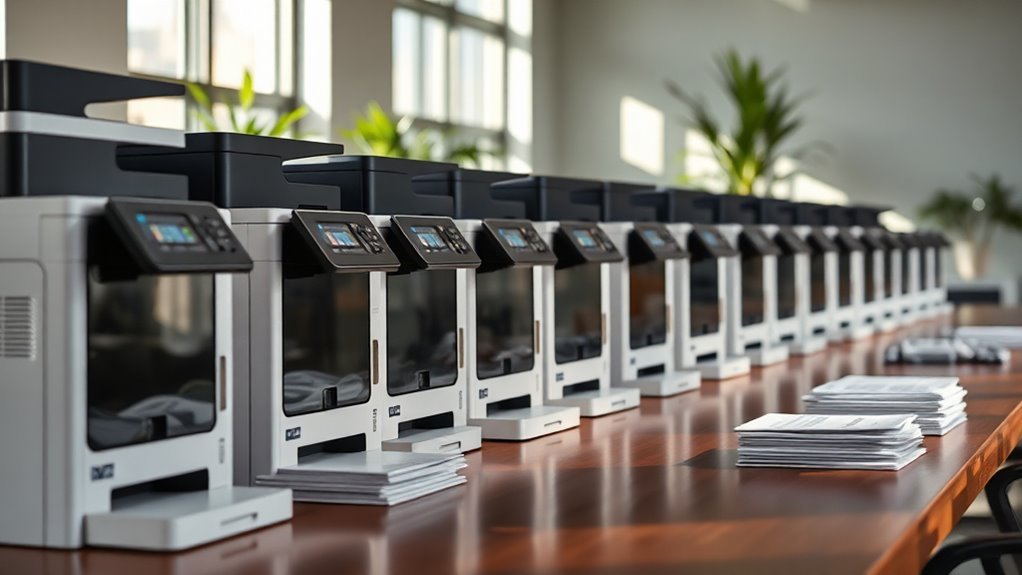
15 Best Corporate Laser Printers for 2027
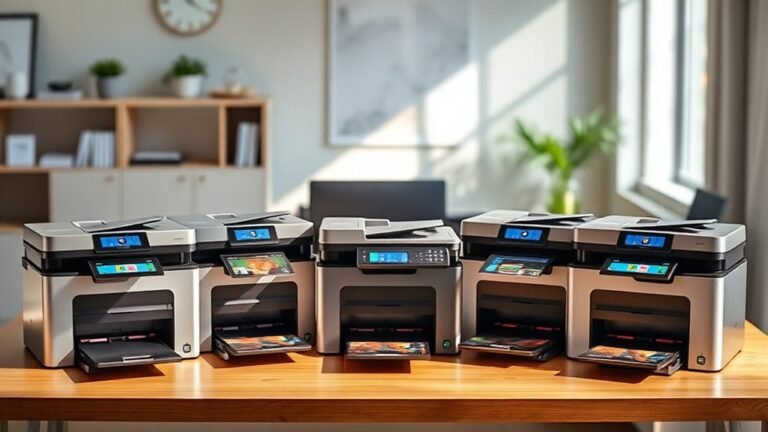
For reliable corporate printing in 2027, you want fast, secure, and versatile laser printers that can keep up with your office demands. The HP Color LaserJet Enterprise M554dn is a great choice for color printing and enterprise-level security.
If you’re focused on high-speed monochrome printing, the HP LaserJet Enterprise 5601N is an excellent option.
Don’t overlook all-in-one models like the HP LaserJet Pro 3105sdw or Canon MF753Cdw II. These combine speed with duplex and mobile printing, making your workflow smoother and more efficient.
Looking for something compact with wireless capabilities? Brother’s HL-L2405W fits the bill perfectly.
Explore these top picks to find the ideal match for your office needs. With the right corporate laser printer, you can boost productivity and keep your printing secure and hassle-free.
| Image | Name | Editor's Rating | Price |
|---|---|---|---|

|
|
||

|
|
||

|
|
||

|
|
||

|
|
HP Color LaserJet Enterprise M554dn Duplex | Color Laser Printer | Duplex
- The office printers professionals prefer: Print consistently high-quality, 2-sided color documents with the HP Color LaserJet Enterprise M554dn, a color duplex laser...
- HP Wolf Enterprise Security: The world's most secure printers are always on guard with defensive layers to detect and self-heal from malware, and protect your data and...
- Centralize printing control: Help build business efficiency and centralize your printing environment with HP Web Admin by easily adding new devices and third-party...
- Complete high-volume jobs at fast speeds: Step up your producitvity with the color printer's 650-sheet input capacity, automatic 2-sided printing, and print speeds of up...
- Energy-efficient: This color laserjet helps save energy with HP Auto-On/Auto-Off Technology— intelligence that can turn your printer on when you need it and off when...

The HP Color LaserJet Enterprise M554dn Duplex is designed for busy offices that demand efficiency and quality. It handles high-volume printing smoothly, producing sharp, vibrant documents at speeds up to 35 pages per minute. This printer reduces manual effort with automatic two-sided printing, saving both time and paper.
Its large input capacity of 650 sheets across three trays supports various media types, minimizing interruptions. Maintenance is straightforward, allowing your team to focus on work rather than printer upkeep. Security is prioritized through HP Wolf Enterprise Security, protecting sensitive information without complicating daily tasks.
Connectivity options include Ethernet, USB, and mobile printing for iOS and Android devices, making it flexible in different office setups. Though it lacks built-in wireless connectivity, optional Wi-Fi Direct is available for those needing wireless features. Its sturdy design may require a dedicated space due to its weight and size.
Best for: businesses, schools, and office environments needing a high-volume, secure, and efficient color laser printer with automatic duplex printing and versatile media handling.
What We Like:
- Fast print speed with sharp 4800 x 1200 resolution.
- Strong security with HP Wolf Enterprise Security and centralized management.
- Large 650-sheet input capacity supporting multiple media types.
- Automatic two-sided printing to save time and resources.
- Mobile printing support for iOS and Android devices.
Specification:
| Feature | Details |
|---|---|
| Manufacturer | HP |
| Dimensions | Not specified |
| Weight | 60.6 lb (27.5 kg) |
| Print Speed | Up to 35 pages per minute |
| Resolution | 4800 x 1200 dpi |
| Paper Capacity | 650 sheets (3 trays) |
| Connectivity | Ethernet, USB, Mobile (iOS, Android) |
| Duplex Printing | Automatic two-sided printing |
Brother HL-L2405W Wireless Monochrome Laser Printer
- BEST FOR HOMES & HOME OFFICES – Engineered for consistent, premium print quality, the Brother HL-L2405W Monochrome (Black & White) Laser Printer delivers sharp, crisp...
- COMPACT, CONNECTED PRINTER – Flexible connection options make this an ideal printer for home use and at-home offices. Securely connect to multiple devices with built-in...
- BROTHER MOBILE CONNECT APP – Manage your printer remotely and print from your mobile device anytime, from almost anywhere. Order Brother Genuine Supplies, track toner...
- VERSATILE PAPER HANDLING – Enjoy seamless, reliable everyday printing with the 250-sheet paper tray(4) and a manual feed slot that enables printing on envelopes and...
- BROTHER IS AT YOUR SIDE – Backed by Brother with a 1-year limited warranty and free online, call, or live chat support for the life of your printer
The Brother HL-L2405W Wireless Monochrome Laser Printer delivers sharp, clear black-and-white prints at impressive speeds. Designed for home offices, it helps you handle daily printing tasks efficiently without wasting time. Its fast output of up to 30 pages per minute keeps your workflow smooth and uninterrupted.
This printer offers flexible connectivity through dual-band Wi-Fi and USB, letting you print wirelessly or directly from your computer. Mobile printing is also simple with Brother Mobile Connect and Alexa compatibility, removing the need to transfer files to a PC first. These features make printing convenient and accessible from multiple devices.
Maintenance is hassle-free with a manual feed slot that supports envelopes and labels, reducing the need for separate devices. It can hold up to 250 sheets, minimizing frequent paper refills. Plus, advanced security features protect your documents and a toner subscription service helps keep supplies ready without extra effort.
While it only supports manual duplex printing and lacks color output, this monochrome laser printer excels in reliability and ease of use. Its compact design fits well in tight spaces, making it a practical choice for focused black-and-white printing needs.
Best for: Home office users seeking a fast, dependable monochrome laser printer with wireless and mobile printing capabilities.
What We Like:
- Sharp black-and-white printing at up to 30 ppm with 1200 x 1200 dpi
- Dual-band Wi-Fi and USB connectivity with mobile printing options
- Manual feed slot supports envelopes and labels easily
- Advanced security and toner subscription service for convenience
Specification:
| Feature | Details |
|---|---|
| Manufacturer | Brother |
| Dimensions | Approx. 14 x 14 x 7.2 inches |
| Weight | Approx. 15.7 lbs (7.1 kg) |
| Printing Technology | Monochrome Laser |
| Connectivity | Dual-band Wi-Fi, USB 2.0 |
| Print Speed | Up to 30 pages per minute |
| Resolution | 1200 x 1200 dpi |
| Paper Capacity | 250 sheets + manual feed slot |
| Color Options | Monochrome only |
HP LaserJet Pro 3105sdw Monochrome Laser Printer | All-in-One
No products found.
Experience efficient, professional black-and-white printing with the HP LaserJet Pro 3105sdw. This all-in-one printer is designed to streamline your office tasks by combining printing, scanning, and copying in one compact device. Its fast output of up to 33 pages per minute helps reduce wait times and keeps your workflow moving smoothly.
The printer’s automatic two-sided printing saves paper effortlessly, while one-sided scanning through the document feeder speeds up digitizing documents. HP’s AI technology enhances productivity by generating smart subject lines and file names and optimizing print layouts to reduce waste, making document management easier.
Setup and connectivity are simple with intelligent Wi-Fi and the HP app, allowing you to print from mobile devices and share the printer within your workspace. Maintenance is straightforward, but note this model uses original HP cartridges with proprietary chips, which may impact consumable costs.
Designed for small to medium-sized teams of up to seven users, the HP LaserJet Pro 3105sdw offers reliable monochrome printing with added security features to protect your data during every task.
Best for: Small to medium-sized offices needing fast, reliable monochrome printing with integrated scanning and copying.
What We Like:
- Fast printing speed up to 33 pages per minute with duplex printing
- AI-powered smart file naming and print layout optimization
- Easy mobile printing and device sharing via intelligent Wi-Fi
- All-in-one functionality simplifies office workflows
- Enhanced data protection with HP Wolf Pro Security
Specification:
| Feature | Details |
|---|---|
| Manufacturer | HP |
| Dimensions (W×D×H) | Approximately 16.4 × 14.4 × 12.0 in (41.6 × 36.5 × 30.5 cm) |
| Weight | Around 19.6 lb (8.9 kg) |
| Printing Technology | Monochrome Laser |
| Connectivity | Wi-Fi, HP app support |
| User Capacity | Up to 7 users |
HP LaserJet Enterprise 5601N | Monochrome | Laser Printer
- Up to 52 ppm (black)
- 100-sheet multipurpose feeder, 550-sheet input feeder
- 1 Hi-Speed USB 2.0 (device); 1 Hi-Speed USB 2.0 (client); 1 Gigabit Ethernet 10/100/1000 Base-T network; 1 Hardware Integration Pocket 2nd generation (HIP2)
Experience fast, reliable printing with the HP LaserJet Enterprise 5601N, designed to keep busy offices productive. Its high-speed printing of up to 52 pages per minute tackles large volumes quickly, reducing wait times and improving workflow. This printer is built to handle demanding workloads with ease.
Equipped with a 550-sheet input feeder and a 100-sheet multipurpose tray, it minimizes interruptions for paper refills. The device supports multiple connectivity options, including Gigabit Ethernet and dual Hi-Speed USB 2.0 ports, ensuring smooth integration into corporate networks without hassle.
Maintenance is straightforward, with easy access to paper trays and consumables designed for quick replacement. The Hardware Integration Pocket 2nd generation (HIP2) adds flexibility, allowing expansion to meet evolving office needs. While it only prints in monochrome, its robust design supports heavy-duty use.
This printer is ideal for environments that demand consistent, high-volume monochrome printing. Its size and hardware features may require a dedicated space, but the reliability and speed compensate for this consideration.
Best for: businesses and professionals needing a fast, dependable monochrome laser printer with strong paper handling and network connectivity.
What We Like:
- Rapid print speed of up to 52 ppm for efficient output
- Large paper capacity reduces downtime
- Multiple connectivity options for seamless network integration
- Easy maintenance with accessible trays and consumables
- HIP2 slot for enhanced expansion and customization
Specification:
| Feature | Details |
|---|---|
| Manufacturer | HP |
| Dimensions (W x D x H) | Not specified |
| Weight | Not specified |
| Paper Capacity | 550-sheet input feeder, 100-sheet multipurpose tray |
| Connectivity | Gigabit Ethernet, dual Hi-Speed USB 2.0 ports |
| Printing Technology | Monochrome Laser |
Canon Color imageCLASS MF753Cdw II – All-in-One Color Duplex Laser Printer
- Color, Wireless, Duplex 4-in-1: Print, scan, copy, fax.
Experience seamless productivity with the Canon Color imageCLASS MF753Cdw II, designed to meet the demands of small offices and hybrid workspaces. This all-in-one color laser printer combines printing, scanning, copying, and faxing in one compact unit. Its duplex printing and automatic document feeder help save time and reduce paper waste.
With sharp color output at 1200 x 1200 dpi and printing speeds up to 35 pages per minute, this device handles everyday office tasks efficiently. It supports media sizes up to legal and can hold up to 850 sheets with the optional cassette, minimizing interruptions during busy workdays.
Connectivity options include Ethernet, USB, and Wi-Fi, enabling easy printing from mobile devices through the Canon PRINT app. Maintenance is straightforward, though users should note the starter toner yields are modest and may require early replacement under heavy use.
While it is relatively heavy at 50 pounds, its robust design ensures durability and reliability in professional environments. The higher initial investment reflects its versatile functionality and expansion capabilities.
Best for: small and home offices or hybrid work environments needing an efficient, all-in-one color laser printer with duplex printing and mobile connectivity.
What We Like:
- Fast print speeds up to 35 ppm with high-quality 1200 x 1200 dpi color resolution
- 4-in-1 functionality with duplex automatic document feeder enhances productivity
- Multiple connectivity options including Wi-Fi and mobile printing via Canon PRINT app
- Supports legal-sized media and expandable paper capacity with optional cassette
Specification:
| Feature | Details |
|---|---|
| Manufacturer | Canon |
| Dimensions (W×D×H) | 17.7 × 18.5 × 15.7 inches |
| Weight | 50 lb (22.7 kg) |
| Color Options | White |
| Print Resolution | Up to 1200 x 1200 dpi |
| Print Speed | Up to 35 pages per minute |
| Connectivity | Ethernet, USB, Wi-Fi |
Canon imageCLASS LBP646Cdw Wireless Laser Printer
- Single-Function, Color, Wireless, Duplex Printer: Print only. — No Scanning, Copying, or Faxing
- Fast Print Speeds: Print up to 26 ppm in both color and monochrome and spend less time waiting with a quick first print time of approximately 10.3 seconds.
- Easy Wireless Setup: Setup your wireless connection and get up and running in just a few steps.
- 5-inch LCD Screen: Navigate through all the features using the 5-line LCD screen.
- Mobile Device Printing: Print from your compatible mobile devices using the free Canon PRINT app, Apple AirPrint and Mopria Print Service.
The Canon imageCLASS LBP646Cdw is designed to bring efficient, high-quality color printing to small offices and hybrid workspaces. It helps reduce downtime with its fast output of up to 26 pages per minute, allowing you to complete print jobs quickly and stay productive.
This printer supports automatic duplex printing, which cuts paper use and simplifies handling. Its wireless connectivity through the Canon PRINT app, Apple AirPrint, and Mopria makes setup and mobile printing straightforward, adapting well to modern work environments.
Maintenance is hassle-free with genuine Canon 075 toner cartridges, ensuring consistent print quality and reliable performance. The 250-sheet cassette and multipurpose tray accommodate various paper sizes, including legal, providing flexibility for different printing needs.
Compact and ENERGY STAR certified, the LBP646Cdw fits neatly into limited spaces without sacrificing speed or reliability. Its 5-inch LCD screen offers intuitive navigation, making everyday use simpler and more efficient. However, it is print-only, so scanning and copying require separate devices.
Best for: Small and home offices or hybrid work environments needing fast, reliable color laser printing with wireless connectivity and automatic duplexing.
What We Like:
- High-speed color and monochrome printing at 26 ppm
- Easy wireless setup with mobile printing support
- Automatic duplexing saves paper and time
- Flexible paper handling with 250-sheet capacity
- Compact design fits small spaces
Specification:
| Feature | Detail |
|---|---|
| Manufacturer | Canon |
| Dimensions | 16.5 x 18.5 x 15.5 inches |
| Weight | 38.8 lbs (17.6 kg) |
| Printing Technology | Color Laser |
| Connectivity | Wireless, USB |
| Paper Capacity | 250-sheet cassette + multipurpose tray |
| Display | 5-inch LCD touchscreen |
HP LaserJet M234sdw Monochrome Laser Printer | All-in-One
No products found.
The HP LaserJet M234sdw is a smart choice for small teams needing reliable black-and-white printing, scanning, and copying. It streamlines busy workflows by producing professional-quality documents quickly, with speeds up to 30 pages per minute. This helps save time and keeps office tasks running smoothly.
Its compact design fits well in smaller workspaces while the auto document feeder allows hands-free scanning and copying, reducing manual effort. Scan-to-cloud capability simplifies sharing and organizing files, making it easier to stay connected and productive.
Setup and maintenance are hassle-free, with wireless connectivity options including dual-band Wi-Fi and Ethernet. The printer works seamlessly with smartphones and tablets via the HP Smart app, enabling convenient control from multiple devices. Built-in security features protect sensitive information during daily operations.
The HP LaserJet M234sdw is designed specifically for smaller teams and may not suit high-volume offices. It prints only in monochrome, which fits those focused on sharp black-and-white documents rather than color output. Instant Ink eligibility also helps manage ink supplies efficiently to avoid downtime.
Best for: Small teams of 1–5 users requiring fast, high-quality black-and-white printing, scanning, and copying with versatile wireless connectivity.
What We Like:
- Fast printing up to 30 pages per minute with two-sided capabilities
- Auto document feeder and scan-to-cloud support for hands-free operation
- Dual-band Wi-Fi and Ethernet for flexible, reliable connections
- Easy setup and intuitive control through the HP Smart app
- Instant Ink eligible for efficient supply management
Specification:
| Feature | Details |
|---|---|
| Manufacturer | HP |
| Dimensions (W×D×H) | 16.5 × 14.2 × 11.1 inches |
| Weight | 14.3 lb (6.5 kg) |
| Print Speed | Up to 30 pages per minute |
| Connectivity | Dual-band Wi-Fi, Ethernet |
| Color | Monochrome (Black & White) |
Brother DCP-L2640DW Wireless Compact Monochrome Printer

- BEST FOR SMALL BUSINESSES – Engineered for extraordinary productivity, the Brother DCP-L2640DW Monochrome (Black & White) 3-in-1 combines laser printer, scanner, copier...
- FAST PRINTER WITH EFFICIENT SCANNING – Produces documents quickly with print speeds up to 36 ppm(2) and scan speeds up to 23.6/7.9 ipm(3) (black/color). A 50-page auto...
- FLEXIBLE CONNECTION OPTIONS – Easily navigate the changing demands of your business with secure multi-device connectivity via built-in dual-band wireless (2.4GHz...
- BROTHER MOBILE CONNECT APP – Print, scan, and manage your wireless printer anytime, from almost anywhere from your mobile device. Order Brother Genuine Supplies, track...
- CHOOSE BROTHER GENUINE TONER – When it’s time to replace your toner, be sure to choose Brother Genuine TN830 or TN830XL replacement toner. And with Refresh EZ Print...
The Brother DCP-L2640DW stands out as a compact and efficient solution for busy workspaces. Its fast black-and-white printing at speeds up to 36 pages per minute helps reduce wait times. This printer’s 3-in-1 functionality combines printing, copying, and scanning, making it a versatile tool for everyday office tasks.
Designed with productivity in mind, it features a 50-page auto document feeder and a 250-sheet paper tray. Automatic duplex printing supports double-sided documents, cutting paper use and boosting workflow efficiency. The printer also handles various media types, including envelopes and labels, adding to its flexibility.
Connectivity options are varied and reliable. Users can connect through dual-band Wi-Fi, Ethernet, or USB, allowing seamless integration into different office setups. Remote management via the Brother Mobile Connect app simplifies task control and monitoring.
Maintenance is straightforward with energy-saving modes that reduce toner consumption and operating costs. However, it prints only in monochrome and has a first-page print time of 8.5 seconds, which may not suit those needing instant prints. Copy jobs are limited to 50 pages per run, which could restrict very large copying tasks.
Best for: Small businesses and home offices needing a fast, reliable monochrome printer with scanning and copying capabilities for high-volume black-and-white document handling.
What We Like:
- Fast printing and copying up to 36 ppm with a 50-page auto document feeder
- Multiple connectivity options including dual-band Wi-Fi, Ethernet, and USB
- Automatic duplex printing and toner-saving modes reduce costs and paper waste
- Compact design fits easily on small desks without sacrificing functionality
Specification:
| Feature | Details |
|---|---|
| Manufacturer | Brother |
| Dimensions (W×D×H) | 16.1 × 15.7 × 12.0 inches |
| Weight | 14.3 lb (6.5 kg) |
| Color Options | White |
| Printing Technology | Monochrome Laser |
HP Laserjet Pro M404n (W1A52A) (Renewed)

- BUILT TO KEEP YOUR BUSINESS MOVING FORWARD – Print consistently high-quality documents with the HPLaserJet Pro M404n, a monochrome laser printer designed to let you...
- BEST-IN-CLASS SECURITY – A suite of embedded security features, like instant threat notifications and optional PIN/Pull printing, help protect your laser printer from...
- SPEED THROUGH TASKS – Stay productive with a 250-sheet input tray, fast first page out time, and print speeds of up to 40 pages a minute from this black and white laser...
- SHARE RESOURCES ON YOUR NETWORK – Easily access, print, and share resources with built-in Ethernet capabilities
- ENHANCED ENERGY EFFICIENCY – Designed with the environment in mind, the HP LaserJet Pro M404n saves up to 18% energy over prior products, with technologies that help...
The HP LaserJet Pro M404n (Renewed) delivers dependable monochrome printing that meets the demands of busy offices. It tackles high-volume tasks with speed, printing up to 40 pages per minute in clear 600 x 600 dpi resolution. This printer helps streamline workflows by reducing wait times and providing sharp, professional output.
Designed for efficiency, it features a 250-sheet input tray and automatic duplex printing, which cuts paper use and handling. Its built-in Ethernet allows easy network sharing, making it a practical choice for shared office environments. The inclusion of a USB 2.0 port supports direct connections without hassle.
Maintenance is straightforward, helping keep downtime minimal. The printer’s embedded security suite protects sensitive information, while optional PIN/Pull printing adds an extra layer of document security. These features ensure peace of mind in handling confidential data.
While it focuses solely on printing, without scanning or copying functions, its robust monochrome output and security features make it ideal for offices prioritizing speed and safety in document management.
Best for: Small to medium-sized offices needing fast, secure monochrome printing with reliable network connectivity.
What We Like:
- Fast printing speed of up to 40 pages per minute with crisp quality
- Automatic duplexing reduces paper waste and boosts efficiency
- Built-in Ethernet and USB 2.0 for versatile connectivity
- Strong security features including PIN/Pull printing support
- Easy maintenance minimizes downtime
Specification:
| Feature | Details |
|---|---|
| Manufacturer | HP |
| Model | LaserJet Pro M404n |
| Dimensions | 15.4 x 14.2 x 8.5 inches |
| Weight | 18.3 lbs (8.3 kg) |
| Printing Technology | Laser |
| Print Speed | Up to 40 ppm |
| Print Resolution | 600 x 600 dpi |
| Input Capacity | 250 sheets |
| Connectivity | Ethernet, USB 2.0 |
| Duplex Printing | Automatic |
Brother HL-L2460DW Wireless Monochrome Laser Printer

- BEST FOR HOME OFFICES & SMALL TEAMS – Engineered for consistent, premium print quality, the Brother HL-L2460DW Monochrome (Black & White) Laser Printer produces...
- COMPACT, CONNECTED, EXCEPTIONALLY EFFICIENT– Connect with built-in dual-band wireless (2.4GHz/5GHz), Ethernet, or to a single computer via USB interface. Prints at...
- BROTHER MOBILE CONNECT APP – Manage your wireless printer remotely and print from your mobile device anytime, from almost anywhere. Order Brother Genuine Supplies...
- VERSATILE PAPER HANDLING – Tackle high-volume black & white printing with the 250-sheet capacity paper tray.(4) The manual feed slot enables printing on envelopes and...
- BROTHER IS AT YOUR SIDE – Backed by Brother with a 1-year limited warranty and free online, call, or live chat support for the life of your printer
The Brother HL-L2460DW delivers fast and reliable black-and-white printing designed to meet the demands of small offices and home workspaces. It helps you complete print jobs swiftly with sharp 1200 x 1200 dpi resolution at 36 pages per minute. This printer also offers automatic duplex printing, reducing paper waste and saving time on manual double-sided tasks.
Its wireless functionality, including dual-band Wi-Fi, allows easy setup and flexible placement without clutter. You can also connect through Ethernet or USB, and manage printing remotely via the Brother Mobile Connect app. These options ensure smooth workflow and convenience, especially in busy environments.
Maintenance is straightforward with a 250-sheet paper tray that handles daily printing needs, while the manual feed supports envelopes and specialty papers. Energy-efficient performance is backed by ENERGY STAR and EPEAT Silver ratings, helping reduce power consumption without sacrificing output quality.
While the monochrome-only printing limits use for color documents, the HL-L2460DW excels where crisp, fast text and graphics are essential. Its toner save mode extends cartridge life, but note that high-volume users might need frequent refills due to the single paper tray capacity.
Best for: Small offices and home workspaces that require fast, reliable monochrome printing with wireless and mobile connectivity.
What We Like:
- High-speed printing with sharp 1200 x 1200 dpi resolution and duplex functionality
- Flexible connectivity via dual-band Wi-Fi, Ethernet, USB, and mobile app control
- Energy-efficient design with ENERGY STAR and EPEAT Silver certifications
- Simple maintenance with versatile paper handling and toner save mode
Specification:
| Feature | Details |
|---|---|
| Manufacturer | Brother |
| Dimensions | 14 x 14 x 7.2 inches (35.6 x 35.6 x 18.3 cm) |
| Weight | 16.5 lbs (7.5 kg) |
| Printing Technology | Monochrome Laser |
| Print Speed | Up to 36 pages per minute |
| Resolution | 1200 x 1200 dpi |
| Connectivity | Dual-band Wi-Fi, Ethernet, USB |
| Paper Capacity | 250-sheet tray + manual feed |
| Duplex Printing | Automatic |
KYOCERA ECOSYS PA4000wx Monochrome Laser Printer, 42ppm

- KYOCERA 110C0Y2US0LASER PRINTNETDUPWIFI
KYOCERA ECOSYS PA4000wx is designed to meet the demands of busy offices that require fast and dependable printing. It produces sharp monochrome prints at a steady speed of 42 pages per minute. This speed helps reduce wait times and keeps workflows running smoothly.
Its 600 x 600 dpi resolution ensures clear, easy-to-read documents, ideal for professional reports and correspondence. The automatic duplex feature cuts paper use and streamlines double-sided printing without extra steps. This saves both time and resources in daily tasks.
With a 250-sheet capacity, the printer handles large print jobs without constant refilling. Connectivity options include Ethernet, Wi-Fi, and USB, offering flexible placement and easy integration into existing office networks. The device focuses solely on printing, which simplifies operation and maintenance.
Designed for straightforward use, the PA4000wx requires minimal upkeep and is built to be reliable in demanding environments. However, it does not support scanning or copying, and the single USB port may limit direct device connections in some settings.
Best for: offices and professionals needing efficient, high-speed monochrome printing with automatic duplex and versatile connectivity.
What We Like:
- Consistent print speed of 42 pages per minute for productivity
- Automatic duplex printing reduces paper waste and effort
- Multiple connectivity options including Ethernet, Wi-Fi, and USB
- Large 250-sheet capacity minimizes interruptions
- Simple, print-focused design for easy maintenance
Specification:
| Feature | Details |
|---|---|
| Manufacturer | KYOCERA |
| Print Speed | 42 ppm |
| Print Resolution | 600 x 600 dpi |
| Paper Capacity | 250 sheets |
| Connectivity | Ethernet, Wi-Fi, USB |
| Color Output | Monochrome (black only) |
| Dimensions (WxDxH) | Not specified |
| Weight | Not specified |
HP LaserJet Enterprise 5601N | Monochrome | Laser Printer | Duplex
- Up to 52 ppm (black)
- 100-sheet multipurpose feeder, 550-sheet input feeder
- 1 Hi-Speed USB 2.0 (device); 1 Hi-Speed USB 2.0 (client); 1 Gigabit Ethernet 10/100/1000 Base-T network; 1 Hardware Integration Pocket 2nd generation (HIP2)
The HP LaserJet Enterprise 5601N is designed to keep busy offices running smoothly with fast, reliable black-and-white printing. Its automatic duplex printing saves time and paper, making it ideal for high-volume tasks. This laser printer handles a variety of media, from envelopes to cardstock, ensuring versatility for different business needs.
With print speeds reaching up to 52 pages per minute, it delivers sharp documents at 1200 x 1200 dpi resolution. The printer’s dual trays plus an optional 550-sheet tray allow for a total capacity of up to 650 sheets, reducing the frequency of reloads. This setup supports uninterrupted workflows in demanding environments.
Connectivity is straightforward with Gigabit Ethernet and USB ports, while optional wireless adds flexibility for varied office setups. The 4.1-second first page out time helps speed up workflows, and the intuitive LCD interface simplifies operation and maintenance.
Though it focuses solely on printing, without scanning or copying functions, its performance and media handling make it a strong choice for monochrome printing needs. Power consumption is on the higher side at 552.4 watts, and wireless requires an accessory.
Best for: Offices and businesses requiring fast, dependable monochrome laser printing with automatic duplexing and versatile media support.
What We Like:
- Fast printing at up to 52 ppm with crisp 1200 x 1200 dpi output
- Automatic duplexing reduces paper use and speeds document handling
- Supports multiple media types and sizes for flexible printing
- Multiple connectivity options including Ethernet and USB
- Large paper capacity with optional tray for fewer interruptions
Specification:
| Feature | Details |
|---|---|
| Manufacturer | HP |
| Model | LaserJet Enterprise 5601N |
| Printing Technology | Monochrome Laser |
| Print Speed | Up to 52 pages per minute |
| Resolution | 1200 x 1200 dpi |
| Paper Capacity | 100 + 550 (optional) trays, up to 650 sheets total |
| Connectivity | Gigabit Ethernet, USB, optional wireless |
| Duplex Printing | Automatic |
| Power Consumption | 552.4 watts |
Canon imageCLASS MF662Cdw Wireless Laser Printer

- Color, Wireless, Duplex 3-in-1: Print, scan, copy.
- Fast Print Speeds: Print up to 26 ppm in both color and monochrome and spend less time waiting with a quick first print time of approximately 10.3 seconds.
- Easy Wireless Setup: Setup your wireless connection and get up and running in just a few steps.
- 5-inch Color Touchscreen: Get the job done quickly with Application Library - an intuitive and easy to use customizable access to the features you use most.
- Mobile Device Printing: Print from your compatible mobile devices using the free Canon PRINT app, Apple AirPrint and Mopria Print Service.
Experience seamless printing with the Canon imageCLASS MF662Cdw, designed to enhance productivity in small offices and hybrid workspaces. This wireless laser printer delivers sharp black-and-white and vibrant color prints at speeds up to 26 pages per minute. Its quick first-page output helps reduce waiting times, keeping your workflow smooth.
The 3-in-1 functionality allows you to print, scan, and copy without hassle. Automatic duplex printing cuts paper use in half, saving resources and reducing costs. Connectivity options include Wi-Fi, Ethernet, and USB, making it easy to integrate with your existing setup.
A 250-sheet capacity and support for legal-size documents minimize interruptions during busy days. The 5-inch color touchscreen simplifies navigation and task management, improving ease of use. Its ENERGY STAR certification ensures efficient operation without excess energy consumption.
Maintenance is straightforward, though the starter toner yields are modest, which means you may need to replace cartridges sooner. The printer’s weight of 55.1 pounds ensures stability but limits portability. The multipurpose tray holds only one sheet, so specialty media requires manual feeding.
Best for: Small and home office users or hybrid workers needing a reliable all-in-one wireless laser printer with fast, quality printing.
What We Like:
- Fast print speed with quick first-page output
- Versatile 3-in-1 functionality with automatic duplex printing
- Large 250-sheet paper capacity with legal-size support
- Easy-to-use 5-inch color touchscreen
- ENERGY STAR certified for energy efficiency
Specification:
| Feature | Details |
|---|---|
| Manufacturer | Canon |
| Dimensions | Not specified |
| Weight | 55.1 lb (25 kg) |
| Color Options | Not specified |
| Paper Capacity | 250 sheets |
| Connectivity | Wi-Fi, Ethernet, USB |
HP LaserJet Pro 3101sdw | Monochrome | Laser Printer | All-in-One | Duplex

- FROM AMERICA'S MOST TRUSTED PRINTER BRAND – Perfect for small teams printing professional-quality black-and-white documents and reports. Print speeds up to 35 ppm...
- PROFESSIONAL PRODUCTIVITY – Proficiency with every print—bring your business to life with toner designed for sharp, professional-quality prints
- UPGRADED FEATURES – Fast printing, scanning and copying, auto 2-sided printing, a 250-sheet input tray and 50-sheet auto document feeder
- AWARD-WINNING RELIABILITY – Performance you can count on page after page, and always ready for the high demands of business
- WIRELESS PRINTING – Stay connected with our most dependable Wi-Fi, which looks for the best connection to stay online
The HP LaserJet Pro 3101sdw delivers fast and dependable monochrome printing designed to keep small teams productive. It tackles everyday printing challenges with speeds up to 35 pages per minute at 1200 × 1200 dpi resolution. This printer helps reduce paper waste through automatic duplex printing, making it both efficient and eco-friendly.
With its all-in-one design, the LaserJet Pro 3101sdw combines printing, scanning, and copying into one compact device. The 250-sheet input tray and 50-sheet auto document feeder simplify managing various paper sizes and large jobs. Wireless and Ethernet connectivity options make it easy to print from multiple devices, including smartphones and tablets.
Maintenance is straightforward, though the printer only supports HP cartridges with proprietary chips, which limits third-party options. Its single input tray may require frequent refills during high-volume tasks, but it balances capacity and space well for small office setups.
Best for: Small to medium business teams and workgroups needing efficient, reliable monochrome printing with versatile scanning and copying features.
What We Like:
- Fast printing speed of up to 35 ppm with sharp resolution
- Automatic duplex printing saves paper and time
- 50-sheet auto document feeder for multitasking efficiency
- Multiple connectivity options including Wi-Fi and Ethernet
- Compact all-in-one design combining printing, scanning, and copying
Specification:
| Feature | Details |
|---|---|
| Manufacturer | HP |
| Model | LaserJet Pro 3101sdw |
| Printing Technology | Monochrome Laser |
| Print Speed | Up to 35 pages per minute |
| Print Resolution | 1200 × 1200 dpi |
| Input Tray Capacity | 250 sheets |
| Auto Document Feeder | 50 sheets |
| Connectivity | Wi-Fi, Ethernet, Mobile |
| Functions | Print, Scan, Copy |
| Duplex Printing | Automatic |
Brother HL-L3280CDW Wireless Color Laser Printer
No products found.
The Brother HL-L3280CDW redefines wireless color printing for small offices and home workspaces. Its compact design fits neatly into tight spaces while delivering fast, vibrant prints. This printer streamlines your workflow by offering automatic duplex printing, cutting down both your print time and paper use.
Maintaining the printer is straightforward, thanks to its intuitive 2.7” LED touchscreen. You can print directly from cloud services like Google Drive and Dropbox, reducing the need for extra devices. Connectivity is flexible, with dual-band Wi-Fi, Ethernet, and USB options that support laptops and mobile devices effortlessly.
This model is designed for busy environments needing dependable output without complex upkeep. Eco-conscious users benefit from ENERGY STAR compliance and a Toner Save Mode, which minimize power and toner usage. However, the single paper tray limits handling options, and the Brother Refresh EZ Print subscription service adds a layer of maintenance, requiring replacement cartridges if canceled.
Advanced security features ensure your data stays protected, making this printer a practical choice for shared workspaces that prioritize both efficiency and safety.
Best for: Small offices, home offices, and shared workspaces needing a compact, fast, and reliable wireless color laser printer with advanced security features.
What We Like:
- Fast print speeds with automatic duplex printing save time and resources.
- Multiple connectivity options including dual-band Wi-Fi and Ethernet enhance versatility.
- Easy cloud printing via a 2.7” LED touchscreen improves convenience.
- ENERGY STAR compliance and Toner Save Mode promote eco-friendly operation.
- Robust security features protect sensitive data in shared environments.
Specification:
| Specification | Details |
|---|---|
| Manufacturer | Brother |
| Dimensions (W×D×H) | 16.1 × 18.0 × 15.0 inches (41 × 45.7 × 38.1 cm) |
| Weight | 38.6 lbs (17.5 kg) |
| Color Options | White |
| Connectivity | Dual-band Wi-Fi, Ethernet, USB |
Factors to Consider When Choosing a Corporate Laser Printer
When choosing a corporate laser printer, you need to assess how fast it prints and whether you require color or just monochrome output. Check if it supports duplex printing and what connectivity options it offers to fit your office setup.
Also, make sure the paper handling capacity matches your daily printing volume. It’s important to pick a printer that can keep up with your workload without constant jams or refills. Taking these factors into account will help you find the best fit for your office needs.
Print Speed Requirements
Evaluate your printing needs carefully to choose a corporate laser printer with the right speed. Start by comparing maximum print speeds (ppm) for your typical documents—many office models run 30–35 ppm, while higher-speed monochrome printers reach 42–52 ppm.
Remember to check if these speeds apply to single-sided prints or automatic duplex, since duplex slows output (sometimes noted separately, like 19 images per minute). First-page-out time matters too; a 4–10 second delay can impact short jobs.
Consider maximum copies per run, especially if you print in batches—some printers limit runs to 50 copies or more. Match the printer’s throughput to your daily document volume and user count to prevent slowdowns during peak times.
This way, you’ll ensure smooth, efficient printing in your workplace.
Color Versus Monochrome
Although color laser printers offer vibrant CMYK output ideal for charts and marketing materials, they usually come with higher operating costs and slower print speeds compared to monochrome models. You should go for color if your work demands detailed visuals, as color printers often deliver resolutions around 1200 × 1200 dpi.
However, if speed and cost-efficiency are priorities, monochrome printers excel with faster rates—commonly between 35 and 52 pages per minute—and lower expenses. Both types can support automatic two-sided printing, but print speeds may vary with duplex enabled.
Before considering paper types and sizes, decide on color versus monochrome since this choice affects your overall workflow and budget. Make sure to check exact resolution specs to ensure the quality meets your corporate needs.
Duplex Printing Capability
Since reducing paper waste is a key aim for many businesses, you should prioritize printers with automatic duplex printing that handles two-sided jobs without manual interference. Automatic duplex saves time and decreases paper use compared to manual duplex, which requires flipping pages yourself.
Before buying, check that the duplex feature supports your typical paper sizes—many models handle up to 8.5 x 14 inches (legal), but some restrict duplex by size or media type. Also, keep in mind duplex printing speeds often differ from one-sided rates, so look for separate pages-per-minute specs for two-sided jobs.
Finally, make sure duplex printing fits your workflow; if you use scanning or copying features, verify those functions also support two-sided handling to maintain efficiency across tasks. It’s all about keeping things smooth and saving resources at the same time.
Connectivity Options Available
When choosing a corporate laser printer, you’ll want to assess the connectivity options it offers to ensure seamless integration with your office network and devices. Most models include Ethernet for reliable network printing, and many offer USB 2.0 ports for direct connection to a single computer.
Wi-Fi support, often dual-band (2.4GHz/5GHz), ensures compatibility across various network environments. Mobile and remote printing features like iOS/Android apps, AirPrint, and Mopria make printing from smartphones and tablets straightforward.
Larger offices benefit from web-based network management tools that simplify printer fleet administration. Wireless expansion options, such as built-in Wi-Fi Direct or optional hardware, let you print directly from devices without a router.
Prioritizing these connectivity features ensures smooth, flexible printing tailored to your corporate needs. It’s all about making your printing setup as convenient and efficient as possible.
Paper Handling Capacity
Selecting a corporate laser printer means paying close attention to its paper handling capacity to keep your workflow smooth. Start by checking the maximum sheet capacity—models range from 250 to 650 sheets. Pick one that matches how often you want to refill.
Consider the number of trays; having three trays totaling 650 sheets reduces refill interruptions compared to a single 250-sheet tray. Don’t overlook output capacity, which varies from 100 to 275 sheets, to avoid jams during heavy printing.
Also, verify media size limits, usually up to 8.5 × 14 inches, so you aren’t restricted to smaller formats. Finally, ensure trays support specialty media like labels, envelopes, and card stock to fully utilize your printing needs without frequent adjustments.
Security Features Included
Incorporating robust security features into your corporate laser printer helps protect sensitive data and maintain network integrity. Look for devices with built-in malware defenses like HP Wolf Enterprise Security, which detect and self-repair from attacks.
Choose printers that support centralized management, allowing you to enforce security policies fleet-wide via web admin tools. Authentication options such as PIN or Pull printing reduce the risk of sensitive documents being left unattended.
Ensure the printer restricts unauthorized consumables through cartridge authentication to prevent tampered toner use. Don’t overlook secure connection protocols and regular firmware update support to keep defenses up to date.
Prioritizing these features helps you safeguard your network, data, and printing environment from evolving security threats effectively. It’s really about staying one step ahead to keep everything safe and sound.
Energy Efficiency Standards
Protecting sensitive data and maintaining network security are essential, but energy efficiency also plays a key role in selecting the right corporate laser printer. Start by choosing models with ENERGY STAR compliance, ensuring they meet strict energy-saving standards.
EPEAT Silver certification is another mark to look for, signaling lower energy use and broader sustainability. Opt for printers with automatic duplex printing to cut paper consumption and reduce energy spent on paper handling.
Features like auto on/auto off help save power by activating the printer only when needed and powering down during inactivity. Finally, compare power consumption ratings—usually between 24 and 1080 watts depending on the printer’s state—by reviewing manufacturer specs.
Prioritizing these standards not only lowers costs but supports your company’s environmental goals. It’s a smart move that benefits both your budget and the planet.
Maintenance And Support
Although choosing a printer with advanced features is important, ensuring reliable maintenance and support will keep your corporate laser printer running smoothly over time. Look for printers offering “life of printer” support like free online, call, or live chat assistance and a clearly stated warranty period—commonly one year or longer.
Also, confirm if the device supports centralized management. This allows remote updates and policy enforcement, which can really help reduce downtime.
Check security and firmware updates that maintain cartridge compatibility and protect your workflows. It’s important to verify the warranty service level too—onsite service usually speeds up repairs compared to limited warranties.
If you use toner subscriptions or cartridge-deactivation models, plan ahead for cartridge replacements and potential downtime. Prioritizing these factors will help ensure minimal disruptions and long-term reliability for your corporate printing needs.
Frequently Asked Questions
How Do Laser Printers Compare to Inkjet Printers in Corporate Settings?
You’ll find laser printers faster and more cost-effective for high-volume printing, with sharper text and lower maintenance. They really shine when you need to print lots of documents quickly.
Inkjets offer better photo quality but aren’t as efficient or durable for corporate, heavy-duty tasks. So, if your work involves a lot of detailed images or photos, they might be the way to go, but for everyday office printing, lasers usually have the edge.
What Is the Average Lifespan of a Corporate Laser Printer?
Like a reliable workhorse, a corporate laser printer typically lasts 5 to 7 years with proper care.
You’ll want to maintain it regularly to keep it running smoothly and avoid costly downtime in your office.
Taking a little time to clean and service it can really pay off in the long run.
Are There Any Environmental Benefits to Using Laser Printers?
Yes, you’ll find laser printers use less energy than inkjets during large print jobs, reducing power consumption.
Plus, their toner cartridges last longer, meaning fewer replacements and less waste. This helps you minimize environmental impact.
How Do Toner Cartridge Costs Impact Overall Printer Expenses?
Toner cartridge costs sneakily drain your budget faster than coffee on a Monday. You’ll find that high cartridge prices can blow up overall printer expenses, turning your office into a black-and-white money pit you didn’t sign up for.
It’s easy to overlook just how much these costs add up over time. But once you start tracking, you’ll see your printer isn’t just a machine—it’s a budget-buster in disguise.
Can Corporate Laser Printers Handle Mobile and Cloud Printing?
Yes, corporate laser printers can handle mobile and cloud printing seamlessly.
You’ll find most models support apps and wireless connectivity, letting you print directly from smartphones, tablets, or cloud services without hassle.
It’s super convenient, especially when you’re on the go or working remotely.
No need to worry about cables or complicated setups!
Conclusion
Choosing the right corporate laser printer is like planting a sturdy tree in your office—its roots of speed, quality, and reliability will support your team’s growth for years. Whether you need vibrant color or sharp monochrome, duplex printing, or wireless ease, pick a model that stands tall amid your busy workflow.
With the right choice, you’ll watch productivity bloom and costs shrink, turning daily tasks into effortless achievements. A great corporate laser printer boosts efficiency, minimizes downtime, and handles high volumes without breaking a sweat.
So, when selecting your printer for 2027, focus on speed, print quality, durability, and connectivity options. Investing in the best corporate laser printer ensures your office stays productive, cost-effective, and ready for whatever the workday throws at you. It’s not just about printing—it’s about powering your business forward with every page.