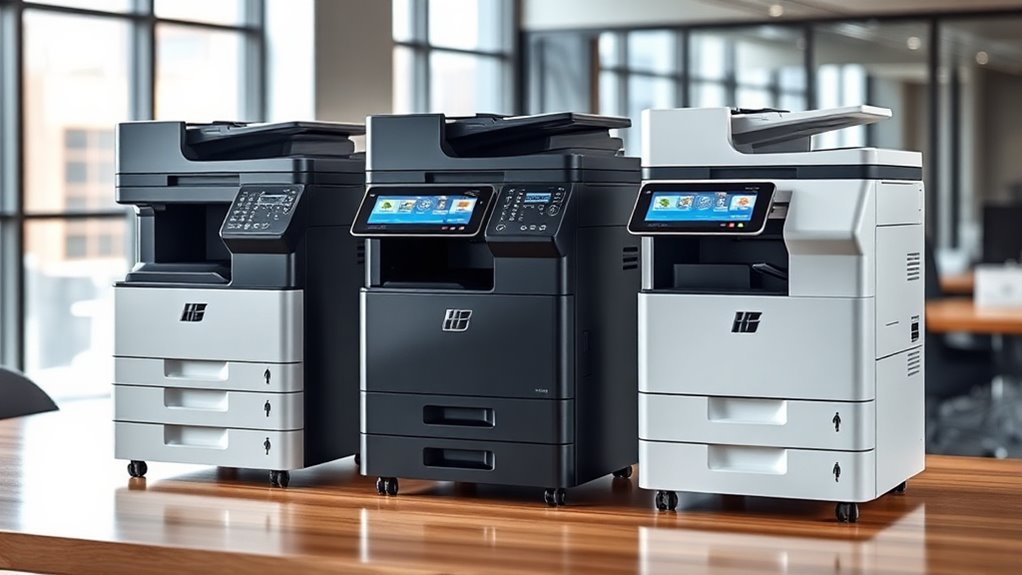
3 Best Commercial Multifunction Printers for 2027
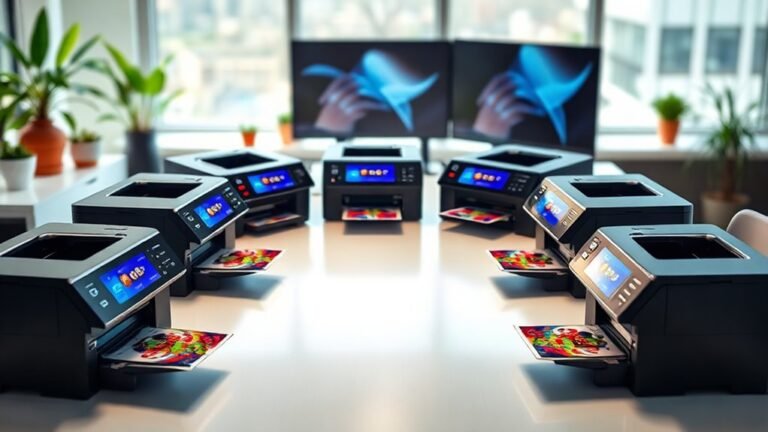
For fast, reliable commercial multifunction printers in 2027, consider some top options that blend speed, quality, and smart features.
These printers are designed to keep your office running smoothly, whether you need vibrant color printing, secure scanning, or heavy-duty monochrome output.
Finding the right balance of connectivity, cost, and performance is key to matching your business needs.
The Canon Color imageCLASS MF753Cdw II stands out for vibrant color duplex printing and easy all-in-one use.
It’s a great choice if you want sharp colors and hassle-free operation.
The Brother MFC-L8930CDW offers strong security features and versatile scanning options with a user-friendly touchscreen.
It’s perfect for offices that prioritize data protection and flexibility.
If high-speed, heavy-duty monochrome output is your goal, the Brother MFC-L5915DW fits well.
Each model balances speed, connectivity, and cost differently, so keep exploring to find the perfect fit for your office.
| Image | Name | Editor's Rating | Price |
|---|---|---|---|

|
|
||

|
|
||

|
|
Canon Color imageCLASS MF753Cdw II – All-in-One Color Duplex Laser Printer
- Color, Wireless, Duplex 4-in-1: Print, scan, copy, fax.

The Canon Color imageCLASS MF753Cdw II brings speed and efficiency to small offices and hybrid workspaces. Its fast 35 ppm print speed and one-pass duplex printing help you complete double-sided jobs quickly, saving valuable time. This reduces the hassle of manually flipping pages, improving daily productivity.
This all-in-one device goes beyond printing. It scans, copies, and faxes with a 50-sheet duplex automatic document feeder, streamlining your workflow. The 5-inch customizable touchscreen makes navigation simple and intuitive, so you can manage tasks with ease.
Connectivity options include Wi-Fi, Ethernet, USB, and mobile printing support. This flexibility allows seamless integration into different setups without complications. The standard 250-sheet paper capacity supports busy workdays, with optional expansion available to minimize interruptions.
Maintenance is straightforward, but keep in mind the printer weighs 50 lb, which makes it less portable. Also, the single USB port limits simultaneous wired connections, which could affect multi-device setups.
Best for: Small or home offices and hybrid work environments needing fast, reliable color duplex printing with versatile all-in-one functionality.
What We Like:
- Efficient one-pass duplex printing with 35 ppm speed
- 50-sheet duplex ADF for streamlined scanning, copying, and faxing
- Multiple connectivity options including Wi-Fi and mobile printing
- Customizable 5-inch touchscreen for easy control
Specification:
| Feature | Details |
|---|---|
| Manufacturer | Canon |
| Dimensions (W×D×H) | 16.5 × 18.5 × 16.5 inches |
| Weight | 50 lb (22.7 kg) |
| Color Options | White |
| Paper Capacity | 250 sheets (expandable) |
Brother MFC-L8930CDW Color Laser All-in-One Printer
- Updated design, professional results. High-quality output with sharp color and black printing. Fast print and copy speeds up to 33ppm(1) help boost productivity. Reliable...
- Maximize printing budgets. Offers built-in value with included Brother Genuine 3,000-page black and 1,800-page color standard yield toner cartridges. Help lower printing...
- Advanced scanning. High-speed, two-sided scanning up to 104ipm(3) with 80-page auto document feeder(4) and legal-size glass. Scan to cloud, email, SharePoint, and more...
- Productivity-enhancing features. Flexible connectivity, including built-in dual-band (2.4GHz / 5GHz) wireless networking and Gigabit Ethernet networking. 7” color...
- Triple Layer Security. Advanced security features to help keep devices secure, protect documents in transit to and from print devices, and safeguard networks. Includes an...
Experience efficient, high-quality color printing designed to keep your busy office running smoothly. The Brother MFC-L8930CDW delivers sharp prints and copies at speeds up to 33 pages per minute. Its duplex printing and multipurpose tray handle various media types, reducing manual tasks and saving time.
The printer’s compact and durable design fits well in tight spaces without compromising performance. Maintenance is straightforward with standard-yield toner cartridges and optional super high-yield replacements that lower overall printing costs. This flexibility helps manage expenses while meeting your volume needs.
Scanning is quick and versatile, offering two-sided speeds up to 104 images per minute via an 80-page automatic document feeder. The 7-inch touchscreen simplifies cloud and email workflows, streamlining document management. Connectivity options like dual-band Wi-Fi and NFC ensure seamless integration with your network.
Security is a priority, with triple-layer protections to keep your data safe during printing and scanning. While the compact size limits paper capacity compared to larger models, and some users may need time to adjust to the touchscreen, the MFC-L8930CDW balances functionality and convenience effectively.
Best for: Busy offices and professionals needing fast, reliable color printing and versatile scanning with strong security features.
What We Like:
- Fast print and scan speeds with duplex capabilities
- Efficient maintenance with high-yield toner options
- User-friendly 7” touchscreen for cloud and email workflows
- Robust wireless connectivity including dual-band Wi-Fi and NFC
- Strong data security with triple-layer protection
Specification:
| Feature | Details |
|---|---|
| Manufacturer | Brother |
| Dimensions | Approx. 16.1 x 18.5 x 17.7 in (41 x 47 x 45 cm) |
| Weight | Approx. 32.6 lb (14.8 kg) |
| Color Options | White |
| Print Speed | Up to 33 ppm (pages per minute) |
| Scan Speed | Up to 104 ipm (images per minute) |
| ADF Capacity | 80 pages |
| Touchscreen | 7-inch color LCD |
Brother MFC-L5915DW Professional Laser Printer All-in-One
- FAST BUSINESS PRINTING AND COPYING: The Brother MFC-L5915DW business monochrome laser all-in-one printer delivers high-quality output and print and copy speeds of up to...
- LOW-COST OUTPUT: Help reduce operating costs by using the Brother Genuine TN920UXXL ultra high-yield 18,000-page replacement toner cartridge. Includes a Brother Genuine...
- FAST, HIGH-VOLUME SCANNING: The 70-page capacity(3) auto document feeder offers single-pass, two-sided scanning up to 56ipm(4). Features a large document glass for up to...
- FLEXIBLE CONNECTIVITY OPTIONS: Features built‐in Gigabit Ethernet and dual band wireless networking to seamlessly set up and share on your wired.
Experience fast, reliable printing and scanning designed to keep your office running smoothly. The Brother MFC-L5915DW professional all-in-one laser printer handles high-volume tasks with ease, delivering sharp monochrome prints at speeds up to 50 pages per minute. Its 70-page single-pass, two-sided auto document feeder streamlines multi-page copying and scanning, saving valuable time.
This device is built for busy workplaces that require consistent output and simple maintenance. The large legal-size document glass accommodates a variety of originals, while built-in Gigabit Ethernet and dual-band Wi-Fi ensure seamless connectivity across your network. You can print and scan without hassle, whether wired or wireless.
Maintenance is straightforward with a starter toner cartridge that yields 3,000 pages, and an optional ultra high-yield cartridge that extends up to 18,000 pages. This reduces downtime and lowers operating costs, making it a practical choice for continuous office use. The all-in-one design, while compact, requires some desk space for its legal-size glass surface.
While it supports only monochrome printing, it excels where fast, high-volume black-and-white output is essential. Its robust build and efficient consumable options make it a dependable tool for professional environments.
Best for: busy offices and professionals needing fast, high-volume monochrome printing, scanning, and copying with reliable connectivity and cost-efficient operation.
What We Like:
- High-speed printing and scanning with a 70-page two-sided auto document feeder
- Flexible connectivity via Gigabit Ethernet and dual-band Wi-Fi
- Long-lasting toner options that reduce replacement frequency
- Large legal-size document glass for versatile scanning and copying
Specification:
| Feature | Details |
|---|---|
| Manufacturer | Brother |
| Dimensions (W x D x H) | Approx. 16.1 x 15.7 x 12.5 in (40.9 x 39.9 x 31.8 cm) |
| Weight | Approx. 19.3 lb (8.75 kg) |
| Printing Technology | Monochrome Laser |
| Connectivity | Gigabit Ethernet, Dual-band Wi-Fi |
| Document Feeder Capacity | 70 pages (single-pass, duplex) |
| Max Print Speed | Up to 50 pages per minute |
Factors to Consider When Choosing a Commercial Multifunction Printer
When choosing a commercial multifunction printer, you’ll want to focus on print speed, connectivity options, and the quality of scanning and copying features.
Don’t overlook the cost of consumables and how efficient the device is over time. Security and sustainability should also play a key role in your decision.
It’s all about finding a balance that fits your business needs without breaking the bank. So, take your time and weigh these factors carefully!
Print Speed Importance
Consider how print speed directly affects your productivity when choosing a commercial multifunction printer. You want a device with a pages-per-minute (ppm) rate that matches your typical workload—higher speeds (30–50+ ppm) cut wait times for large print jobs.
Don’t overlook first-page-out time; a quicker start improves responsiveness for short, single-page tasks. If your work involves two-sided printing or scanning, check that duplex speeds keep pace with simplex speeds so your workflow stays efficient.
When multiple users share the printer, factor in the monthly duty cycle and the ability to handle concurrent jobs to avoid bottlenecks during busy periods. Remember, balancing print speed against quality and energy use matters, as very fast lasers may slightly increase toner use or reduce image sharpness on some media.
Connectivity Options Variety
Print speed alone won’t guarantee smooth operation if your multifunction printer can’t connect easily to your devices and network. You need a model that supports both wired options like Gigabit Ethernet and USB, plus wireless connections including dual-band Wi-Fi and Wi-Fi Direct.
Mobile and cloud printing support—such as AirPrint, Mopria, and direct PDF or JPEG email uploads—makes printing from smartphones and apps effortless. Security matters too, so look for encryption standards like TLS/SSL, network authentication (802.1x), and user login methods like NFC or card access to keep your data safe.
Also, make certain your printer handles multiple simultaneous connections and offers multi-port expansion, remote management, and scanning network features like SMB or FTP destinations. All of these help your office stay flexible and efficient.
Scanning And Copying Features
Streamline your document handling by choosing a multifunction printer with robust scanning and copying features. Look for automatic document feeders (ADFs) that offer duplex, one-pass scanning to capture both sides of multi-page originals in a single pass, saving you time.
Compare ADF capacity and glass size to match your typical batch sizes and oversized documents without frequent interruptions. It really helps to keep things moving smoothly.
Pay attention to scanning speeds, measured in images or pages per minute, to gauge real-world efficiency. Also, confirm the device supports OCR and searchable PDF output. This way, you can convert scans into editable files for easier indexing and automation.
For copying, check resolution, speed, and features like duplex copying, scaling, and multi-page collation. These ensure accurate, high-volume reproductions that keep up with your workflow demands.
Consumable Costs Efficiency
When you’re choosing a commercial multifunction printer, understanding consumable costs can save you a lot over time. Calculate the cost per page by dividing the cartridge price by its page yield to compare real expenses.
Look for printers offering high-yield or extra-high-yield cartridges. These can cut your cost per page by half or even more, which is a huge saving in the long run.
Don’t overlook starter cartridges—they often have lower yields and can mislead you about ongoing costs. So, keep that in mind when you’re budgeting.
Also, consider your color versus monochrome usage since color cartridges wear out faster and raise per-page expenses. It’s a good idea to match your printer choice to what you print most.
Finally, factor in maintenance consumables like imaging drums, transfer belts, fusers, and waste boxes. Include their replacement costs and intervals to get a true picture of long-term operating efficiency.
Security And Sustainability
Although choosing a commercial multifunction printer often focuses on features and cost, you shouldn’t overlook security and sustainability. Look for devices with multi-layer security like firmware signing, secure boot, and strict access controls to prevent unauthorized changes.
Make sure the printer supports encrypted data in transit (TLS/IPsec) and at rest (AES-256), plus secure print release with PIN or card to protect sensitive info. User authentication methods—LDAP/Active Directory integration, PINs, NFC/card readers—help enforce role-based permissions and maintain audit logs for compliance.
On sustainability, check for ENERGY STAR and EPEAT certifications, and compare power consumption during idle and active states to cut costs and reduce environmental impact. Also, opt for printers with high-yield, low-waste toners, recycling programs, and use of recycled materials to minimize your device’s lifecycle footprint.
Frequently Asked Questions
How Do Multifunction Printers Impact Office Energy Consumption?
Multifunction printers reduce your office energy use by combining printing, scanning, copying, and faxing into one device. You’ll save power since fewer machines run simultaneously, cutting overall electricity consumption and lowering your environmental impact.
It’s pretty simple—less equipment means less energy. Plus, having everything in one place makes managing your office tech way easier.
What Security Features Protect Sensitive Print Jobs?
You’ll find security features like user authentication, encrypted data transmission, secure print release, and access controls protect sensitive print jobs.
These measures guarantee only authorized users retrieve documents, keeping your information safe from unauthorized access and breaches. It’s all about making sure your data stays private and secure.
Can These Printers Integrate With Cloud Storage Services?
Yes, you can easily integrate these printers with cloud storage services like Google Drive, Dropbox, and OneDrive. They let you scan, print, and save documents directly to the cloud, boosting your workflow efficiency and accessibility.
It’s super convenient because you don’t have to switch between devices or apps. Just connect, and you’re good to go!
What Is the Typical Maintenance Cost for Commercial MFPS?
You’ll typically spend around 10-15% of the printer’s purchase price annually on maintenance. This covers toner, parts replacement, and service contracts.
But keep in mind, costs can vary depending on how much you use the printer, the brand, and whether you handle maintenance in-house or outsource it. So, it’s a good idea to factor those in when budgeting.
Are There Eco-Friendly Toner or Ink Options Available?
Yes, you’ll find eco-friendly toner and ink options that use recycled materials and produce less waste. Choosing these helps reduce your environmental impact while maintaining print quality.
Conclusion
Choosing the right commercial multifunction printer is like picking the perfect tool for a craftsman—each model is a key that releases efficiency and professionalism in your workspace. Whether you go with Canon’s vibrant MF753Cdw II or Brother’s reliable options, you’re investing in more than just a machine; you’re embracing productivity and precision.
Remember, the right printer doesn’t just print—it empowers your business to grow and succeed. When selecting a commercial multifunction printer, think about your specific needs like speed, quality, and multifunction capabilities. The best commercial multifunction printers for 2027 are designed to streamline your workflow and boost overall efficiency.
So, choose wisely and invest in a printer that supports your business goals. With the right commercial multifunction printer by your side, watch your work flourish and your productivity soar. It’s more than a purchase—it’s a smart business move.