6 Best BuyHP Printers for 2027 That Boost Your Productivity
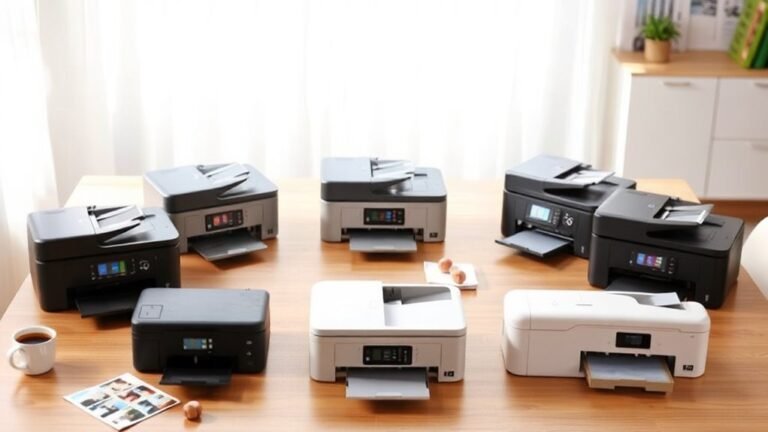
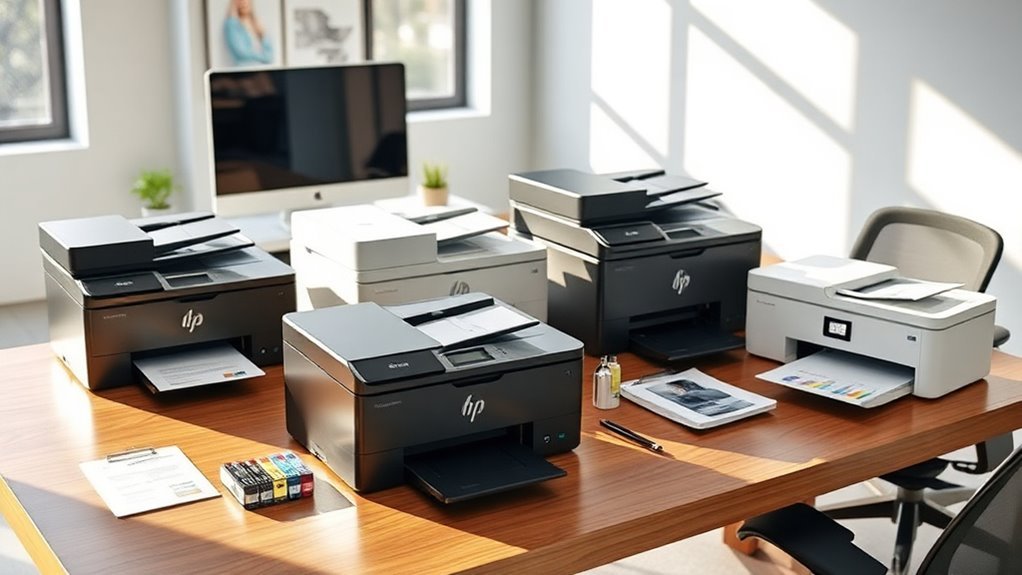
You’ll find six top HP printers perfect for boosting productivity in 2027. These printers range from affordable, user-friendly options like the DeskJet 2923 to high-capacity models such as the Smart Tank 5003, which comes with years of ink included. Whether you need a reliable home printer or a powerful machine for your small office, HP has you covered.
Small offices will love the fast, versatile OfficeJet Pro 8135 and 8139. They deliver excellent performance and speed for everyday tasks. Meanwhile, the Envy 6555e handles vibrant color projects effortlessly, making it ideal for creative work.
If quick, secure monochrome printing is what you need, the LaserJet Pro 3105sdw excels in that area. Explore these models to find the one that perfectly matches your needs and workflow. These HP printers are designed to boost your productivity and simplify your printing tasks in 2027.
| Image | Name | Editor's Rating | Price |
|---|---|---|---|

|
|
||

|
|
||

|
|
||
|
|
||

|
|
HP DeskJet 2923 Color Inkjet Printer | Wireless | All-in-One
- Perfect for basic printing needs – Print everyday color documents like to-do lists, letters, financial documents and recipes
- KEY FEATURES – Color print, copy, scan, and a 60-sheet input tray, plus mobile and wireless printing
- OPTIMIZE PRINT FORMATTING WITH HP AI – Print web pages and emails with precision—no wasted pages or awkward layouts; HP AI easily removes unwanted content, so your...
- ICON LCD – Print your basic documents with ease from the intuitive control panel
- PRINT SPEED – Up to 7.5 ppm black, 5.5 ppm color

Experience effortless printing, scanning, and copying with the HP DeskJet 2923 Color Inkjet Printer, designed to simplify your daily home tasks. Whether you’re managing colorful to-do lists or digitizing recipes, this all-in-one printer ensures reliable performance with vibrant color output.
The compact design features a 60-sheet input tray and an easy-to-use LCD panel, making operation straightforward. Its wireless dual-band Wi-Fi support allows seamless printing from smartphones and tablets via HP’s mobile app, reducing clutter and boosting convenience.
Maintenance is hassle-free with a six-month Instant Ink trial, which automatically manages ink supplies to keep your printer running smoothly. While print speeds reach up to 7.5 ppm in black, this model is best suited for light to moderate use rather than high-volume printing.
Manual duplex printing requires user involvement, and copy capacity is limited, so this printer excels in everyday home scenarios rather than extensive office workloads.
Best for: Home users seeking an affordable and user-friendly all-in-one printer for basic color printing, scanning, and copying.
What We Like:
- Wireless dual-band Wi-Fi with mobile app support for easy remote printing
- Six-month Instant Ink trial for automatic and cost-effective ink management
- Compact footprint with a 60-sheet tray and intuitive LCD screen for simple operation
Specification:
| Feature | Details |
|---|---|
| Manufacturer | HP |
| Dimensions | Approx. 16.65 x 12.03 x 5.91 inches (42.3 x 30.6 x 15 cm) |
| Weight | Approx. 5.4 lbs (2.45 kg) |
| Printer Type | Color Inkjet, All-in-One |
| Connectivity | Wireless dual-band Wi-Fi |
| Input Tray Capacity | 60 sheets |
HP OfficeJet Pro 8135 Wireless All-in-One Printer
- FROM AMERICA'S MOST TRUSTED PRINTER BRAND – The OfficeJet Pro 8135 is perfect for home offices printing professional-quality color documents like business documents...
- 3 MONTH TRIAL OF INSTANT INK INCLUDED – Subscribe to the Instant Ink delivery service to get ink delivered directly to your door before you run out, and you save up to...
- KEY FEATURES – Fast color printing, scan, copy, fax, auto 2-sided printing, auto document feeder, and a 225-sheet input tray
- 2.7-INCH TOUCHSCREEN – Quickly navigate your printer with a large color touchscreen and a phone-like user interface
- WIRELESS PRINTING – Stay connected with our most reliable dual-band Wi-Fi, which automatically detects and resolves connection issues
The HP OfficeJet Pro 8135 Wireless All-in-One Printer is designed to enhance productivity for home offices and small businesses. It tackles daily printing challenges by delivering crisp, professional-quality prints quickly. With speeds up to 20 ppm for black and 10 ppm for color, it reduces wait times and helps keep your workflow smooth.
Its compact design includes a 2.7-inch color touchscreen, making navigation intuitive and easy. The printer’s AI-driven print formatting saves time by optimizing documents before printing. Wireless dual-band Wi-Fi and Ethernet connectivity allow you to print from various devices without hassle.
Maintenance is straightforward with a 225-sheet input tray and automatic two-sided printing, which reduces paper use and supports eco-friendly practices. The printer is made with over 45% recycled plastic, emphasizing sustainability without compromising durability.
One trade-off is the single-sided automatic document feeder, which can slow scanning or copying double-sided documents. Also, it supports standard letter-size media, so larger formats aren’t an option. Cartridge authentication may restrict non-HP ink use, potentially increasing operating costs.
Best for: Small businesses and home offices that need a reliable, versatile all-in-one printer with wireless connectivity and smart print optimization.
What We Like:
- Fast printing speeds with two-sided automatic printing
- Easy-to-use color touchscreen with AI print formatting
- Multiple connectivity options including dual-band Wi-Fi and Ethernet
- Eco-friendly build using recycled plastic
- Large 225-sheet input tray for fewer refills
Specification:
| Feature | Specification |
|---|---|
| Manufacturer | HP |
| Model | OfficeJet Pro 8135 |
| Dimensions | Approx. 17.5 x 14.4 x 9.6 in |
| Weight | Around 18 lb (8.2 kg) |
| Connectivity | Dual-band Wi-Fi, Ethernet, USB |
| Display | 2.7-inch color touchscreen |
| Paper Capacity | 225 sheets |
| Print Speed | 20 ppm black, 10 ppm color |
| Media Size | Standard letter and similar |
| Material | Over 45% recycled plastic |
HP Smart Tank 5003 Ink Tank Printer | 3 Years of Ink Included | All-in-One
- THE LAST PRINTER YOU'LL EVER NEED – Set it up once and print with confidence; no complicated maintenance, just easy, reliable printing you can count on
- FULLY LOADED WITH SAVINGS – Best for low-cost, high-volume printing—up to 3 years of HP Ink included; get up to 6,000 color or black pages right out of the box
- KEY FEATURES – Print, copy and scan, plus borderless prints, mobile and wireless printing
- MESS-FREE REFILL – Replenish ink with HP's easy-access, mess-free refill system; simply plug the ink bottles into this cartridge-free ink tank and let them drain—no...
- BEST PRINT QUALITY, PERIOD – Sharper text, richer colors, only with HP Smart Tank
Experience hassle-free, high-volume printing with the HP Smart Tank 5003 Ink Tank Printer. Designed to keep up with your busiest days, this all-in-one device handles printing, copying, and scanning smoothly. Its cartridge-free ink tank system reduces interruptions by providing a large ink capacity right from the start.
This printer’s mess-free refill bottles eliminate the hassle of spills and squeezing. Simply pour the ink in without worry. Wireless and borderless printing capabilities allow you to print directly from your mobile device, making it easier to work from anywhere.
Maintenance is minimal thanks to its efficient design and long-lasting ink, helping you save both time and money. Although the setup may take longer compared to cartridge printers, the benefits of low running costs and consistent output make it worthwhile. The integrated ink tanks add some bulk, but they ensure you won’t run out of ink unexpectedly.
Best for: users needing affordable, high-volume printing with simple maintenance and versatile all-in-one functions.
What We Like:
- Up to 3 years of ink included, supporting up to 6,000 pages
- Cartridge-free system with easy, spill-free refills
- Wireless and borderless printing from mobile devices
- Sharp text and vibrant color output
- Low maintenance with long-lasting ink supply
Specification:
| Feature | Details |
|---|---|
| Manufacturer | HP |
| Dimensions | Approx. 15.3 x 11.5 x 6.6 in (38.8 x 29.2 x 16.8 cm) |
| Weight | Approx. 4.3 kg (9.5 lbs) |
| Color Options | White with black accents |
| Ink System | Cartridge-free ink tanks |
HP OfficeJet Pro 8139 Wireless All-in-One Printer
- FROM AMERICA'S MOST TRUSTED PRINTER BRAND – The OfficeJet Pro 8139 is perfect for home offices printing professional-quality color documents like business documents...
- 1 YEAR TRIAL OF INSTANT INK INCLUDED – Subscribe to the Instant Ink delivery service to get ink delivered directly to your door before you run out, and you save up to...
- KEY FEATURES – Fast color printing, scan, copy, fax, auto 2-sided printing, auto document feeder, and a 225-sheet input tray
- 2.7-INCH TOUCHSCREEN – Quickly navigate your printer with a large color touchscreen and a phone-like user interface
- WIRELESS PRINTING – Stay connected with our most reliable dual-band Wi-Fi, which automatically detects and resolves connection issues
Experience reliable, professional-quality color printing tailored for home and small office environments with the HP OfficeJet Pro 8139 Wireless All-in-One Printer. This device simplifies your workflow by combining printing, scanning, copying, and faxing in one compact unit. Its fast print speeds of up to 20 ppm for black and 10 ppm for color help you complete tasks efficiently without long waits.
The intuitive 2.7-inch color touchscreen and HP app integration allow you to manage documents directly from your smartphone, making mobile printing hassle-free. Automatic duplexing saves paper by printing on both sides, reducing waste and cutting costs. Designed with sustainability in mind, this printer uses over 45% recycled plastic, helping users minimize their environmental footprint.
Maintenance is straightforward with HP’s Instant Ink trial included, which helps manage ink levels and saves money. However, the printer supports media sizes only up to 8.5 x 11.7 inches, which limits printing larger documents. Firmware updates may restrict third-party ink cartridge use, and the 225-sheet paper capacity might require frequent refills during heavy use.
Best for: home and home office users needing a versatile, eco-conscious all-in-one printer with smart wireless connectivity and professional color output.
What We Like:
- Fast print speeds with automatic two-sided printing
- Easy mobile printing and scanning via touchscreen and HP app
- Eco-friendly design with significant recycled plastic content
- Includes HP Instant Ink trial for convenient ink management
Specification:
| Feature | Details |
|---|---|
| Manufacturer | HP |
| Dimensions | Not specified |
| Weight | Not specified |
| Material | Over 45% recycled plastic |
| Color Options | Not specified |
HP Envy 6555e Color Inkjet Printer | Wireless | All-in-One
- The Envy 6555e is perfect for homes printing everyday quality color documents like homework and borderless photos. Print speeds up to 7 ppm color, 10 ppm black.
- PERFECTLY FORMATTED PRINTS WITH HP AI – Print web pages and emails with precision—no wasted pages or awkward layouts; HP AI easily removes unwanted content, so your...
- KEY FEATURES – Color print, copy and scan, plus auto 2-sided printing, a 35-sheet auto document feeder and a 100-sheet input tray
- HP'S MOST INTUITIVE COLOR TOUCHSCREEN – Smoothly navigate your printer with the easy-to-use 2.4" touchscreen
- 3 MONTHS OF INSTANT INK WITH HP+ ACTIVATION – Subscribe to Instant Ink delivery service to get ink delivered directly to your door before you run out. After 3 months...
Experience hassle-free printing designed for your busy home or small office with the HP Envy 6555e Color Inkjet Printer. This all-in-one device simplifies your daily tasks by combining printing, scanning, and copying in a compact, wireless setup. Vibrant, true-to-screen colors bring your photos and documents to life, enhancing every project with clarity and detail.
Maintenance is straightforward with HP Instant Ink, which ensures your cartridges are replenished automatically, reducing downtime. The 35-sheet automatic document feeder and auto duplex printing streamline multi-page jobs, saving you time and effort. Control is at your fingertips via a bright 2.4″ touchscreen, making navigation simple and intuitive.
Connectivity adapts to your needs with dual-band Wi-Fi and USB options, while the HP Smart app lets you print and scan directly from your mobile device. Although ink cartridges may require frequent replacement under heavy use, this printer offers reliable performance and convenient features to keep your workflow smooth.
Best for: Home users and small home offices needing an efficient, wireless all-in-one printer that handles everyday color printing, scanning, and copying with ease.
What We Like:
- Produces vibrant, borderless photos and documents with HP P3 color technology
- Features auto duplex printing and a 35-sheet automatic document feeder for efficient multitasking
- Easy wireless setup with dual-band Wi-Fi and mobile printing via the HP Smart app
- HP Instant Ink subscription offers convenient, automatic ink replenishment
Specification:
| Feature | Details |
|---|---|
| Manufacturer | HP |
| Model | Envy 6555e |
| Printer Type | Color Inkjet, All-in-One |
| Connectivity | Dual-band Wi-Fi, USB |
| Display | 2.4″ Color Touchscreen |
| ADF Capacity | 35 sheets |
| Duplex Printing | Automatic |
| Dimensions (W×D×H) | Approx. 17.2 × 14.5 × 5.7 in |
| Weight | Approx. 13.3 lbs |
HP LaserJet Pro 3105sdw Monochrome Laser Printer | All-in-One
No products found.
The HP LaserJet Pro 3105sdw Monochrome Laser Printer is designed for teams that demand quick and reliable black-and-white document handling. It tackles busy workloads with a printing speed of up to 33 pages per minute, helping you meet tight deadlines without hassle. The auto two-sided printing saves paper and time, making everyday tasks more efficient.
Maintenance is straightforward with features like auto paper jam recovery, reducing interruptions and downtime. Scanning is simplified by the automatic document feeder, speeding up digitization of one-sided documents. Managing jobs remotely is easy through the HP app, which keeps your workflow smooth and under control.
This all-in-one printer is built with smart connectivity in mind. Its Wi-Fi automatically selects the best connection, and solid security protections powered by HP Wolf Pro safeguard your sensitive data. Intelligent HP AI enhances productivity by generating smart email subject lines and cleaning unnecessary content from your prints.
While it supports only original HP cartridges with chips, this limitation ensures consistent print quality. Its monochrome-only output fits perfectly for professional reports and documents but isn’t suitable for color needs. Compact and efficient, it’s ideal for smaller teams needing dependable performance.
Best for: Small workgroups requiring a fast, secure, and easy-to-maintain monochrome all-in-one printer for professional document workflows.
What We Like:
- Fast printing speed with automatic duplexing to save time and paper
- Smart HP AI tools that streamline document management
- Reliable connectivity and strong security features with HP Wolf Pro
- Easy maintenance with auto jam recovery and convenient app control
Specification:
| Feature | Details |
|---|---|
| Manufacturer | HP |
| Dimensions | Compact size (specifics not provided) |
| Weight | Not specified |
| Printing Technology | Monochrome Laser |
| Print Speed | Up to 33 pages per minute |
| Connectivity | Wi-Fi with smart connection |
| Security | HP Wolf Pro |
| Cartridge Type | Original HP chips required |
Factors to Consider When Choosing a Buyhp Printer
When choosing a Buyhp printer, you’ll want to contemplate how fast you need your documents printed and what connectivity options suit your setup.
Think about ink efficiency to save on running costs and the print quality you require for your projects.
Also, check the paper handling capacity to make certain it matches your typical print volume.
Print Speed Needs
Although print speed isn’t the only factor to contemplate, matching the printer’s pages per minute (ppm) rating to your typical workload guarantees smoother operation. For light home use, aim for around 7–10 ppm, while small offices benefit from about 20 ppm.
High-volume or multi-user environments usually require 30+ ppm. Also, consider the initial page-out time—if you often print single pages, a printer with under 20 seconds to first page will save you waiting time.
Keep in mind, color printing generally runs slower than black-and-white, so expect reduced speed with color jobs. Duplexing and automatic document feeder (ADF) speeds matter too, as they enhance productivity for multi-page tasks.
Finally, check whether the speeds are measured in draft, normal, or high-quality modes, since higher quality cuts down your effective ppm.
Connectivity Options
Print speed matters, but how you connect your HP printer can impact your overall experience just as much. You’ll need to decide between wireless options like dual-band Wi-Fi (2.4 GHz and 5 GHz) and wired connections such as Ethernet or USB. It really depends on your network stability and where you plan to put your printer.
If you often have guests or use mobile devices, look for Wi-Fi Direct. This lets you print without joining a network, which is super handy. For multi-user environments or business setups, Ethernet is a solid choice because it offers stable, low-latency printing and is easier to manage.
Also, make sure your printer supports mobile printing standards like AirPrint or Mopria. That way, printing from your smartphone or tablet is seamless. And don’t forget about built-in security features—things like secure boot, firmware updates, and network encryption help keep your data safe while connected.
Ink Efficiency
You’ll often find that ink efficiency plays a crucial role in choosing the right HP printer, especially if you want to keep ongoing costs manageable. Start by checking the page yield of cartridges or ink bottles and compare it to your monthly printing volume to estimate how often you’ll replace them.
Calculate the cost per page by dividing the cartridge price by its page yield, using ISO/IEC standards if available for consistency. If you print frequently, opt for printers with high-capacity cartridges or refillable tanks to lower expenses and reduce replacements.
Also, consider subscription ink services only if their monthly cost beats buying supplies outright. Finally, look for printers with duplex printing and page-optimizing software that minimize ink use by cutting unnecessary content and wasted pages.
Print Quality Standards
Evaluate a printer’s resolution and color capabilities carefully to guarantee your documents and photos come out crisp and vibrant. Look for printers with high dpi values, like 1200 x 1200 or 4800 x 1200 optimized, to make certain sharp text and fine photo details.
Check the recommended input and rendered dpi to get accurate image reproduction. Consider color printing features, focusing on CMYK channels for better color fidelity, saturation, and subtle gradients. Don’t overlook copy and scan resolutions—300 to 600 dpi usually delivers good quality for document reproduction and archiving.
Also, remember print speed can vary; higher-quality modes often slow pages per minute, so balance quality with your productivity needs. Prioritize these factors to choose an HP printer that meets your print quality standards effectively.
Paper Handling Capacity
Consider how much paper your HP printer can handle before you need to reload it to keep your workflow smooth. Check the input tray capacity—whether it holds 60, 100, or 225 sheets—to match your daily print volume and cut down on interruptions.
If you often scan or copy multi-page documents, look for a model with an automatic document feeder (ADF) and note its sheet limit for efficiency. Automatic duplex printing is another time-saver, letting you print double-sided without manual flipping.
Don’t forget to verify supported paper sizes and types, ensuring compatibility with your projects. Finally, consider total paper handling features like output tray capacity and multipurpose trays.
These help you avoid frequent stops during large print jobs and keep productivity high.
Device Compatibility
When selecting an HP printer, making sure it works smoothly with your devices can save you time and frustration. First, check that the printer supports your operating systems—whether Windows, macOS, iOS, or Android—so you can access drivers and mobile printing apps without hassle.
Verify compatible connection methods like dual-band Wi-Fi, Bluetooth, Ethernet, or USB to fit your home or office setup. If you print directly from smartphones or tablets, guarantee the printer supports standards like AirPrint or Mopria for driver-free printing.
Also, confirm that drivers are updated regularly to keep up with OS upgrades. Finally, if you rely on multifunction features such as scan-to-cloud or ADF scanning, make sure your devices and apps can connect to these functions over your network for seamless workflows.
Security Features
Because printers often handle sensitive documents, you’ll want to prioritize security features that protect your data and network. Make certain your HP printer supports automatic firmware updates to stay protected against new threats.
Look for network security like WPA2/WPA3 Wi-Fi encryption, secure boot, and TLS/HTTPS for encrypted print jobs and management. These help keep your information safe when it’s being sent or received.
Verify user authentication options—PIN, password, or NFC badge—and role-based access controls to restrict usage to authorized personnel. This way, only the right people can access the printer.
Secure printing capabilities such as pull/hold print and encrypted storage prevent unauthorized access to documents. Plus, confirm the device offers secure erase or disk encryption for internal storage.
Audit and logging functions help you track print jobs and security events, aiding compliance and incident investigations. These features keep your information safe and your workflow secure.
Maintenance Requirements
You’ll often need to monitor and replace consumables like ink or toner before print quality drops, as cartridges vary widely in their page yields. Track estimated page counts to prevent interruptions—ink cartridges cover hundreds of pages, while toner can last thousands.
When you notice streaks or color shifts, clean the printhead or run automated nozzle checks and head alignment. Regularly empty paper trays, clear dust, and clean rollers to avoid jams.
Keep your firmware and drivers updated during low-use hours to maintain reliability and features like cartridge authentication. Always use genuine or manufacturer-recommended supplies, storing spare ink or toner in a cool, dark place upright to prevent clogs and leakage.
These maintenance steps help your HP printer run smoothly and consistently deliver quality prints. It’s definitely worth the effort to keep things running without a hitch!
Frequently Asked Questions
How Do HP Printers Compare to Other Brands in Terms of Durability?
HP printers generally offer solid durability, often matching or exceeding other brands. You’ll find they handle heavy use well, thanks to quality components and reliable engineering.
This makes them a dependable choice for long-term printing needs. So, if you’re looking for something that lasts, HP is definitely worth considering.
What Is the Average Cost of Replacement Ink for HP Printers?
You’ll typically pay between $20 and $50 for HP replacement ink cartridges, depending on the model and ink type.
Opt for high-yield cartridges to save money and reduce how often you need to replace them. It’s a smart way to get more value out of each purchase.
Can HP Printers Be Used With Third-Party Ink Cartridges Without Voiding the Warranty?
You can use third-party ink cartridges with HP printers, but HP may void your warranty if they detect damage caused by those cartridges.
Always check HP’s specific warranty terms before using non-HP ink to stay safe. It’s a good idea to be cautious and informed!
What Security Features Do HP Printers Offer for Protecting Sensitive Documents?
You might worry about hacking, but HP printers offer robust security features like encrypted printing, secure boot, and PIN release to protect your sensitive documents.
These features ensure that only authorized users can access and print confidential information. So, you can feel confident that your data stays safe.
Are HP Printers Compatible With Mobile Printing Apps and Services?
Yes, HP printers work seamlessly with mobile printing apps like HP Smart, Apple AirPrint, and Google Cloud Print.
You’ll easily print, scan, and manage documents directly from your smartphone or tablet, wherever you are. It’s super convenient and saves you a lot of time.
Conclusion
Choosing the right Buyhp printer can truly boost your productivity and fit your unique needs. Whether you want vibrant color prints, efficient ink usage, or fast laser printing, there’s a perfect option waiting for you.
So, why settle for less when the right printer can make your work easier and more enjoyable? Take a moment to ponder what matters most to you, and you’ll find the ideal Buyhp printer to power your projects in 2027.
When selecting a Buyhp printer, think about your daily tasks. Do you need quick prints for busy days or high-quality images for presentations? Maybe you’re after a machine that saves on ink and energy.
Whatever your priorities, investing in the best Buyhp printer will enhance your workflow and productivity. With the right choice, your work becomes smoother, faster, and more satisfying. So, explore the options and get ready to boost your productivity with a Buyhp printer in 2027!